
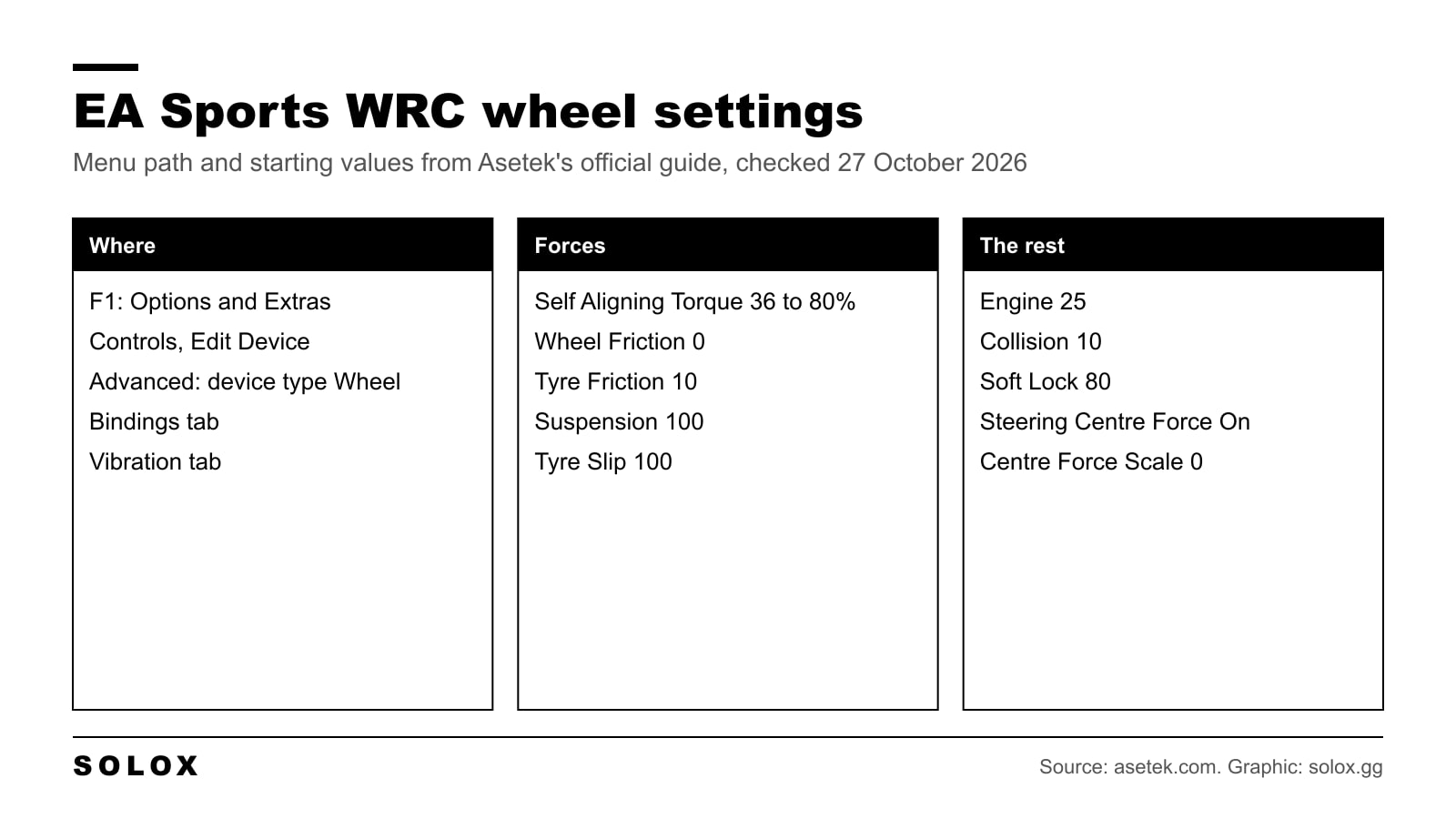
The best EA Sports WRC wheel settings start with Self Aligning Torque matched to how strong your base is, Wheel Friction at 0 and Tyre Friction low. Asetek's official guide uses Self Aligning Torque from 36% on a 16 to 27 Nm base up to 80% on a 5.5 Nm base, with Wheel Friction 0, Tyre Friction 10, Suspension 100, Tyre Slip 100, Engine 25, Collision 10 and Soft Lock 80.
Rally is where a good wheel setting pays most. You are reading the surface through your hands, and on gravel the car is moving under you all the time. Too much weight and you cannot catch it. Too little and you do not feel it go.
Checked on 27 October 2026. The menu path and the values per base are from Asetek's official EA Sports WRC setup guide on asetek.com. What each slider does is where two independent setup guides agree. EA and Codemasters do not publish a slider by slider guide.
Where the wheel settings are
- From the main menu, press F1 to open Options and Extras.
- Go to Controls and choose Edit Device on your wheel.
- In the Advanced tab, set the device type to Wheel.
- Set your buttons and pedals in the Bindings tab.
- The force feedback sliders are in the Vibration tab.
If your wheel uses its own software (RaceHub, Pit House, Fanatec App, G HUB, Thrustmaster Control Panel), set the base there first and keep its filters low. Then do the fine tuning in the game.
What each slider does
| Slider | What it does |
|---|---|
| Self Aligning Torque | The main force, the tyres pulling the wheel back to centre. Too high and the wheel goes heavy |
| Wheel Friction | A mostly constant damper. It makes the wheel heavier without telling you anything |
| Tyre Friction | Another damper, based on the tyre data. Keep it low or it covers Self Aligning Torque |
| Suspension | Bumps and the road surface |
| Tyre Slip | Vibration when the tyres lose grip |
| Engine | Vibration at the rev limit |
| Collision | Hits on rocks, banks and anything at the side of the road |
On PC there is no master strength slider, so Self Aligning Torque sets how strong the whole thing feels.
Starting values by wheelbase strength
These are Asetek's official in-game values for its own bases. They are the only per base numbers published by a hardware maker that I could find.
| Setting | 16 to 27 Nm | 12 Nm | 8 Nm | 5.5 Nm |
|---|---|---|---|---|
| Self Aligning Torque | 36% | 42% | 67% | 80% |
| Wheel Friction | 0 | 0 | 0 | 0 |
| Tyre Friction | 10 | 10 | 10 | 10 |
| Suspension | 100 | 100 | 100 | 100 |
| Tyre Slip | 100 | 100 | 100 | 100 |
| Engine | 25 | 25 | 25 | 25 |
| Collision | 10 | 10 | 10 | 10 |
| Soft Lock | 80 | 80 | 80 | 80 |
| Steering Centre Force | On | On | On | On |
| Steering Centre Force Scale | 0 | 0 | 0 | 0 |
In Asetek's table, 16 to 27 Nm covers the La Prima+, Forte and Invicta, 12 Nm the La Prima, 8 Nm the Initium+ and 5.5 Nm the Initium.
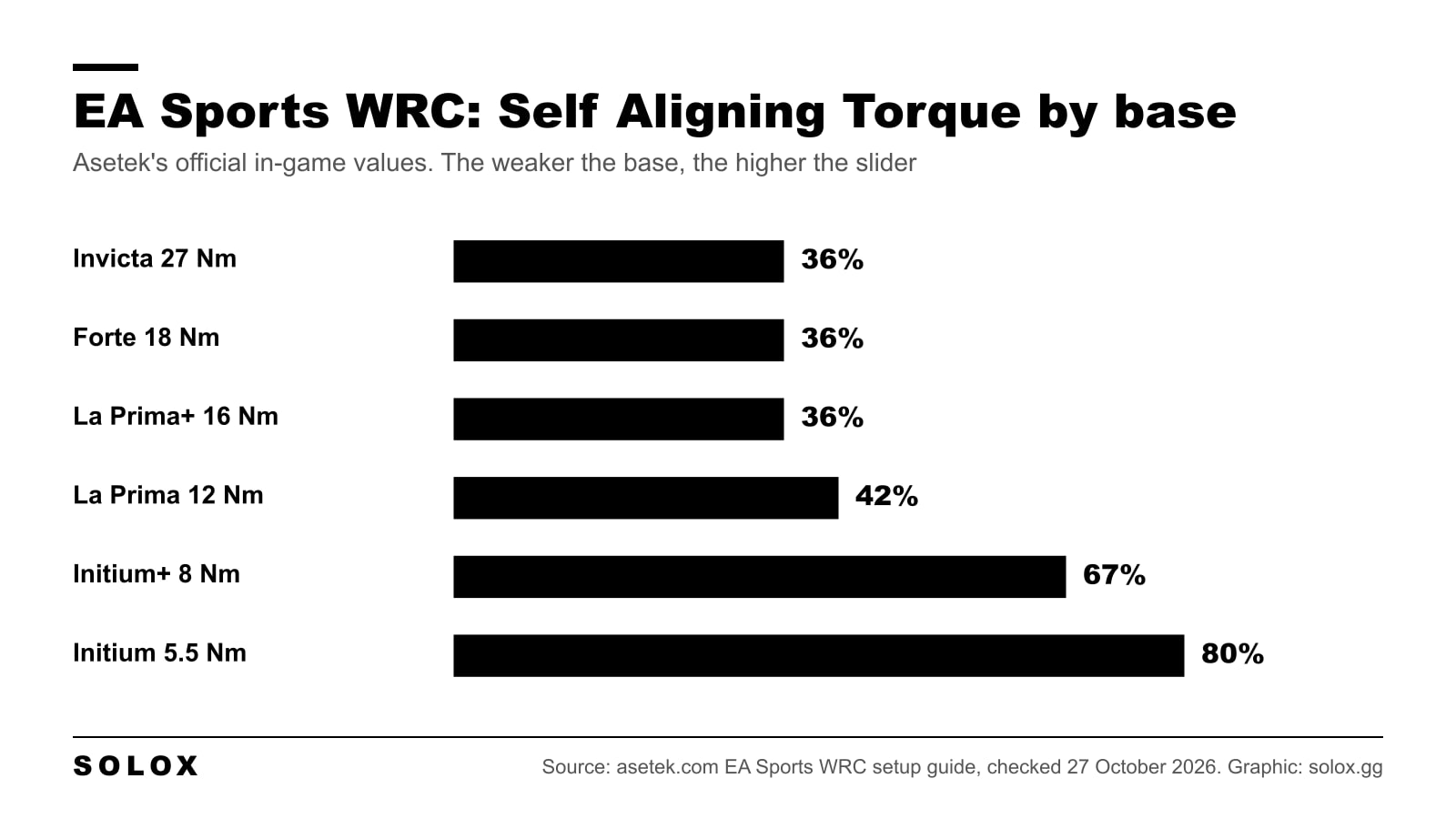
The pattern is the useful part. Only Self Aligning Torque changes with the base, everything else stays the same. So on another brand, pick the column closest to your base's torque and start there.
Using it on Fanatec, MOZA, Logitech or Thrustmaster
The game sliders are the same for every wheel. What changes is the strength of the motor.
- Direct drive around 8 to 12 Nm: start between the 12 Nm and 8 Nm columns, so Self Aligning Torque around 42 to 67%.
- Direct drive around 5 Nm: start from the 5.5 Nm column.
- Belt and gear wheels: they are weaker still, so Self Aligning Torque near the top of the range. Then watch for clipping: if the wheel goes solid in long corners, come down.
Check your own base's torque on the maker's page. These mappings are my judgement from Asetek's pattern, not values published by other brands.
Be careful with copied numbers. One popular Fanatec guide runs Wheel Friction at 34, Asetek runs it at 0. Both cannot be right for you. I start at 0 every time, because friction only adds weight and weight is not feel.
How I tune it from there
Change one slider at a time and do the same stage twice.
- Wheel too heavy in fast gravel sections: lower Self Aligning Torque 5 points.
- Wheel feels dead and floaty on tarmac: raise Self Aligning Torque 5 points before you touch anything else.
- Wheel shakes or oscillates on straights: add a little Tyre Friction, 5 at a time.
- Too much noise over rough stages: lower Suspension. Keep Tyre Slip, that is the one that tells you the car is going.
- Engine buzz annoys you: lower Engine. It tells you nothing about grip.
If you are new to the game, my EA Sports WRC guide and tips covers what to do first, and the most popular cars by class helps you choose what to drive. For the older game, see my WRC 10 Fanatec settings.
FAQ
What is the best Self Aligning Torque in EA Sports WRC?
It depends on your base. Asetek uses 36% on its 16 to 27 Nm bases, 42% at 12 Nm, 67% at 8 Nm and 80% at 5.5 Nm.
Should Wheel Friction be 0 in EA Sports WRC?
That is where I start, and so does Asetek. It adds weight but no information.
Where are the FFB settings in EA Sports WRC?
Options and Extras (F1 from the main menu), Controls, Edit Device on your wheel, Vibration tab.
Why does my wheel not work in EA Sports WRC?
Check the device type is set to Wheel in the Advanced tab of Edit Device, and that your wheel's own software is running.
Is there a master FFB strength slider?
Not on PC. Self Aligning Torque does that job, together with the strength set in your wheel's own software.