

How would you like to rake in a whopping 4 million credits in Forza Horizon 5 having to put in minimal effort? Forza Horizon 5 is packed with extremely irritating tasks that make it a chore just to attempt obtaining enough credits so as to purchase each of the amazing cars. And in fact, the Goliath Glitch is so simple that one can do it in the course of a period when the person is sleeping. In which case you probably should considering that in total, this will take eight hours. 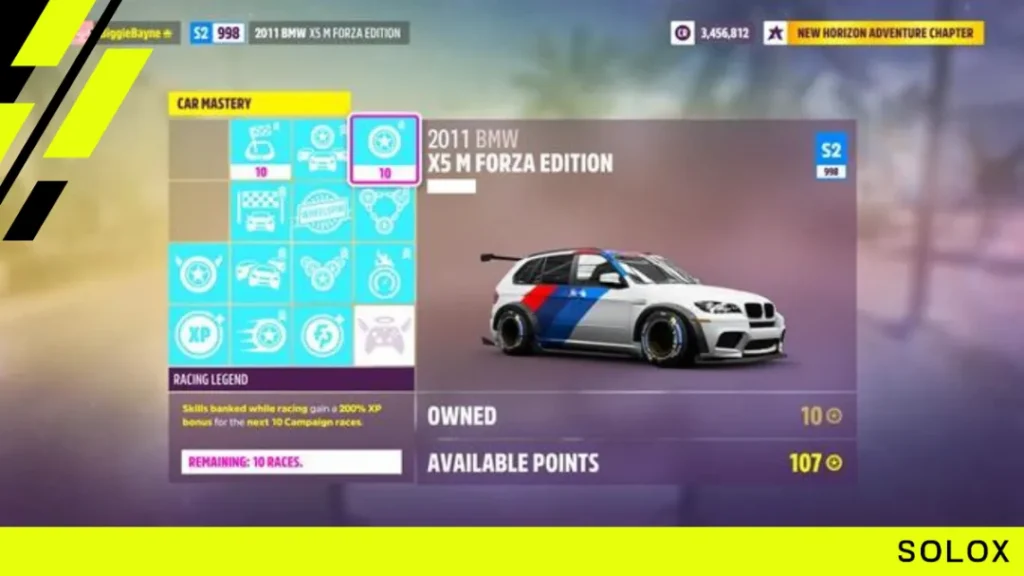 So what this means is that you can literally set this up and sleep and then the next morning, log in to Forza Horizon 5 and watch as the credits come flooding in. This will basically automate the gameplay of the game allowing you to sit back and watch as the car is driven in and out of several races. If that sounds like music to your ears, then let’s now get into how to actually make it work through our step by step guide.
What is the FH5 Goliath Glitch?
The Goliath Glitch is defined as an in-game error abuse/ error that permits a player to win the Goliath race within a short frame of time while receiving a very high reward in credits. 
Also, since all the movements will be taken care of by the game, you will just sit back and relax which doesn’t require any driving skill!
Does the Forza Goliath glitch still work?
As of 2022, the Goliath glitch is still functional despite numerous attempts at patching it and remains a cool and effective glitch in Forza Horizon 5. By winning a race that’s virtually unwinnable, one can earn such credits that are extremely favorable to the player.
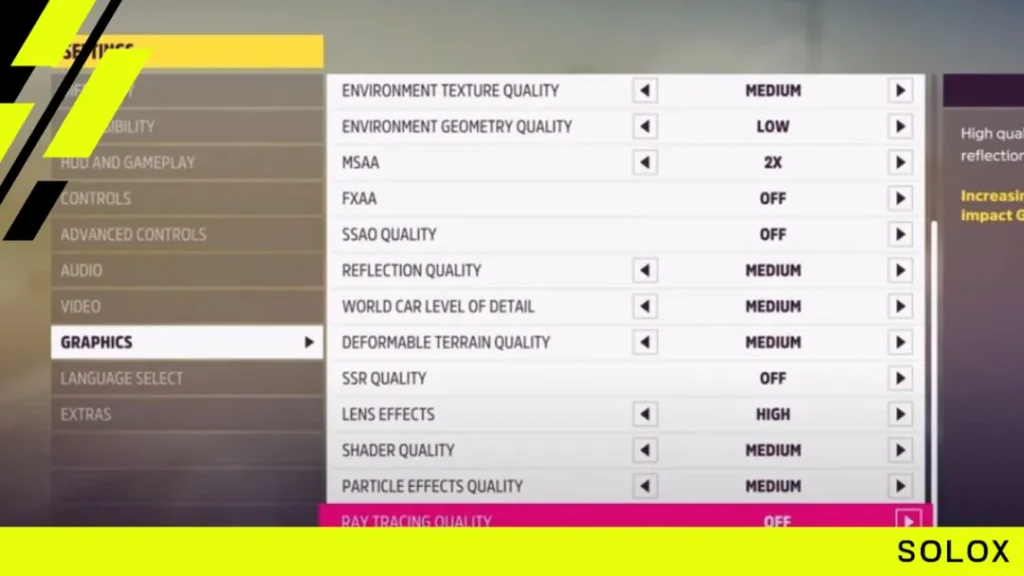
What are the best FH5 xbox graphics settings?
The best Xbox graphics for Forza Horizon 5 are:
- Go and unlock the Goliath race.
- Open the Forza Horizon 5 map to set a waypoint
- Go to the event location
- Press “X” to start the event set up configuration
- Click on “solo” and then continue
- Press the LB button to hover over “Eventlab”
- Click on and select “Create Blueprint”.
- This will set up a completely new event created by you
- The next menu you'll find, will let you choose any car you like
- Don't pick the fastest cars like high-end Lamborghinis, Bugattis, or Ferraris
- Select the car which has all the “Car Mastery” options unlocked
- This will give you way more skill points and XP than going with car masteries
- Now in the “Eventlab” menu, click on “Event Settings”
- Then, Change “Drivatar Difficulty” to “Unbeatable”
- Next, turn off or disable all Drivatars in “Max Number of Drivatars”
- This will allow you to drive safely while collecting extra difficulty Credits
- Modify “Number of Laps” to 50
- Set “Weather” to “Clear”
- Turn “Traffic” off
- Now press “Confirm”
- Now instead of “Test Drive”, click “Publish”.
- Finally, Load up the race from the next menu “My Local Events”.
Difficulty settings for the FH5 AFK Goliath glitch
Here are the recommended difficulty settings you'll need to adjust for the Forza Horizon 5 AFK Goliath glitch:
- Go to “Difficulty & Settings”.
- Make sure “Drivatar Difficulty” is on Unbeatable.
- Change the Braking to “Assisted”.
- Change the Steering to “Auto-Steering”.
- Set Traction Control to “On”.
- Set Stability Control to “On”.
- Gear Shifting must be “Automatic”.
- Go and Change Driving Line to “Off”.
- Keep the Damage & Tyre Wear to “Cosmetic” only.
- Now go and start the race.
- Now the car will be auto-controlled & drive itself.
- But you need to keep the “RT” always button pressed down.
- For this you can keep a thick coin between RB & RT buttons.
- Make sure to turn off (disabled) the controller vibration from the game menu or even Xbox settings.
Last but not the least. Do remember to turn off the Controller Vibration from the game or even Xbox settings. As it can be seen that there are a bits and pieces of the instructions which would need minutes to observe them in detail. Certain videos are however worth your time and attention because they have special requirements for a reason - to help you prevent having to repeat the entire endeavor from the onset. 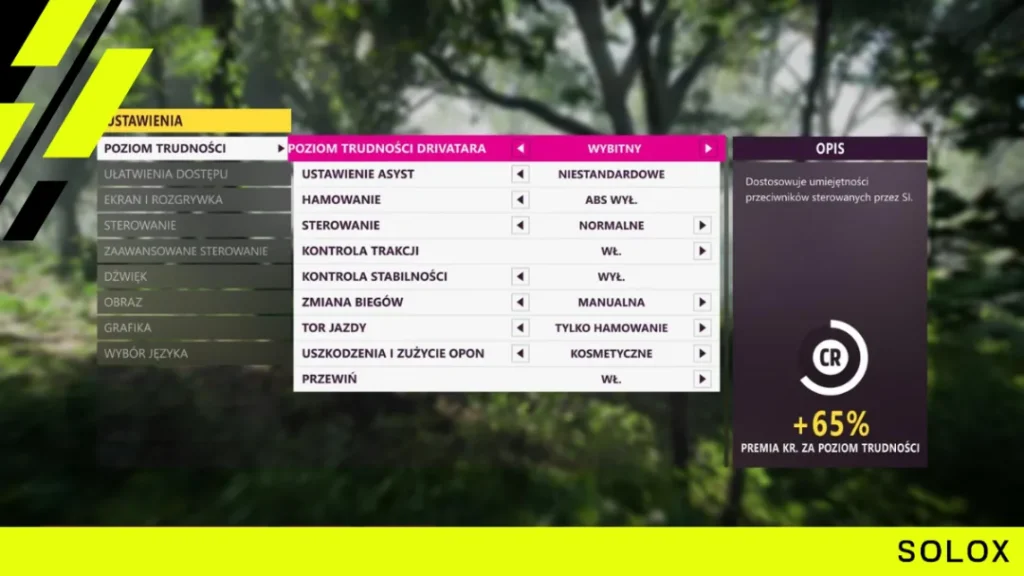 After you have sufficiently gotten everything ready and licensed the race, all there is left for you is to sit back and lie down while everything is done for you. The Goliath race will take in the order of 8 hours in its completion but once it is completed, you will receive such a huge amount of credits that you may use them in purchasing anything in the game.
Conclusion
Your congratulations. You have just mastered the art of AFK winning the Goliath race in the Forza Horizon 5 and earning lots of credits along the way without raising a finger! If somehow you feel this specific guide was useful to you, feel free to help others on Reddit by sharing it. Until next time! See you on the track! ;)