
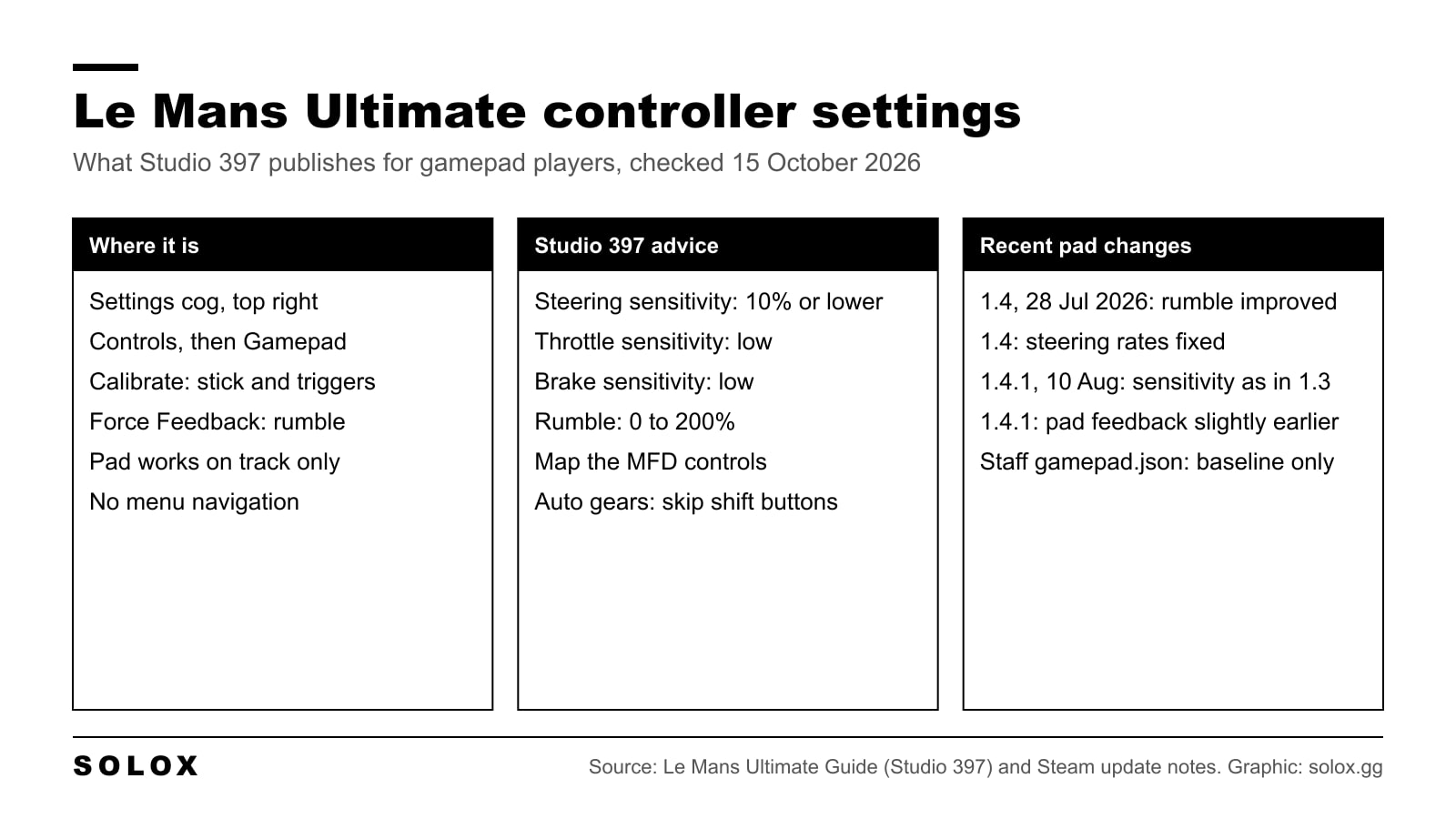
Yes, you can play Le Mans Ultimate with a controller. The gamepad settings are in Settings, Controls, Gamepad, and the two tabs that matter are Calibrate (sensitivity and deadzones) and Force Feedback (rumble). Studio 397's own advice is short: keep steering sensitivity at 10% or lower, and keep throttle and brake sensitivity low as well.
Below is where everything is, what each option does, what the last updates changed for pad players, and how I would set it up from there.
Checked on 15 October 2026 against the official Le Mans Ultimate help pages at guide.lemansultimate.com on controllers, button assignment, driving assists, known issues and common fixes, Studio 397's Control Pad reference settings page on RaceControl support, and the Le Mans Ultimate update notes on Steam up to version 1.4.2. Where something is not published, I say so instead of filling the gap.
Can you play Le Mans Ultimate with a controller?
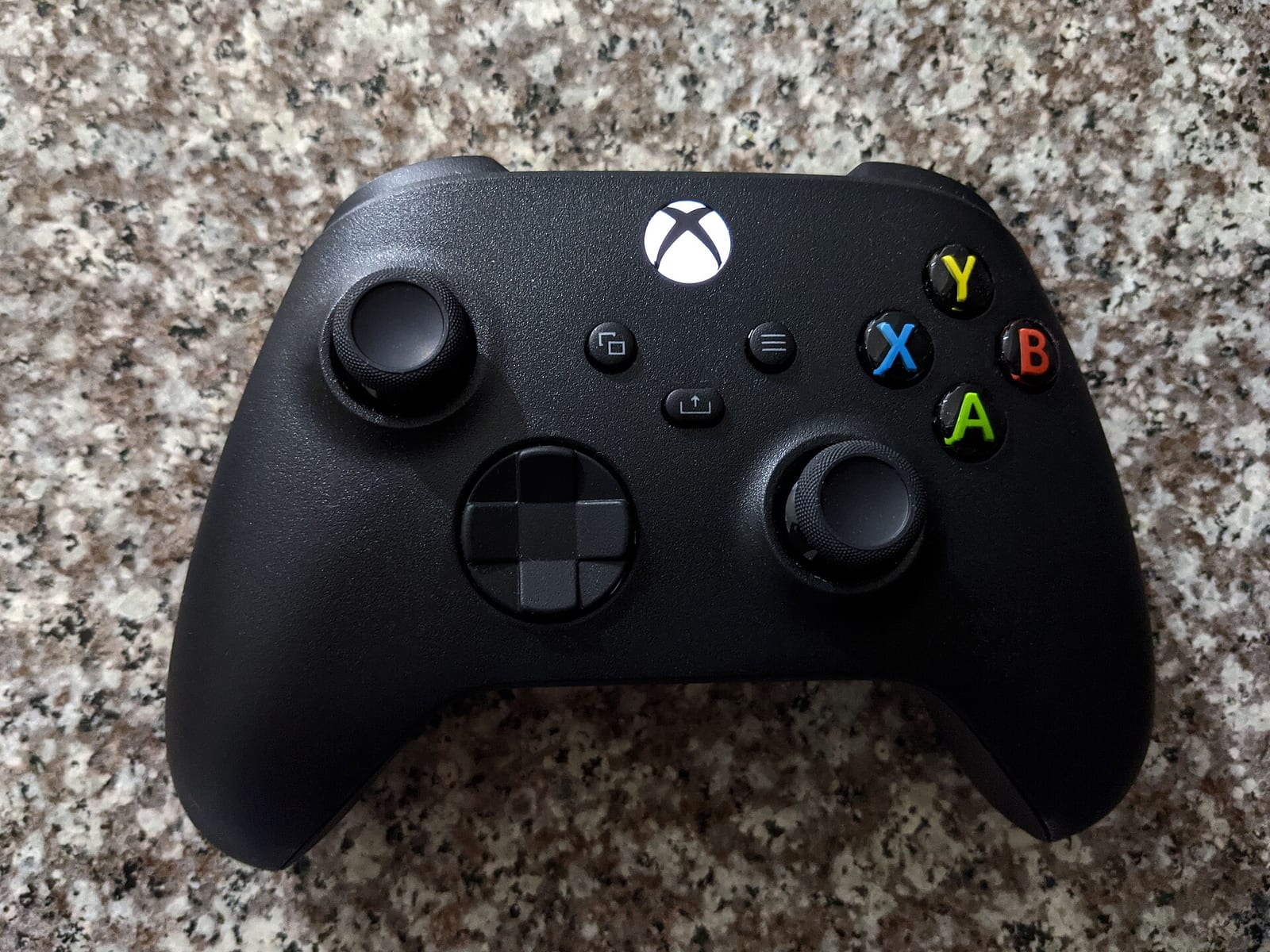
Yes, on PC. Le Mans Ultimate is a Steam game for Windows, and a pad works on track. Two limits to know before you start, both from Studio 397's own guide:
- The controller does not work in the menus. UI navigation with a pad is not implemented, and that includes the pause screen. Keep a mouse close.
- Pad players can see higher tyre wear, because stick inputs tend to be more aggressive than a wheel.
There is no console version yet. A PlayStation and Xbox port is in production, and I keep the details in Le Mans Ultimate on PS5.
Studio 397 does not publish a list of supported pads that I could find. Its guide talks about "gamepad" in general. One of its common fixes, for cars stuttering on track, says that turning off Steam Input can help some users with some controllers.
Where the controller settings are
From any menu, click the settings cog at the top right. Go to Controls, then Gamepad. The menus you see depend on what is connected. With no wheel plugged in, you get Gamepad and Keyboard.
| Tab | What you do there |
|---|---|
| Primary Controls | Steering, throttle, brake, shifting and the MFD controls |
| Car Controls | Car functions you want on a button |
| Gameplay | Game functions you want on a button |
| Camera | Camera views |
| Interaction | Other assignable actions |
| Calibrate | Max left, centre, max right, deadzone and sensitivity for the stick and triggers |
| Force Feedback | Rumble strength sent to the pad, from 0 to 200% |
There is a search bar at the top of the assignment pages, so you can type the name of a control instead of scrolling. A dash next to a control means nothing is assigned by default. The X next to a binding removes it.
Studio 397 does not list the default gamepad bindings in text on its guide pages, so I do not print a binding table here. Open the Primary Controls tab and check what your pad has before you drive.
The bindings that matter
Studio 397's guide gives three pieces of advice for the assignment pages, and I agree with all of them.
- Check steering, throttle and brake first. Nothing else matters until those three are mapped.
- If you use automatic gears, do not assign the shift controls. A pad has few buttons, and shifting would take two of them.
- Map the MFD controls in Primary Controls. The MFD lets you change car settings and the pit stop menu, fuel included, without a button for every function. On a pad that is the only sane way to run an endurance race.
After that, map what you actually use in a race, like the pit limiter, lights and wipers if you do not run the auto versions.
Calibrate: sensitivity and deadzones
This is the tab that decides how the car feels. Click the down arrow on the right of each bar and you get five options: max left, centre, max right, deadzone and sensitivity.
| Option | What it does | What Studio 397 says |
|---|---|---|
| Max left, centre, max right | Tell the game where the stick ends and where the middle is | No value given |
| Deadzone | Movement near the centre that the game ignores | No value given |
| Steering sensitivity | How the stick movement maps to steering | 10% or lower |
| Throttle sensitivity | How the trigger maps to the throttle | Keep it low |
| Brake sensitivity | How the trigger maps to the brake | Keep it low |
The reason for the low steering value is in the guide too: an analog stick has very little travel, and a high value makes you more likely to spin. The same logic goes for the triggers. A low value gives you more control over the car.
Studio 397 publishes no deadzone value and no exact trigger values, so I do not invent them.
Force feedback and rumble on a pad
On a pad, the Force Feedback tab sets the rumble. The slider goes from 0 to 200%. Studio 397's known issues page says the same thing in one line: to adjust controller vibration, adjust Force Feedback in settings.
Rumble on a pad is not steering force. It is the only thing telling your hands what the tyres are doing, so I would not turn it off. If it is so strong that your thumb moves the stick by accident, bring it down.
The rumble changed in the summer. Version 1.4 on 28 July 2026 listed improvements to gamepad rumble, and version 1.4.1 on 10 August 2026 tweaked the gamepad force feedback to give feedback slightly earlier. If you set your rumble before August, check it again.
For wheel players, the force feedback menu is a different page with different settings, covered in my Le Mans Ultimate FFB settings guide.
What the updates changed for pad players
These are the controller lines in the official update notes on Steam.
| Version | Date | Pad change |
|---|---|---|
| Hotfix 1 | 21 Feb 2024 | Gamepad and keyboard default profiles updated. Players with modified controls had to delete their controls files to get them |
| Patch 3 | 16 Apr 2024 | Gamepad and keyboard defaults updated with improved steering settings and adjusted default gamepad keys |
| June 2024 update | 10 Jun 2024 | Steering help scaled down, so the old low is the new high |
| Update 1, Patch 1 | 23 Jul 2024 | Disconnecting a gamepad shows the pause menu and pauses single player |
| 1.3 | 31 Mar 2026 | Controller slip angle values reviewed, input latency reduced |
| 1.4 | 28 Jul 2026 | Numerous issues with controller steering rates fixed, gamepad rumble improved |
| 1.4.1 | 10 Aug 2026 | Gamepad steering sensitivity reverted to the range of 1.3, gamepad feedback slightly earlier |
The two 2026 lines matter most. If you tuned your sensitivity on the 1.4 build between 28 July and 10 August, your numbers were set on a different steering range. Set them again.
Nothing for the pad is listed in the 1.4.2 notes of 22 September 2026.
Studio 397's reference pad files
Studio 397 keeps a Control Pad reference settings page on RaceControl support, last updated on 19 May 2026. It links to a download with three files: keyboard.json, current controls.json and gamepad.json. They go in the UserData\player folder inside your Le Mans Ultimate install.
Read the page for what it is. Studio 397 says these are the settings its staff use as a baseline when they check a user's problem, and that they are not recommended for use. From there you change things to your own feel.
So they are useful for one job. If your pad behaves strangely and you cannot tell if it is your settings or your hardware, load the reference files and drive. If the problem is still there, it is not your settings. Back up your own files before you copy anything in.
Driving assists on a pad
The assists are listed on the official guide. The ones that matter most on a pad are these.
| Assist | What it does |
|---|---|
| ABS | Reduces lock ups. LMGT3 cars have ABS on the car, so the assist does not apply to them |
| Stability Control | Helps stop the car sliding, at a cost in speed |
| Steering Help | Steers through corners for you. The level sets how much |
| Braking Help | Brakes before corners for you |
| Opposite Lock | Stops the car spinning in risky moments |
| Auto Shifting | Changes gear for you |
Assists come with penalties to keep racing fair, and the penalty grows with the level: low weighs less than medium or high. They apply in all game modes, and some online races turn assists off. Check the event page.
Steering Help is the one to be careful with on a pad. It turns the wheel for you, so the car will not go exactly where your thumb says.
How I would set it up
This is my method, not a published value.
- Start from defaults. If you changed things before the 1.4.1 update, reset to the defaults so you start on the current steering range.
- Deadzone first. Go to Calibrate, let go of the stick and look at the steering bar. Use the smallest deadzone that keeps it still. A worn stick needs more than a new one.
- Steering sensitivity at 10% or lower, as Studio 397 says. If the car darts at high speed, go lower. If you cannot get enough lock in a slow corner, go up one step at a time and stop when the hairpin works.
- Throttle and brake low, then drive. If you lock the fronts every time you brake, the brake is too sensitive.
- Rumble last. Start at the default and change it after a few laps, not before.
Then the driving. Take an LMGT3 first. It has ABS on the car, so you can learn the stick without fighting lock ups. Move the stick slowly and never slam it to the stop. On a pad the car only rotates as well as your thumb is smooth, and that is also what keeps tyre wear down. Smooth on the stick, smooth on the triggers.
Once the pad feels right, sort the car. The free Le Mans Ultimate setups are a good base. And if you are thinking about a wheel, look at the best budget sim racing wheels first. On this game the difference is big.
FAQ
Can you play Le Mans Ultimate with a controller?
Yes, on PC. The pad works on track but not in the menus or the pause screen, so you still need a mouse.
Where are the controller settings in Le Mans Ultimate?
Click the settings cog, then Controls, then Gamepad. Sensitivity and deadzones are on the Calibrate tab and rumble is on the Force Feedback tab.
What is the best steering sensitivity for a gamepad in Le Mans Ultimate?
Studio 397 advises 10% or lower, because a stick has very little travel. Start there and go up one step only if you cannot get enough lock in slow corners.
Does Le Mans Ultimate have controller vibration?
Yes. The Force Feedback tab sets the rumble from 0 to 200%. Version 1.4 improved it and 1.4.1 made it come slightly earlier.
Can I use the menus with a controller?
No. Studio 397 says controller input works on track only. UI navigation is not implemented.
Is Le Mans Ultimate on PS5 or Xbox?
Not yet. It is a PC game on Steam. A console port for PlayStation and Xbox is in production, with no release date.
Why is my controller not working in Le Mans Ultimate?
Check the bindings in Settings, Controls, Gamepad. If they look right, check the pad in Windows under Set Up USB Game Controllers, then try deleting gamepad.json and current controls.json in the UserData\player folder. Studio 397 lists both steps in its common fixes.