
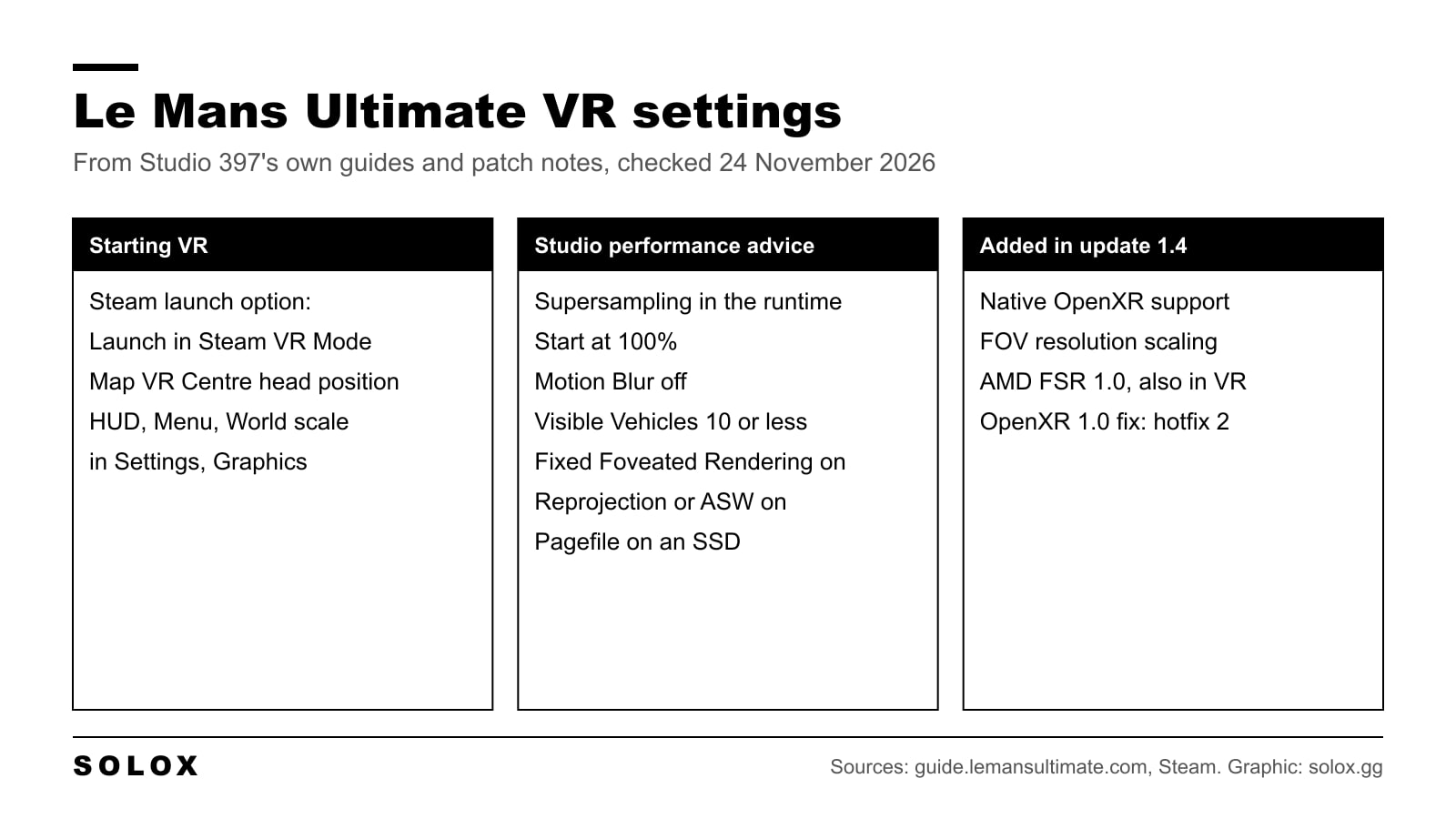
Le Mans Ultimate runs in VR, and the studio has published its own advice on how to set it up. That is rare, so this page sticks to it. Every value below comes from Studio 397's guide site or its patch notes on Steam, read on 24 November 2026.
If you are still choosing a headset, start with my best VR headsets for rFactor 2 page. Le Mans Ultimate is built by the same studio, and what makes a headset good there holds here.
How to start Le Mans Ultimate in VR
From Studio 397's own article:
- The first time you launch the game, Steam offers to play in Steam VR mode. Pick it.
- If you missed it, go to Library, Le Mans Ultimate, Properties, General and change the launch option from "Play Le Mans Ultimate" to "Launch Le Mans Ultimate in Steam VR Mode".
- In the game, map a button to VR Centre head position. Do it before your first lap. You will need it every time you sit down.
The scaling options are in the Graphics menu: HUD, Menu and World scale. World scale is the one that makes the car feel the right size around you. If the cockpit feels too big or too small, that is the slider.
The studio says some players use runtimes other than SteamVR, and points them to the #lmu-vr channel on its Discord. It does not publish steps for those, so neither do I.
The studio's VR performance advice
Studio 397's performance guide says VR needs about double the rendering load of a flat screen. Its VR list:
| Setting | Studio 397's advice |
|---|---|
| Supersampling | Set it in your VR runtime (SteamVR or OpenXR), not in game. Start at 100% and only go up with headroom |
| Motion Blur | Off. It causes discomfort in VR and costs performance |
| Visible Vehicles | 10 or below in VR |
| Fixed Foveated Rendering | On, if your headset supports it |
| Reprojection or ASW | On in your VR runtime, as a safety net |
Source: Le Mans Ultimate, Performance Optimization Guide, read 24 November 2026.
Visible Vehicles is the one I would look at first. The same guide calls it one of the highest impact settings, because every car you can see costs CPU. In a Le Mans start with a full grid, that is where your frames go. On a flat screen the studio says keep it under 20. In VR, 10.
The guide also recommends a manual Windows pagefile of 64 GB on an SSD to cut stutters, "particularly in large sessions or VR". Never on a hard drive, it says, because that makes things worse.
What update 1.4 changed for VR
Update 1.4 came out on 28 July 2026. Its release notes on Steam list, for VR:
- Native OpenXR support.
- VR FOV resolution scaling via OpenXR.
- AMD FSR 1.0, with VR support.
Then two hotfixes. Hotfix 1 (28 July) fixed head movement issues in OpenXR and FSR settings not applying. Hotfix 2 (30 July) made VR OpenXR 1.0 compatible. Before, it was only 1.1 compatible, which the notes say caused issues "using +XR on various headsets".
Hotfix 2 also carried a workaround. If you crop the FOV in OpenXR and see problems with the hidden area mask, set this in settings.json:
"VR Enable Hidden Area Mask": false
Patch 1, Hotfix 2 of 17 August 2026 then lists a fix for the hidden area mask in OpenXR. So try without the workaround first, and only use it if the problem shows up for you.
My read: if a VR guide for this game is from before August 2026, half of it is about a version that no longer exists. Check the date.
Before you drive
- Your PC. Steam's recommended spec is a Ryzen 5 5600X or Core i5-10600, 16 GB of RAM and an RTX 2070 or RX 6600, and the note says that is for minimal settings at 1080p on a single class. VR is far heavier than that. Plan for more.
- Your force feedback. In VR you cannot glance at a telemetry screen, so the wheel has to tell you everything. My Le Mans Ultimate FFB settings page has the values I start from.
- Your car. Multiclass in VR means checking mirrors you cannot lean into as easily as on a monitor. My Le Mans Ultimate car list shows which class you are fighting.
If you are comparing sims for VR, my best PC VR racing games page puts this one next to the others.
FAQ
Does Le Mans Ultimate support VR?
Yes. Steam lists it as VR Supported, and since update 1.4 it has native OpenXR support.
How do I launch Le Mans Ultimate in VR?
In Steam, go to Library, Le Mans Ultimate, Properties, General and set the launch option to "Launch Le Mans Ultimate in Steam VR Mode". The game also offers it on the first launch.
How do I recenter the view in Le Mans Ultimate VR?
Map a button to VR Centre head position in the game's controls, then press it when you are sitting in your normal driving position.
What are the best Le Mans Ultimate VR settings for performance?
Studio 397's own list: supersampling in the VR runtime starting at 100%, Motion Blur off, Visible Vehicles at 10 or below, Fixed Foveated Rendering on if your headset has it, and reprojection or ASW on.
Where is the world scale setting in Le Mans Ultimate?
In the Graphics menu, next to the HUD and Menu scale.