
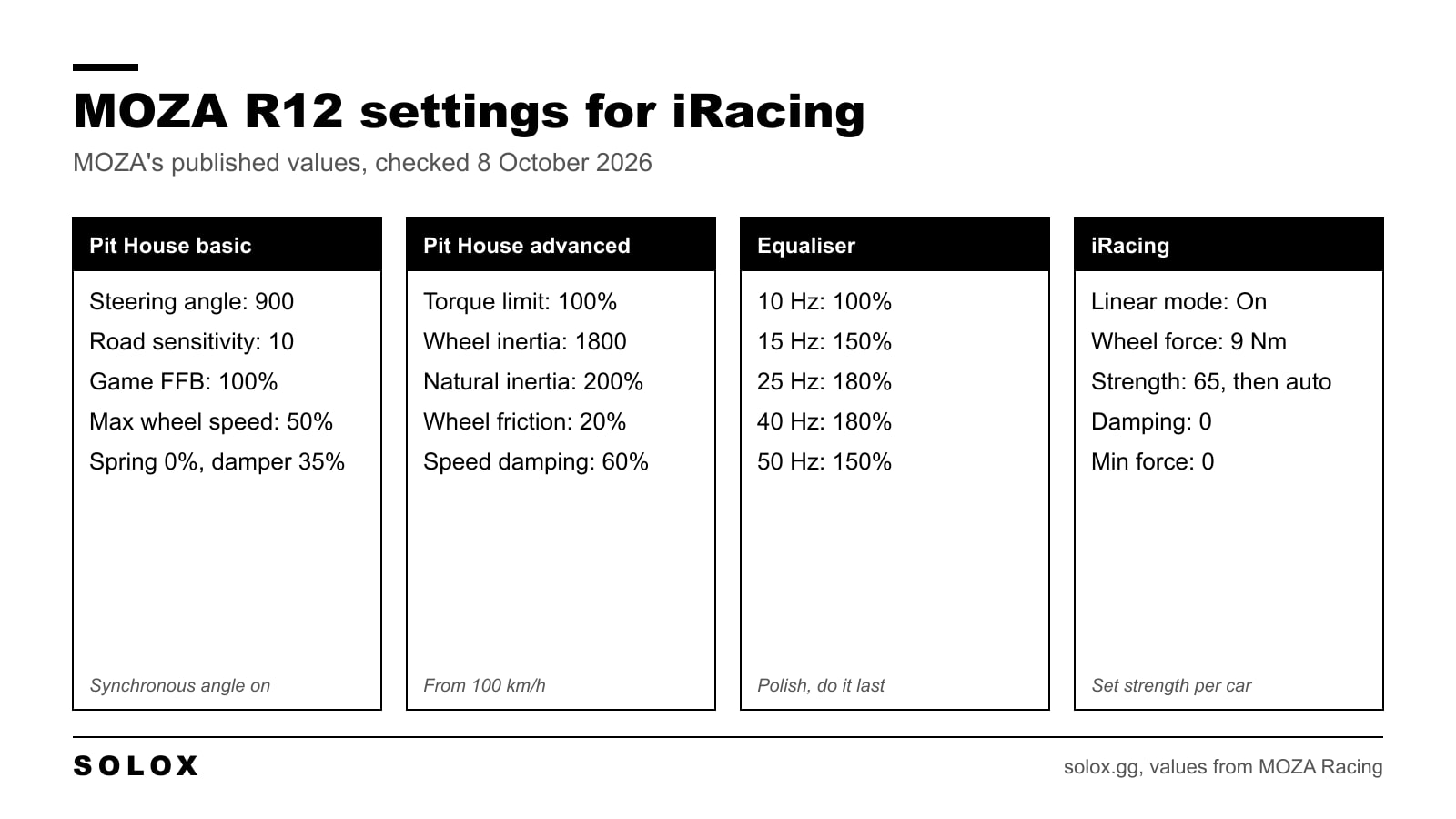
The short answer for MOZA R12 iRacing settings: in Pit House set 900 degrees, road sensitivity 10, Game FFB Intensity 100%, wheel spring 0%, wheel damper 35%, natural inertia 200% and wheel friction 20%. In iRacing switch linear mode on, set damping and min force to 0, then set the strength for the car you drive.
Those are MOZA's own published R12 values. I checked them on 8 October 2026 against MOZA's iRacing settings article. Below are the full tables and the order I would change things in.
Still choosing a base? Start with my MOZA wheel base guide. This page is for people who already have the R12 bolted down.
What the R12 is
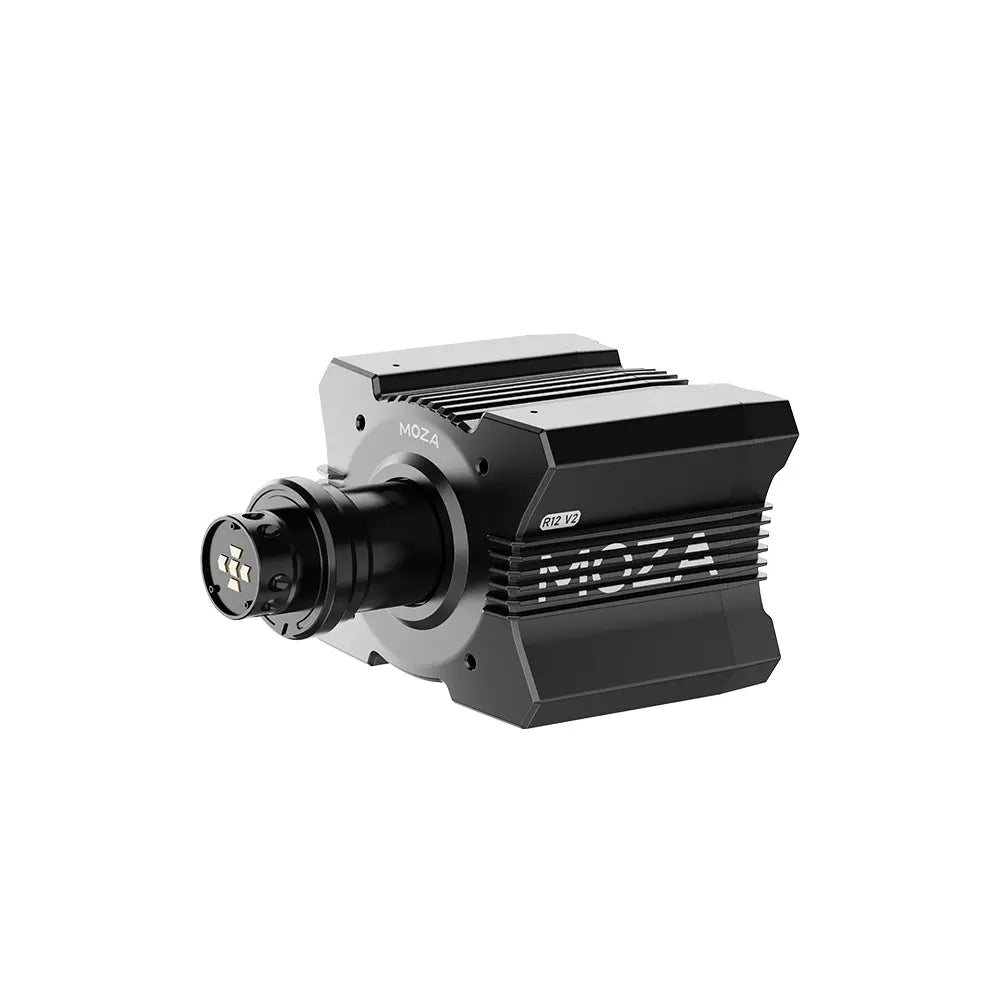
Image: MOZA Racing
| MOZA R12 V2 | |
|---|---|
| Peak torque | 12 Nm, direct drive |
| Encoder | 21 bit magnetic |
| Force feedback software | NexGen 4.0, with iRacing 360 Hz support |
| Sold as | Base only, or in bundles with a wheel |
| Price, base only | $399 on MOZA's US store on 8 October 2026, list price $469 |
| Price, with the KS wheel | $609 on the same day, list price $748 |
12 Nm changes one thing compared with the small MOZA bases. You have torque to spare. On an R5 you run everything wide open because there is nothing to hold back. On an R12 you can choose how heavy the car feels, and you set that inside iRacing.
It also means a rig. 12 Nm on a desk clamp moves the desk, and then every setting feels wrong for a reason that has nothing to do with the settings.
MOZA R12 Pit House settings for iRacing
Basic settings
| Setting | R12 value |
|---|---|
| Maximum steering angle | 900 |
| Synchronous steering angle | On |
| Road sensitivity | 10 |
| Game FFB intensity | 100% |
| Maximum wheel speed | 50% |
| Wheel spring strength | 0% |
| Wheel damper | 35% |
Advanced settings
| Setting | R12 value |
|---|---|
| Maximum output torque limit | 100% |
| Hands-off protection | On |
| Steering wheel inertia | 1800 |
| Natural inertia | 200% |
| Wheel friction | 20% |
| Speed-dependent damping | 60% |
| Speed-dependent damping starts at | 100 km/h |
FFB effect equaliser
| Band | R12 value |
|---|---|
| 10 Hz | 100% |
| 15 Hz | 150% |
| 25 Hz | 180% |
| 40 Hz | 180% |
| 50 Hz | 150% |
Leave the Base FFB Curve linear. I explain when to touch it in my MOZA FFB curve guide. What each slider does is in the MOZA Pit House settings guide.
Do not copy these onto a smaller base. The R5 set uses steering wheel inertia 1450, maximum wheel speed 40% and its own equaliser. Those numbers are on my MOZA R5 settings page, and the R9 has its own MOZA R9 settings page.
The iRacing side
| iRacing setting | R12 value from MOZA |
|---|---|
| Enable force feedback | On |
| Use linear mode | On |
| Reduce force when parked | On |
| Wheel force | 9 Nm |
| Strength | 65 |
| Damping | 0 |
| Min force | 0 |
You find these inside a session under Settings, Driving, in the force feedback block.
Linear mode on is not a MOZA opinion only. iRacing's own controller setup article says linear mode is for direct drive wheels. Min force at 0 follows from the same logic. Min force exists to help gear and belt wheels show small forces. A direct drive motor does not need it.
Wheel force: 9 or 12?
This is the line people ask about. The R12 is a 12 Nm base and MOZA's table says 9 Nm.
iRacing's general rule is to set wheel force to the manufacturer's spec, which would be 12. MOZA, the manufacturer, publishes 9 for this base, together with strength 65.
What I would do: use MOZA's two numbers together, 9 and 65, as the starting point. Do not mix them. A wheel force from one source and a strength from another gives you a level nobody tested. Then let iRacing correct the strength for your car with the auto button, which is the next section.
Strength per car
MOZA's 65 is one number for the whole garage. I would not leave it there. A GT3 car and a Formula Vee do not put the same load through the steering.
iRacing has a tool for this. Drive several clean laps, go back to the garage and press auto in the force feedback options. iRacing says it sets the strength to the maximum value that does not cause clipping.
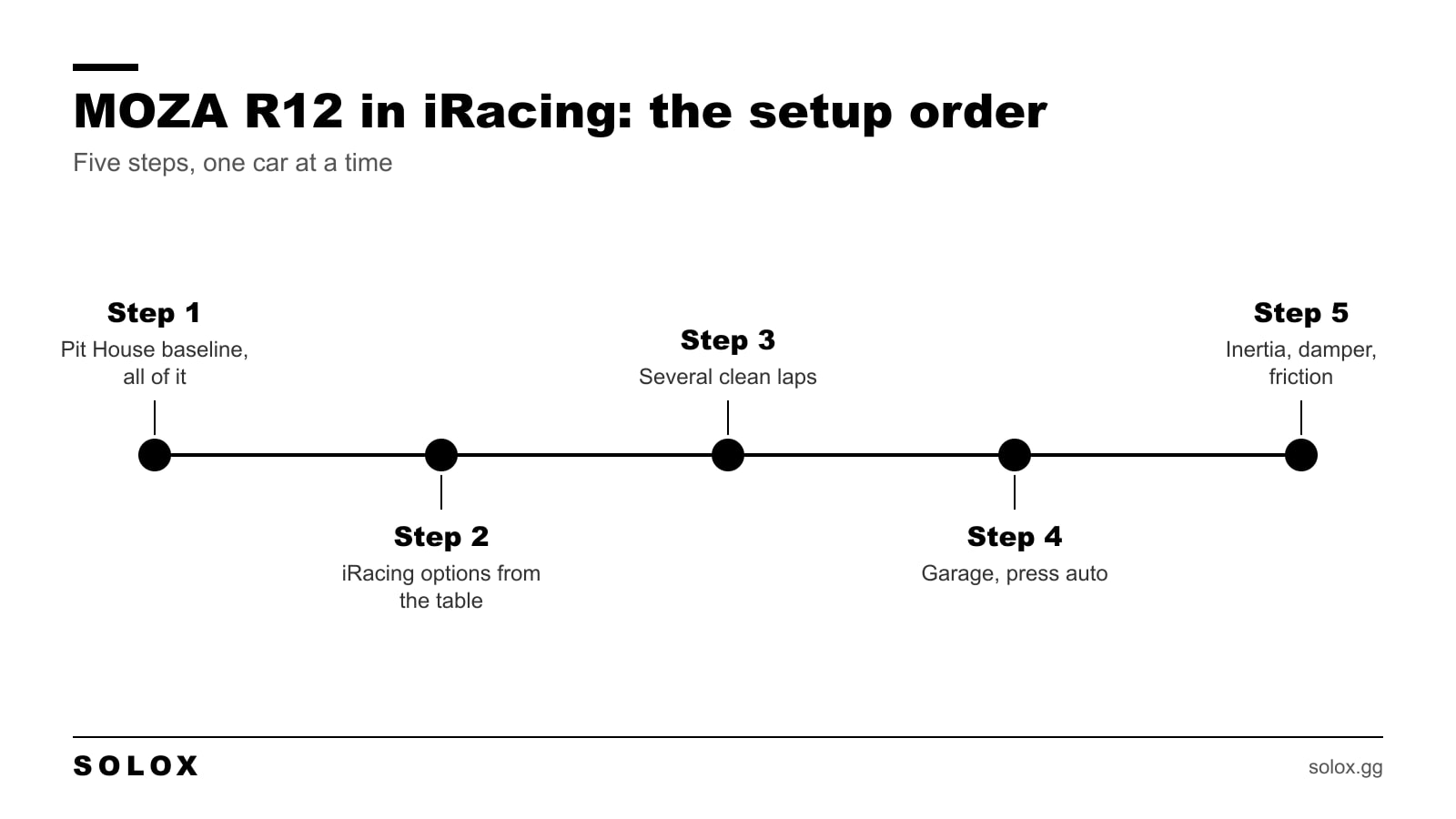
- Type the Pit House baseline in. All of it.
- Set the iRacing options from the table.
- Drive several clean laps in the car you race.
- Back in the garage, press auto.
- Only then touch inertia, damper and friction.
Clean laps matter. If you put the car in a wall during those laps, the reading is of the crash and not of the car.
If the result is heavier than you want to hold for a full race, bring the force down from there. That is the luxury of 12 Nm. I have driven real GT3 cars and I still run sim bases well below their maximum, because tired arms cost more lap time than a light wheel does.
How to see clipping
iRacing has a steering force meter. Go to Settings, Interface, On-Screen Displays, System Meters and switch it on. When the bar is full and orange, the sim is at the maximum.
A flash on a kerb is fine. A full bar through a long fast corner means the strength is too high for that car, and you lose the detail in the place you need it most.
The game side for every wheel brand is on my iRacing FFB settings page.
iRacing 360 Hz
MOZA lists iRacing 360 Hz support on the R12 V2 product page. It is a higher rate force feedback signal from the sim to the base. If Pit House offers it for your base and firmware, switch it on for iRacing and drive the same laps again before you change anything else.
I am not giving you a menu path for it. MOZA moves things between Pit House versions and I would rather be vague than wrong.
What I would change, and in which order
| What you feel | What I would change |
|---|---|
| Wheel goes light or numb in fast corners | Lower the strength in iRacing, or press auto again. That is clipping. |
| Arms are done after 20 minutes | Lower the strength. Do not add damper to fix weight. |
| Wheel shakes on the straight | Raise speed-dependent damping a little from 60%. |
| Wheel feels light and nervous in a GT car | Raise natural inertia from 200% in steps. |
| Wheel is slow to return on exit | Lower the wheel damper from 35% in steps of 5. |
| Kerbs are too violent | Lower the 15 Hz and 40 Hz bands. |
| Car turns more or less than the wheel | Keep 900 with synchronous angle on and run the iRacing steering calibration again. |
One change, five laps, then the next. If you change three things and it feels better, you do not know which one did it.
The wheel on the front
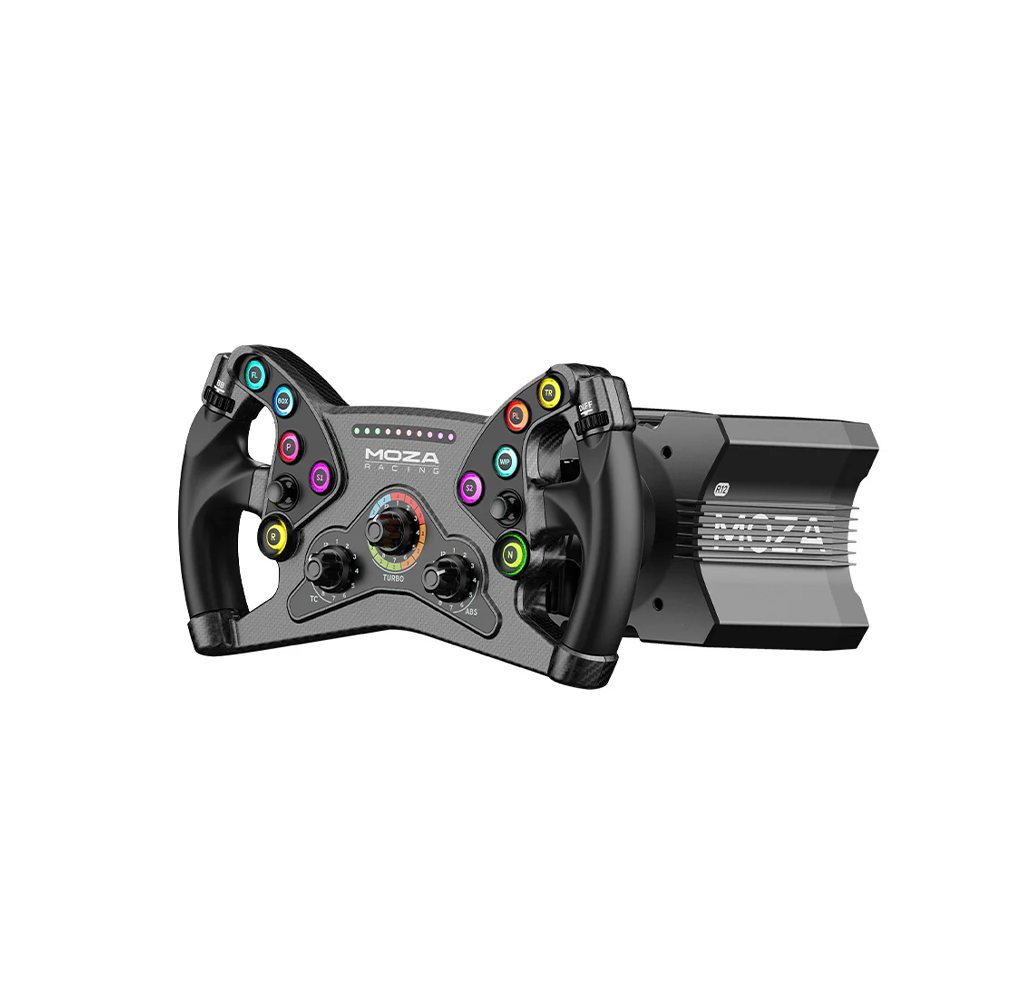
Image: MOZA Racing
The R12 is sold base only, so the rim is your choice, and it changes the feel. A small formula rim like the KS gives your hands less leverage over the motor, so the same strength feels heavier and sharper than it does with a big round rim.
So if you swap rims, do the auto step again. And if you go from a round rim to a formula one and the wheel feels nervous, a little more natural inertia is the first thing I would try.
Other MOZA pages
- The step below: MOZA R5 settings and MOZA R3 settings.
- How the force feedback software works: MOZA NexGen FFB explained.
- New to this kind of base: direct drive wheels explained.
FAQ
What are the best MOZA R12 settings for iRacing?
Start with MOZA's own baseline: 900 degrees, road sensitivity 10, Game FFB Intensity 100%, wheel damper 35%, natural inertia 200%, wheel friction 20%. In iRacing use linear mode on, damping 0 and min force 0, then set strength per car.
What wheel force do I set for the MOZA R12 in iRacing?
MOZA's published value for the R12 is 9 Nm, together with a strength of 65. Use the two as a pair, then let the auto button correct the strength for your car.
Should linear mode be on with a MOZA R12?
Yes. MOZA lists it on, and iRacing's own support page says linear mode is for direct drive wheels.
What strength should I use in iRacing with the R12?
MOZA lists 65 as a start. Better: drive several clean laps and press auto in the garage, so iRacing sets the highest strength that does not clip for that car.
Do I need min force on a MOZA R12?
No. Leave it at 0. Min force is there to help gear and belt wheels show small forces.
Can I use R12 settings on an R9 or an R5?
Not as they are. MOZA publishes separate values for each base. The R5 uses a different wheel inertia, wheel speed and equaliser.
Can I run a MOZA R12 on a desk?
I would not. 12 Nm moves a desk, and a moving desk hides everything the wheel is telling you. Bolt it to a rig or a solid wheel stand.
How much is the MOZA R12 V2?
On 8 October 2026 the base was $399 on MOZA's US store, with a list price of $469. Bundles with a wheel started at $609.