
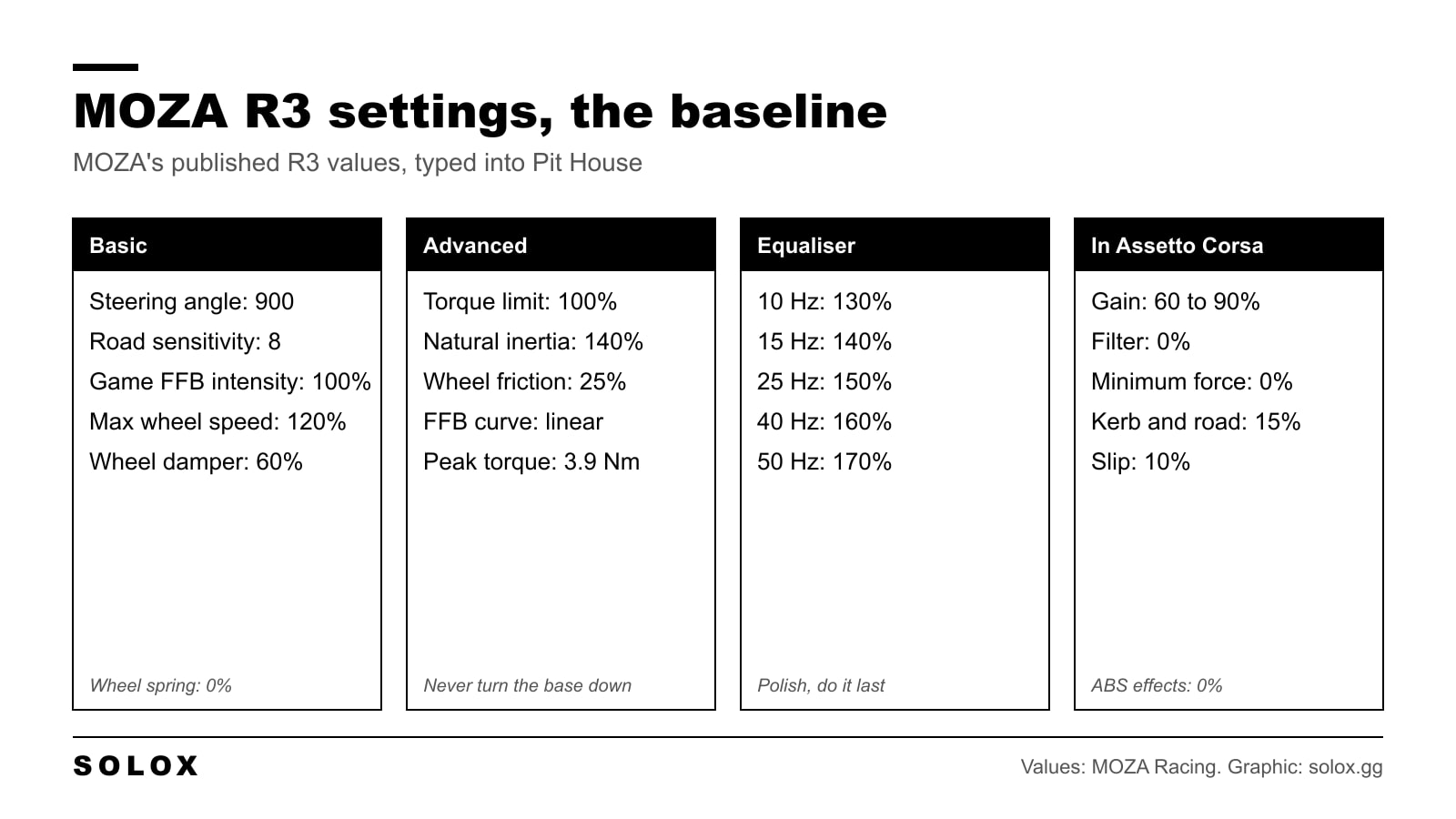
The short answer for MOZA R3 settings: in Pit House set 900 degrees, road sensitivity 8, Game FFB Intensity 100%, wheel spring 0%, wheel damper 60%, natural inertia 140% and wheel friction 25%. Leave the Maximum Output Torque Limit at 100%. Then set the strength inside each game.
Those are MOZA's own published values for the R3, from its Assetto Corsa guide. MOZA has a second R3 set for the F1 games, and both are below in full. I checked every number on 8 October 2026.
If you are still choosing a base, start with my MOZA wheel base guide. This page is for people who already have the R3 on the desk.
What the R3 is
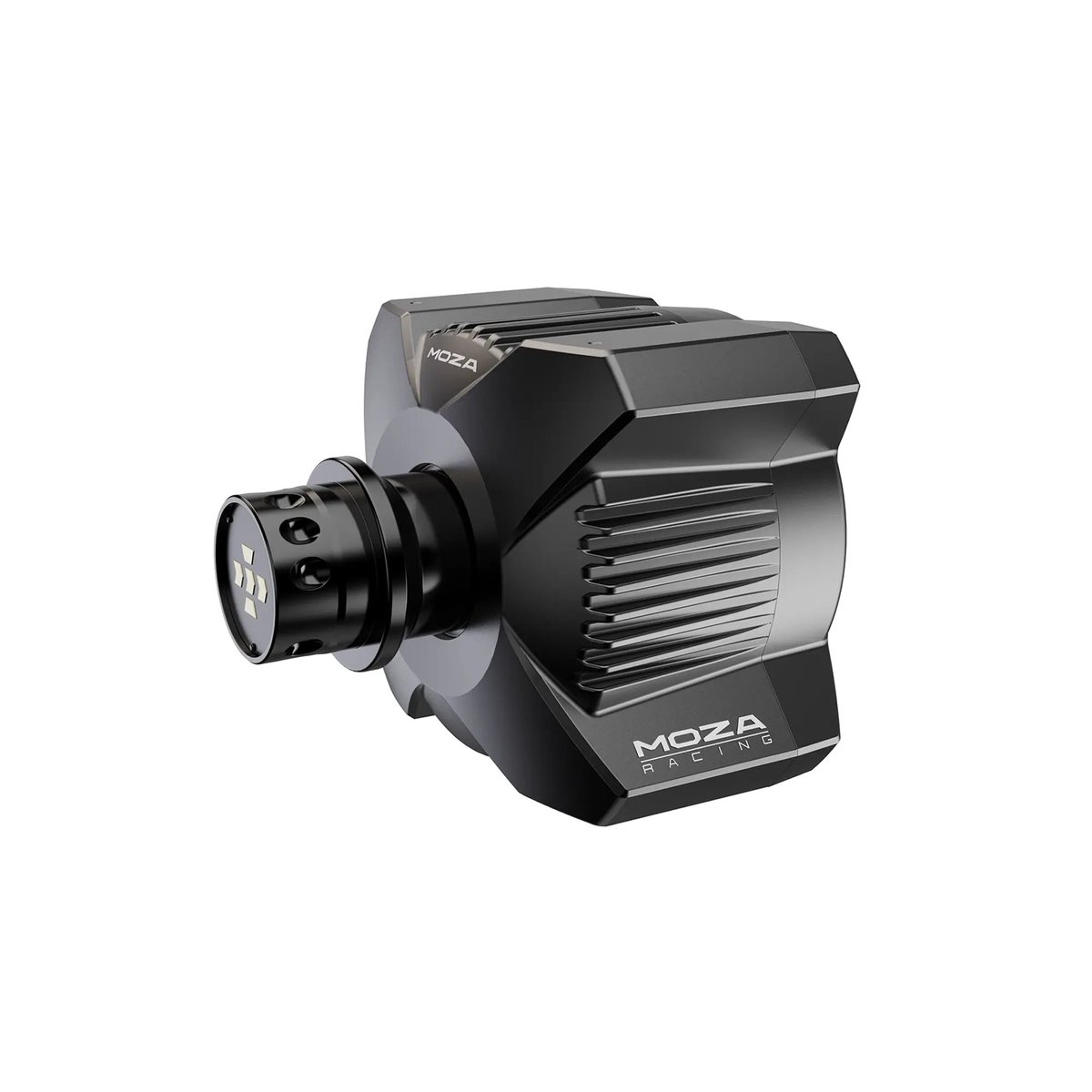
Image: MOZA Racing
| MOZA R3 | |
|---|---|
| Peak torque | 3.9 Nm, direct drive |
| Rated power | 60 W |
| Encoder | 15 bit |
| USB rate | 1000 Hz |
| Platform | Xbox Series X and S, Xbox One, Windows 10 and 11. No PlayStation. |
| Mounting | Table clamp in the box |
| Software | Pit House on PC, plus the MOZA mobile app |
The R3 is only sold as a bundle. On 8 October 2026 MOZA's US store had two.
| Bundle | Wheel | Works on | Price |
|---|---|---|---|
| R3 Racing Wheel and Pedals for Xbox and PC | ESX, 280 mm | Xbox and PC | $339 (list $399) |
| R3 Racing Wheel and Pedals for PC | ES | PC only | $279 (list $299) |
So the Xbox version costs $60 more today. If there is any chance you will race on a console, pay it. You cannot add Xbox later with a setting.
Two things decide how you set this base up.
3.9 Nm makes it the smallest base MOZA sells. You do not hold it back. You run it wide open in Pit House and let the game do the shaping.
And detail is what you paid for. A direct drive base at 3.9 Nm is not strong, but it is clean. Every point of damper and friction you add takes some of that away.
MOZA R3 Pit House settings
This is the baseline. MOZA publishes it for the R3 and R5 together in its Assetto Corsa settings guide. I would start from it in any sim with road or GT cars.
Basic settings
| Setting | R3 value |
|---|---|
| Maximum steering angle | 900 |
| Road sensitivity | 8 |
| Game FFB intensity | 100% |
| Maximum wheel speed | 120% |
| Wheel spring strength | 0% |
| Wheel damper | 60% |
Advanced settings
| Setting | R3 value |
|---|---|
| Maximum output torque limit | 100% |
| Natural inertia | 140% |
| Wheel friction | 25% |
FFB effect equaliser
| Band | R3 value |
|---|---|
| 10 Hz | 130% |
| 15 Hz | 140% |
| 25 Hz | 150% |
| 40 Hz | 160% |
| 50 Hz | 170% |
Leave the Base FFB Curve linear. I explain when to touch it in my MOZA FFB curve guide. What every other slider does is in the MOZA Pit House settings guide.
60% damper is a lot for my taste. If the wheel feels slow to come back to you on corner exit, that is the first number I would bring down, 5 points at a time.
MOZA R3 Assetto Corsa settings
Use the Pit House baseline above. Then in the game:
| In Assetto Corsa | R3 value |
|---|---|
| Gain | 60 to 90%, depends on the car |
| Filter | 0% |
| Minimum force | 0% |
| Kerb effects | 15% |
| Road effects | 15% |
| Slip effects | 10% |
| ABS effects | 0% |
Gain is the one you move per car. On an R3 I would start high, around 85%, because there is not much torque to give away. If the wheel goes numb in the middle of a fast corner, the signal is clipping. Then the gain comes down.
MOZA recommends Content Manager for this on PC, because it shows you the clipping.
MOZA R3 F1 settings
MOZA has a separate R3 set in its F1 24 wheel base setup guide. It was written for F1 24. I would use the same numbers as the start in the newer F1 game and adjust from there.
| Pit House | R3 value |
|---|---|
| Preset | Formula 1 |
| Maximum steering angle | 380, synchronous on |
| Game FFB intensity | 100% |
| Maximum wheel speed | 50% |
| Natural damping | 45% |
| Natural friction | 30% |
| Natural inertia | 200% |
| Maximum output torque limit | 100% |
| Speed-dependent damping | 65% |
| Speed-dependent damping starts at | 200 km/h |
| FFB reversal | Off |
| Hands-off protection | On |
| Equaliser band | R3 value |
|---|---|
| 10 Hz | 80% |
| 15 Hz | 120% |
| 25 Hz | 170% |
| 40 Hz | 180% |
| 50 Hz | 160% |
| In the F1 game | R3 value |
|---|---|
| Vibration and force feedback strength | 100% |
| On track effects | 45% |
| Rumble strip effects | 40% |
| Off track effects | 30% |
| Wheel damper | 30% |
| Wheel rotation | 380 |
The same guide gives the R5 a strength of 95% and rumble strips at 35%. The R3 gets 100% and 40%. That tells you how MOZA thinks about this base: everything it has, all the time.
MOZA R3 iRacing settings
MOZA does not publish R3 values for iRacing. Its iRacing settings article covers the R5, R9, R12, R16 and R21. The R3 is not in it.
So what follows is my reasoning, not a MOZA table.
| Setting | What I would set |
|---|---|
| Pit House | The baseline above, with the wheel damper down to about 35% |
| Enable force feedback | On |
| Use linear mode | On |
| Wheel force | 3.9 Nm, the peak of the base |
| Damping | 0% |
| Min force | 0% |
| Strength | Per car, with the auto button |
Why 35% damper? Because that is what MOZA uses on the R5 in iRacing. Why linear mode and min force at 0? Because it is direct drive, and there is no dead zone to cover.
Then drive a few clean laps and press the auto button in the force feedback black box. iRacing sets the strength for that car. On 3.9 Nm you will see it clip in heavy cars sooner than a bigger base would. That is the base, not your settings.
The game side is in my iRacing FFB settings page.
The R3 on Xbox
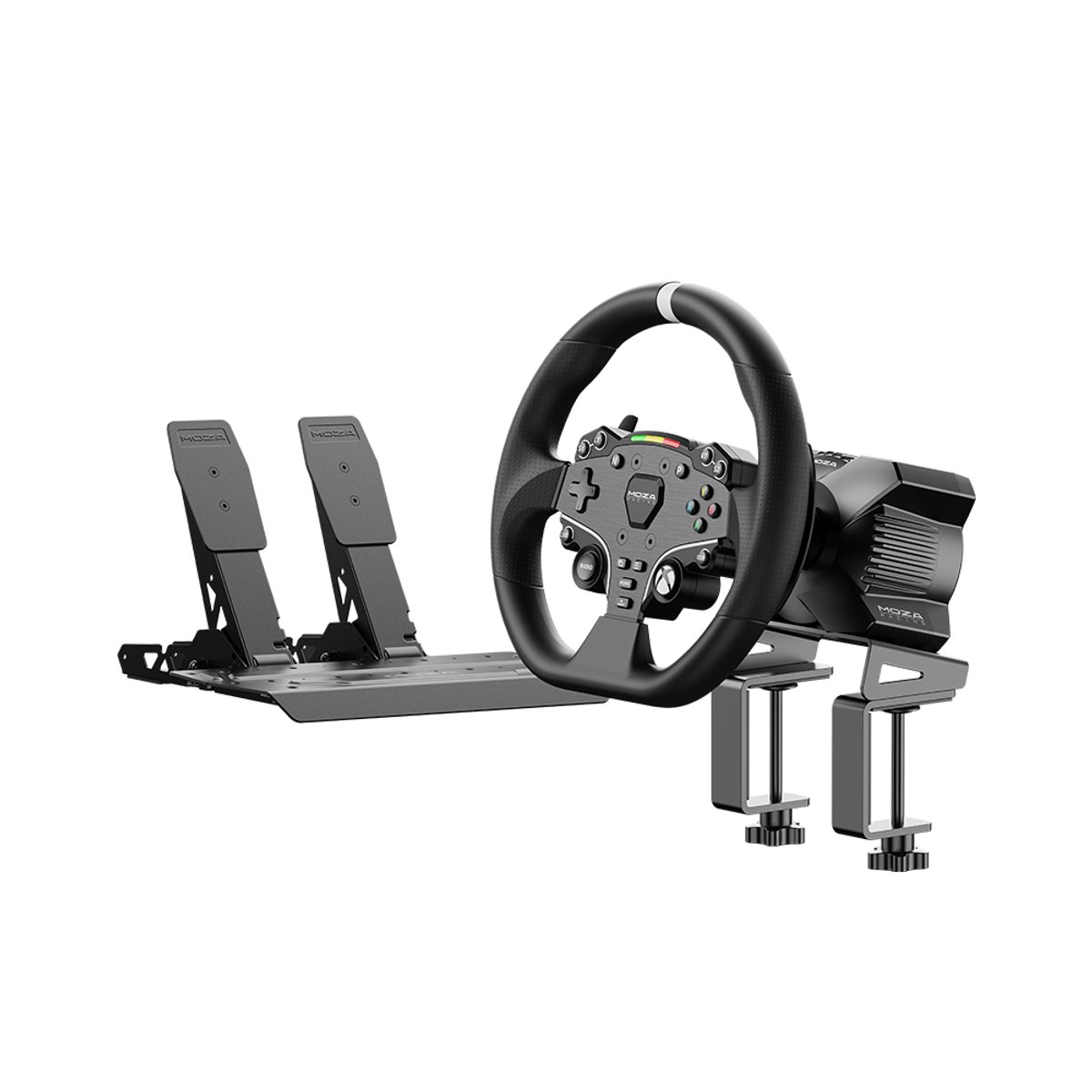
Image: MOZA Racing
The R3 is the only MOZA base that works on a console, and it is Xbox only. Three things to know.
- You need the Xbox bundle with the ESX wheel. MOZA sells the other bundle, with the ES wheel, as PC only.
- For the base settings MOZA lists Pit House on PC and its mobile app.
- Forza Motorsport (2023) needs the steering angle set to 2000. That is in MOZA's own Xbox games support list, dated 22 July 2024.
The same list has Assetto Corsa, Assetto Corsa Competizione, EA Sports WRC, the F1 games and Forza Horizon 4 and 5 as supported with force feedback.
I have not tested the R3 on an Xbox myself, so I will not give you console values I cannot stand behind. Load the baseline, then set the strength in the game.
If you are still comparing it with the Logitech and Thrustmaster options, that is in my Xbox steering wheels guide.
Steering angle and feel by car type
MOZA's Pit House force feedback guide gives ranges by car type. They apply to the R3 as they are.
| Car type | Steering angle | Road sensitivity | Natural inertia |
|---|---|---|---|
| Formula | 360 | 8 to 10 | 100 to 150% |
| GT and sports cars | 540 | 8 to 10 | 200 to 300% |
| Road cars, rally, drift | 900 | 4 to 6 for a smoother wheel | Start at 140% |
The first two rows are MOZA's numbers. The 140% in the last row is the baseline value, because MOZA gives no range there.
The same guide says Game FFB Intensity is "generally best at 100%" on the R3, R5 and R9, and that the torque limit is fine at 100% too. I agree. Turn a 3.9 Nm base down to 70% and you have about 2.7 Nm left. That is gear driven wheel territory, and you paid for more.
The order I change things in
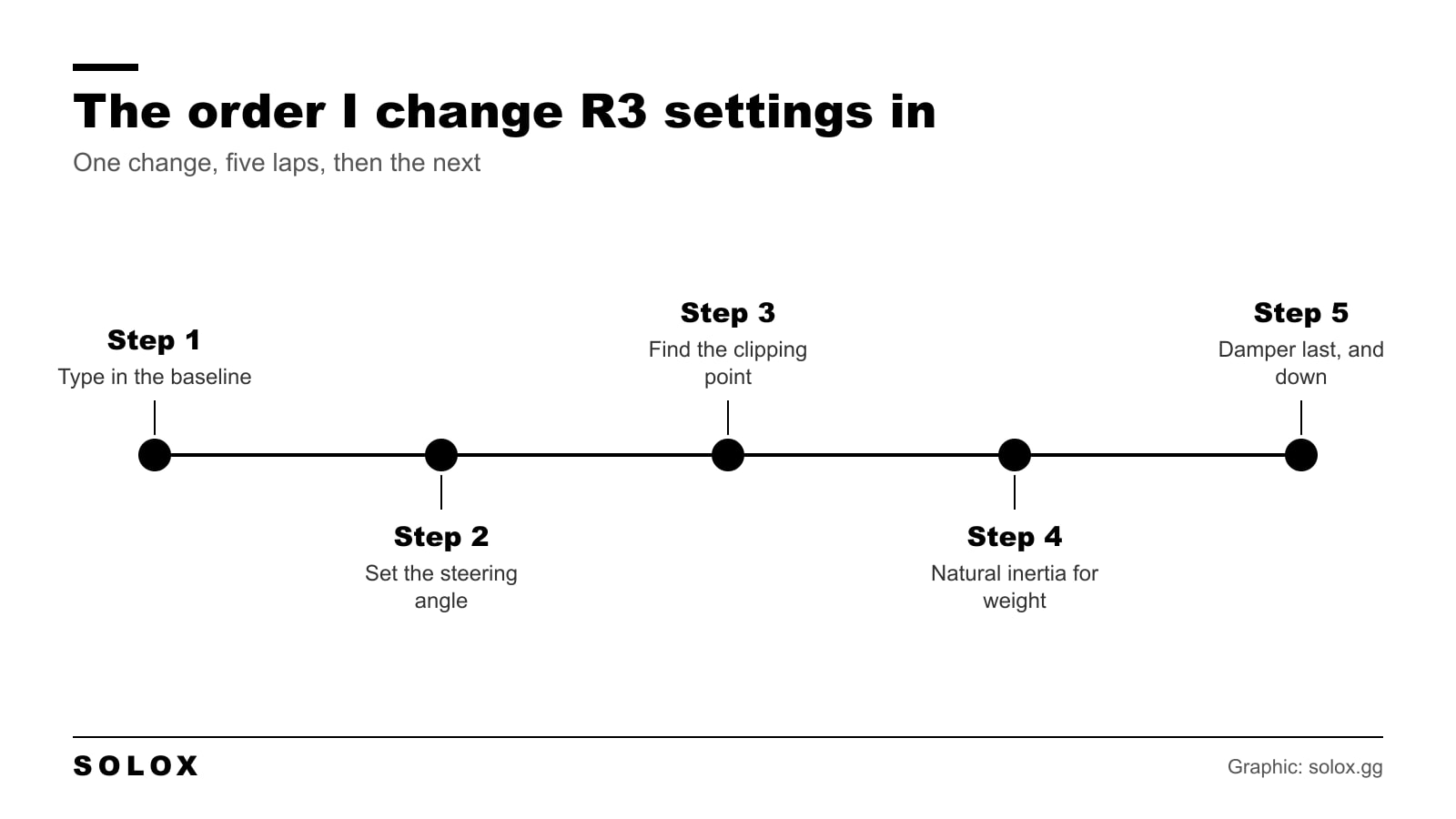
- Type in the baseline. All of it, before you judge anything.
- Set the steering angle for the car. Nothing else can be judged while the ratio is wrong.
- Find the clipping point in the game. On 3.9 Nm this is the big one.
- Natural inertia for weight. Up for GT cars, down for formula cars.
- Damper and friction last, and down more often than up.
One change, five laps, then the next.
Common R3 problems
| What you feel | What I would change |
|---|---|
| Wheel goes light or numb in fast corners | Lower the gain or strength in the game. That is clipping. |
| Wheel feels weak everywhere | Check Game FFB Intensity and the torque limit are both at 100%. |
| Wheel is slow to return on exit | Lower the wheel damper in steps of 5. |
| Wheel feels like a toy, no weight | Raise natural inertia towards 200%. |
| Kerbs are too violent | Lower the 15 Hz and 40 Hz bands in the equaliser. |
| Car turns more or less than the wheel | Match the steering lock in the game to the angle in Pit House. |
| Forza Motorsport on Xbox steers wrong | Set the steering angle to 2000, as MOZA says. |
The bundle pedals
The SR-P Lite pedals are two steel pedals with hall sensors. No clutch, and no load cell on the brake. So the brake measures how far you push, not how hard. Calibrate both pedals before the first lap, and be patient with your braking for the first week. Your foot has to learn a distance.
This is where the R3 bundle is weakest. A stiffer brake will do more for your lap time than any slider on this page.
R3 or R5?
On PC the R5 bundle was $379 on the same day, against $279 for the R3 PC bundle. That is $100 for 5.5 Nm instead of 3.9. If you only race on PC, I would pay it. The values for that base are on my MOZA R5 settings page, and the next step up is on MOZA R9 settings.
On Xbox there is nothing to decide. The R5 does not work there.
New to direct drive? Read direct drive wheels explained first. It makes the tables above easier to follow.
FAQ
What are the best MOZA R3 settings?
Start with MOZA's own baseline: 900 degrees, road sensitivity 8, Game FFB Intensity 100%, wheel damper 60%, natural inertia 140%, wheel friction 25% and the torque limit at 100%. Then set the strength in each game.
Should I run the MOZA R3 at 100% force?
Yes. MOZA's own guide says Game FFB Intensity and the Maximum Output Torque Limit are fine at 100% on the R3, R5 and R9. The R3 peaks at 3.9 Nm, so there is nothing to hold back.
Does the MOZA R3 work on Xbox?
Yes, with the Xbox and PC bundle that has the ESX wheel. It works on Xbox Series X and S and Xbox One. The PC bundle with the ES wheel is PC only.
Does the MOZA R3 work on PS5?
No. The R3 works on Xbox and PC. It does not work on PlayStation.
What are the MOZA R3 settings for iRacing?
MOZA does not publish any. I would use linear mode on, wheel force 3.9 Nm, damping 0%, min force 0% and set the strength per car with the auto button.
What steering angle should I use on the MOZA R3?
360 degrees for formula cars (MOZA uses 380 in the F1 games), 540 for GT and sports cars, 900 for road cars, rally and drift. Forza Motorsport on Xbox is the exception: MOZA says 2000.
Can I use MOZA R5 settings on an R3?
As a start, yes. MOZA publishes one shared set for the R3 and R5 in Assetto Corsa. In the F1 games the R3 gets a little more: 100% strength against 95% on the R5.
How much is the MOZA R3?
On 8 October 2026 MOZA's US store had the Xbox and PC bundle at $339 and the PC bundle at $279, both with the wheel and the SR-P Lite pedals.