
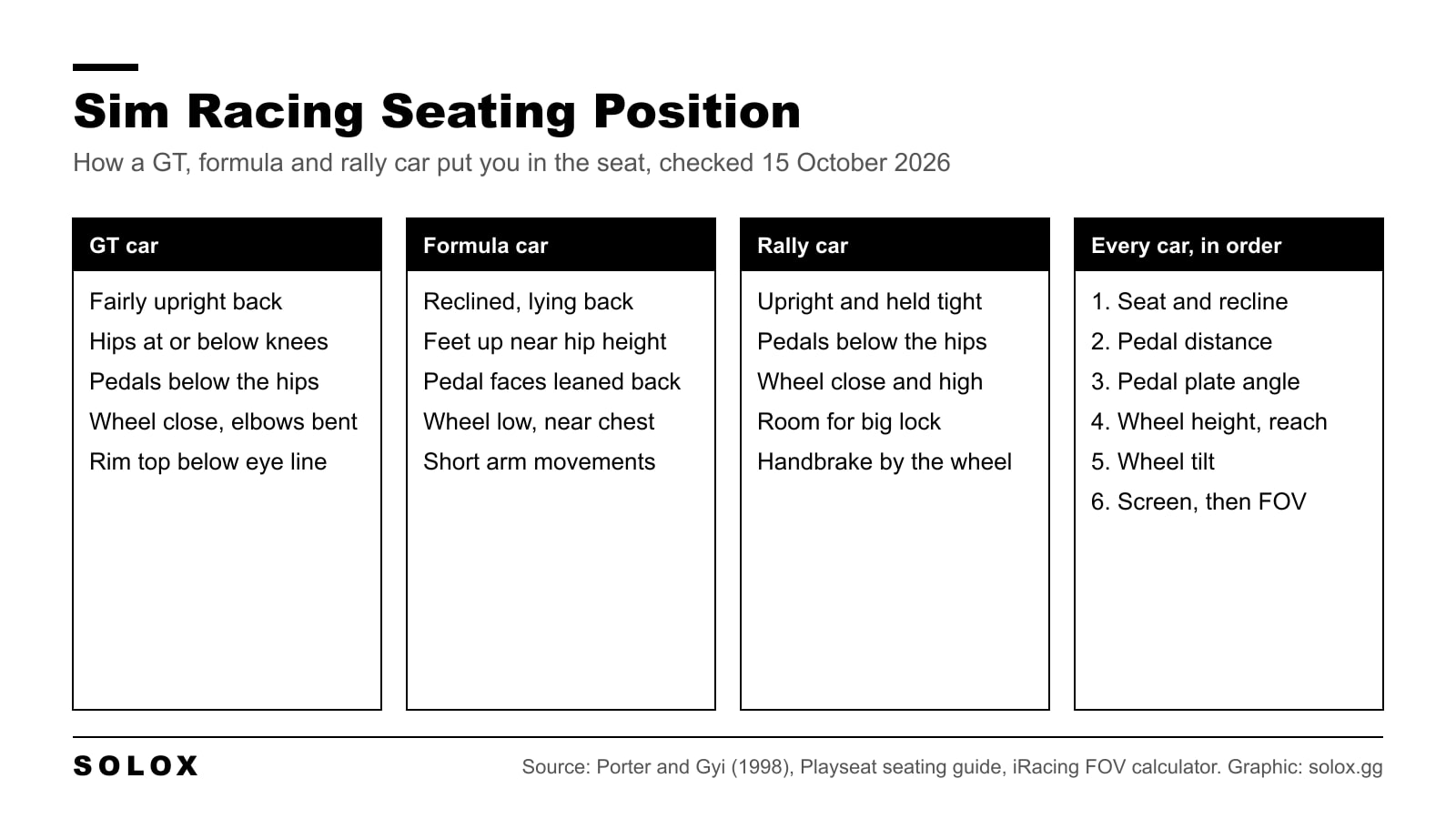
Your sim racing seating position comes down to four things set in order: seat, pedals, wheel, screen. Sit the way the car you race would put you, keep a bend in your knee at full brake and a bend in your elbows at quarter to three, then put the screen as close behind the wheel as you can and calculate the FOV. Below are the numbers to start from and where each one comes from.
Checked on 15 October 2026 against Porter and Gyi, "Exploring the optimum posture for driver comfort" (International Journal of Vehicle Design, 1998, Loughborough University repository), Playseat's "Best seating position in a Playseat sim racing cockpit" page, and iRacing's support articles on the Field of View Calculator. Community advice is labelled as community advice.
Why seating position matters more than hardware
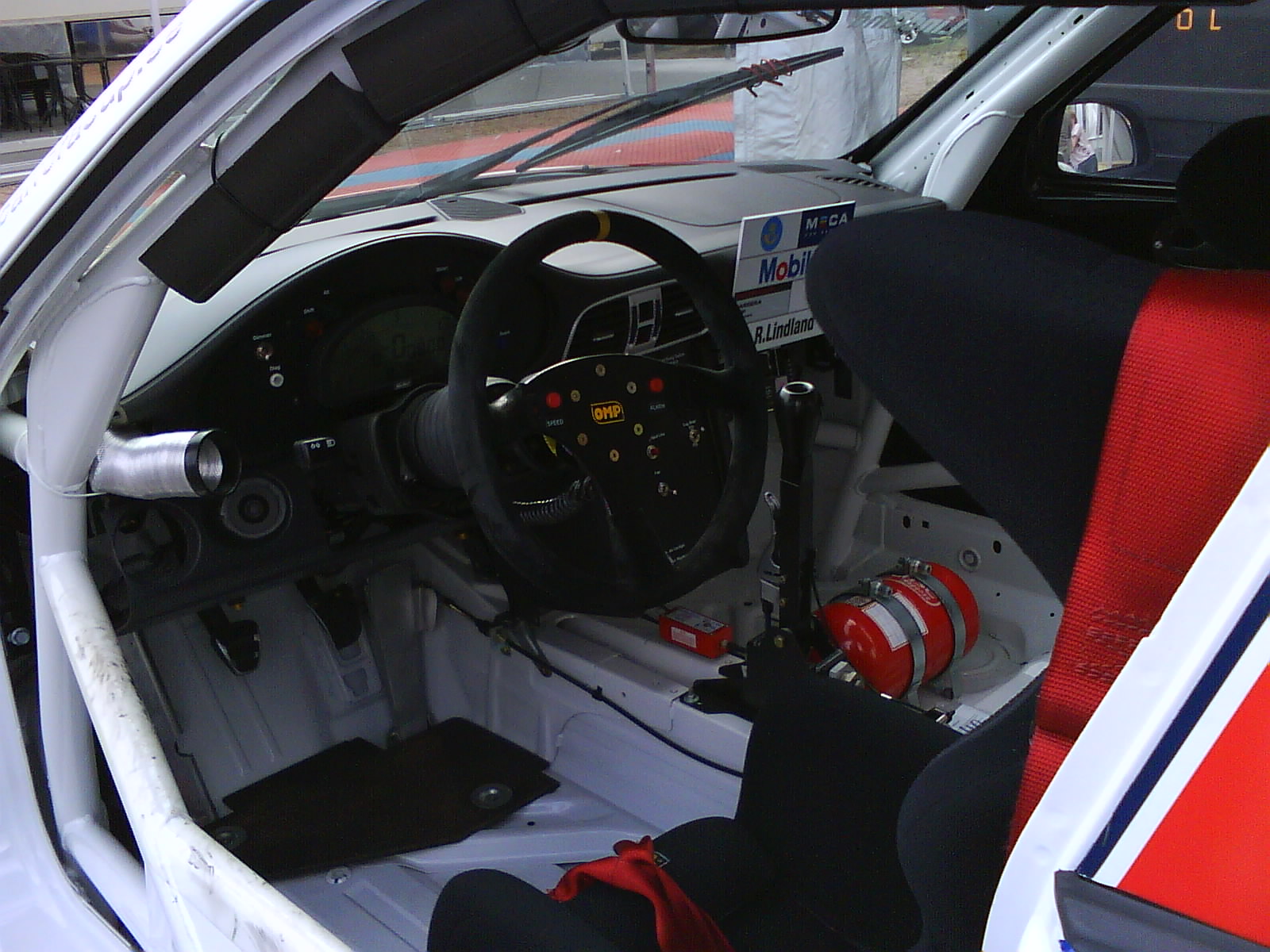
A sim rig is a car with no seat adjustment done for you. In a real race car the team builds the seat around the driver before anything else. Pedals and the column get moved to suit the driver, never the other way round.
So the rule I'd give you is simple. Do not touch the wheel or the screen until the seat and pedals are right. If you mount the wheel first, you end up sitting to fit the wheel, and that is where the knee pain and the stiff shoulders come from.
The other reason is consistency. You can only brake at the same pressure every lap if your body does not move under braking. Your back has to stay against the seat and your heel has to stay where it is. A load cell brake from my best sim racing pedals list is only as good as the position you press it from.
The order to set it up
- Seat height and recline. Pick the car type you race most and set the back angle for it.
- Pedal distance. Slide the seat or the pedal deck until full brake leaves your knee bent.
- Pedal plate angle and height. Set it so your heel rests and your foot works from the ankle.
- Wheel height and reach. Wrists on top of the rim with straight arms, shoulders on the seat.
- Wheel tilt. Face the rim towards your chest.
- Screen and FOV. As close behind the wheel as you can get it, then measure and calculate.
Do them in that order and change one thing at a time. If you move two things and it feels better, you do not know which one fixed it.
Seat height and recline
The seat sets the angle between your trunk and your thighs. Porter and Gyi measured 55 drivers in a fully adjustable rig in 1998 and recorded the postures they chose for comfort. The trunk-thigh angle they observed ran from 90 to 115 degrees. Those were road car drivers on a simulated road route, so treat it as the comfortable range, not a race setup.
For racing I sit lower and more locked in than that study's road drivers. The seat in a GT3 car is low and tight around your hips so the car talks to you through your back and backside. You want the same in the sim: the hips held, the back on the seat, nothing sliding when you hit the brake.
Two checks that work on any rig:
- Hips at or slightly below the knees in a GT position. If your hips are higher than your knees you will tend to push yourself up and out of the seat under braking.
- No gap at the lower back. Press the brake hard. If your lower back peels off the seat, the seat is too upright for that pedal distance or the pedals are too far.
Distance to the pedals and the knee angle
This is the one people get wrong most, and it is the one that hurts.
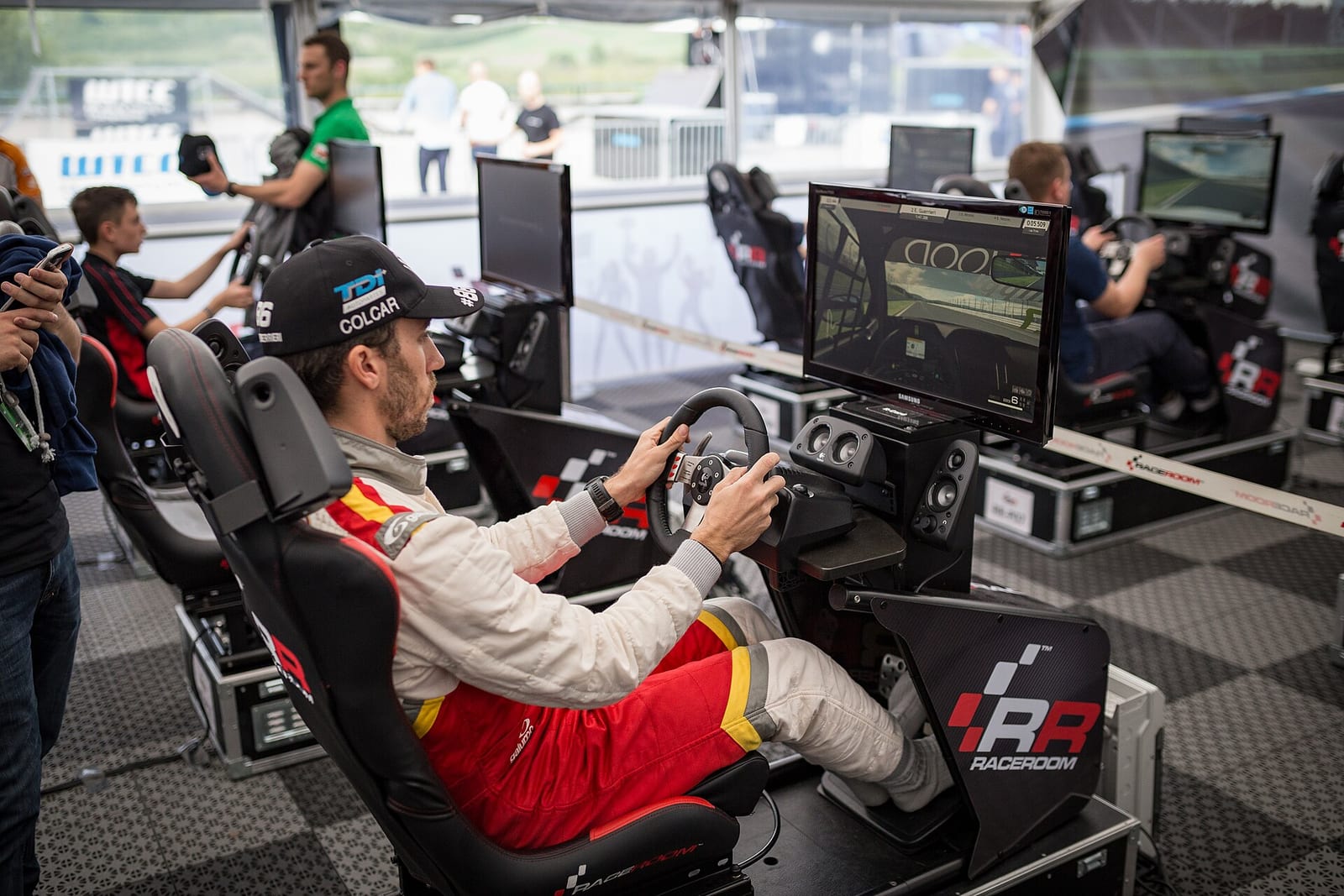
At full brake your knee should still be bent. Playseat's own guide states it plainly: the goal is to press the pedals fully "without locking your knees". If your leg goes straight at full pressure, you lose fine control at the top of the pedal and you load the joint. If your knee comes up towards your chest, you are pushing at a bad angle and your thigh tires quickly.
The comfortable knee angles Porter and Gyi recorded ran from 99 to 138 degrees (180 would be a dead straight leg). Their drivers were measured with the accelerator half pressed. A page on SimWiki that summarises a video by pro GT driver Daniel Morad lists 130 degrees at the knee as his target. That is a community summary of his video, not a published standard, but it sits inside the same range.
How I'd set it:
- Sit back fully in the seat.
- Press the brake to the force you actually use in a race, not a gentle press.
- Move the seat or the pedal deck until the knee still has a clear bend at that force.
- Check the throttle at 100%. It should not need a stretch either.
Ankle angle and pedal plate angle
Braking control comes from the ankle and the calf. Playseat's guide says the same: braking should come from the ankle, not from the hip or the lower back.
Porter and Gyi recorded a foot-calf angle of 80 to 113 degrees in comfortable drivers. So your foot sits roughly at a right angle to your shin, give or take.
That tells you how to angle the pedal plate. The starting point I'd use (my rule, not a manufacturer figure): with the brake half pressed, the face of the pedal should be close to square to the sole of your foot. Then:
- Upright GT seat: the pedals stand more vertical.
- Reclined formula seat: the pedal faces lean back further, so they stay square to a foot that is now higher and further forward.
The SimWiki summary of Morad's video puts it as the face plate "leaned towards you not away from you". Heusinkveld, for example, makes its pedals with more than one mounting angle for this reason. Check your own pedal manual for the options it has.
Inverted pedals
Inverted (hanging) pedals pivot from above, like most road cars. They change the arc your foot moves through. With a floor-mounted pedal your heel stays planted and your foot rotates. With an inverted pedal your foot travels forward and slightly up, so the heel tends to lift.
The fix is the same as for any pedal: a heel rest or heel stop in the right place, and a plate height that keeps the ball of your foot on the pad without reaching. If your heel is floating, your calf holds the whole leg up for the whole stint. That is where the cramp comes from.
Leg cramps and knee pain
On r/simracing this is one of the most repeated questions: knee pain or calf cramps after a stiff load cell or hydraulic brake, or after switching to inverted pedals. These are community reports, not studies, but the causes people land on match what I see in any cockpit.
| Symptom | Usual cause | What to change |
|---|---|---|
| Pain at the front of the knee | Pedals too close, knee too bent at full brake | Move the seat back or the pedals out |
| Leg goes straight under braking | Pedals too far | Move the seat forward, check the throttle reach too |
| Calf or Achilles ache | Heel not supported, braking from a pointed toe | Heel rest, lower the plate, angle the face back |
| Body slides back under braking | Seat too upright or too slippery for the force | Recline slightly, lock the seat, use a bucket seat |
| Thigh burns after a stint | Brake force higher than you can repeat | Lower the maximum force in the pedal software |
That last one matters. You do not need to stand on a brake at real car force to be fast. Set the 100% point at a force you can hit the same way every lap for a full race. A pedal that is too stiff for your leg makes you inconsistent and sore.
And if the pain stays after you change the setup, see a physio. Seating position fixes most of it, not all of it.
Wheel height and reach
The test I'd give you: sit with your shoulders against the seat back and put your arms straight out. Your wrists should rest on top of the rim. Now hold the wheel at quarter to three. Your elbows are bent.
That bend is what lets you turn quickly and hold big forces without your shoulders lifting off the seat. Playseat's guide describes it as "a light bend in the elbows at your natural steering position", with the shoulders relaxed and not climbing towards your ears.
The observed elbow angles in Porter and Gyi ran wide, 86 to 164 degrees, because road drivers like straighter arms. They also found drivers with longer bodies wanted the wheel further away and higher. In a race car you sit closer than most road drivers do, because you need the leverage.
For height:
- The top of the rim below your eye line, so you look over it at the road the way you would in a car.
- The SimWiki summary of Morad's video puts the top of your hands at about shoulder height. Use that as a starting point.
I go into more detail on reach in how far the steering wheel should be.
Wheel tilt
Face the rim towards your chest. If the top of the rim leans away from you, your wrists bend back every time you hold the top of the wheel. If it leans too far towards you, your hands slide down the rim.
In a formula car the wheel stands close to vertical, low and right in front of the chest. In a GT car it sits on a column at more of an angle. In a rally car it is closer to the body. Match the tilt to your seat, not to what looks good in photos.
Monitor height, distance and FOV
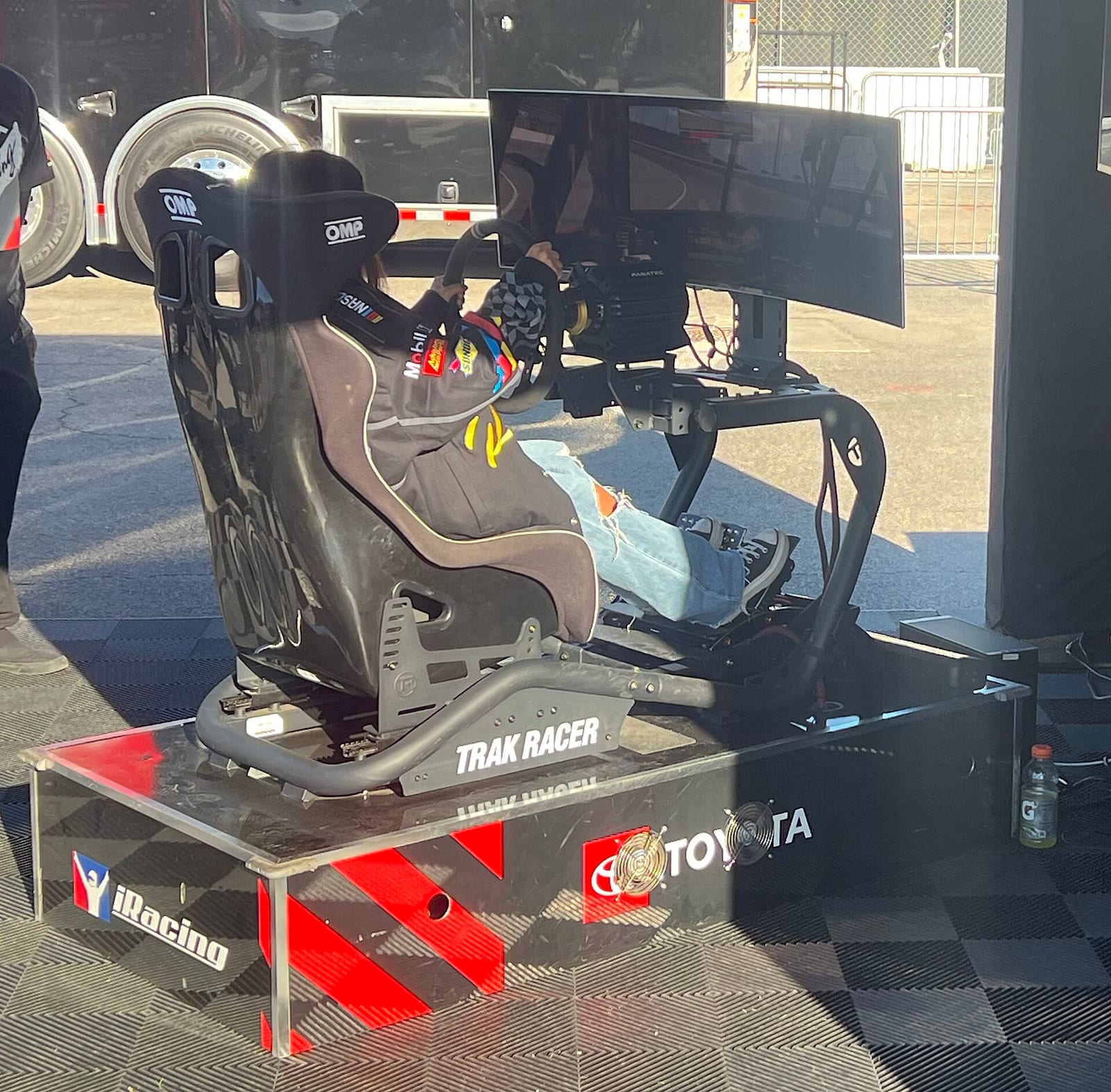
Put the screen as close behind the wheel base as it will go, with the middle of the screen roughly at eye height when you sit in your race position. Then measure. Do not set the FOV by feel.
iRacing's support articles describe its built-in Field of View Calculator: you enter the monitor width (edge to edge, with bezels, not the diagonal), sit in your normal driving position, measure from your eyes to the centre of the screen, and the sim works out the FOV. iRacing also warns that setting the view much wider than reality makes everything feel faster than it is, and that the calculated value only works well with the screen close to your face.
Here is the geometry behind it. A 27-inch 16:9 monitor is about 60 cm wide.
| Eyes to screen | Horizontal angle the screen covers |
|---|---|
| 60 cm | about 53 degrees |
| 80 cm | about 41 degrees |
| 100 cm | about 33 degrees |
That is why a single screen on a desk behind a wheel stand gives you a narrow correct FOV, and why moving the screen closer matters more than buying a bigger one. Games use different FOV conventions (some horizontal, some vertical), so take the number for your sim from the sim racing FOV calculator. For triples, the side screen angle comes next: see triple screen monitor angle.
GT, formula and rally positions

| GT car | Formula car | Rally car | |
|---|---|---|---|
| Back | Fairly upright | Reclined, lying back | Upright |
| Hips | Low, at or below the knees | Low, feet up near hip height | Low, held tight |
| Pedals | Below the hips, more vertical | High, faces leaned back | Below the hips, more vertical |
| Wheel | Close, on an angled column | Low, close to the chest, near vertical | Close and quite high |
| Arms | Bent at quarter to three | Bent, short movements | Bent, room for big lock |
GT. In a real GT3 car you sit fairly upright, low, with the seat tight around your hips. The wheel is close. This is the easiest position to build on most rigs and the one I'd start with if you race mixed cars.
Formula. In a formula car you lie back and your feet are higher, roughly at hip level. The wheel is small, low and close. Playseat describes its formula seats the same way: a lower hip point and a more reclined posture. You need a rig where the pedal deck can go up and the wheel can come down without hitting your knees.
Rally. In a rally car you sit upright and low, held hard by the seat, with the wheel close so you can wind on a lot of lock quickly. The handbrake lever sits right by the wheel so your hand travels as little as possible. If you have a handbrake on your rig, put it where your right hand falls off the rim.
And in a kart, where I started, your legs are much straighter than in any car and the seat is fixed to the chassis. Do not copy a karting position into a car rig. It is a different machine.
Setups for tall drivers
Tall drivers run out of rig before they run out of adjustment. Porter and Gyi saw it too: their tall subjects preferred a more open, reclined posture, and the rig's limited seat height stopped them bending the knee the way they wanted. Larger drivers also wanted the wheel further away and higher.
What that means when you buy or adjust:
- Check the maximum seat-to-pedal distance in the rig's manual before you order. That number decides if your leg fits.
- Recline a little more to open the trunk-thigh angle and gain leg room, rather than forcing an upright GT position.
- Raise the wheel so your knees clear it under braking.
- Seat sliders give you the last few centimetres on most cockpits.
From a wheel stand or Playseat to an aluminium rig
Folding seats and wheel stands have a fixed relationship between seat, pedals and wheel, with a few holes or a lever to change it. Playseat's Challenge X, for example, has six recline positions. Aluminium profile rigs let you move every part along the profile, which is great and also how people end up lost.
The way I'd move across:
- Photograph your current position from the side and note the knee, hip and elbow angles. A phone angle app is fine.
- Rebuild that position on the new rig first, even if it is not ideal. You know you can drive in it.
- Then change one thing per session, starting with the seat, in the order above.
- Raise the brake force only once the rig is solid. A stiffer frame lets you use more force, but your leg decides how much is repeatable.
If you are still choosing, I compare frames in best budget sim racing cockpits and what to look for in a sim racing cockpit. The full build order, from wheelbase to screen, is in my sim racing setup guide.
Starting points at a glance
| What | Starting point | Source |
|---|---|---|
| Trunk-thigh angle | 90 to 115 degrees | Porter and Gyi 1998, observed comfort range |
| Knee angle | 99 to 138 degrees, never locked at full brake | Porter and Gyi 1998; Playseat |
| Foot-calf angle | 80 to 113 degrees | Porter and Gyi 1998 |
| Elbows | Bent at quarter to three | Playseat; racer rule |
| Wheel reach | Wrists on top of the rim, arms straight, shoulders on the seat | Racer rule, starting point |
| Wheel height | Top of rim below eye line, hands near shoulder height | Racer rule; SimWiki summary of Daniel Morad |
| Screen | Close behind the wheel, FOV calculated from width and distance | iRacing Field of View Calculator |
FAQ
What is the correct sim racing seating position?
Seat first, low and with your back fully on the seat. Pedals at a distance where full brake leaves your knee bent. Wheel close enough that your wrists rest on the rim with straight arms. Screen right behind the wheel, with the FOV calculated.
How far should the pedals be in sim racing?
Far enough that your knee is still bent at full braking force, never locked. Porter and Gyi's comfortable drivers sat at 99 to 138 degrees at the knee. Set it with the brake pressed at race force, not lightly.
Why do my knees hurt after sim racing?
Most often the pedals are too close, so the knee is deeply bent under a heavy brake, or too far, so the leg locks. A brake force higher than you can repeat makes it worse. Fix the distance, lower the maximum force in software, and see a physio if it persists.
Are inverted pedals better?
They are different, not automatically better. They suit some cockpits and some driving positions. Your heel needs support and the plate needs to sit where the ball of your foot lands, or your calf ends up holding your leg up.
Should a sim rig be set up like a GT car or a formula car?
Set it for the cars you race most. If you race both, start with a GT position. It is easier to build and more forgiving, and a rig with an adjustable pedal deck and wheel height can switch to formula later.
How high should my monitor be for sim racing?
Roughly the middle of the screen at eye height in your race position, as close behind the wheel as it fits. Then measure your eye-to-screen distance and calculate the FOV.