
A sim racing setup is a wheelbase, a wheel rim, a set of pedals, something rigid to bolt them to, a screen or VR headset, and a PC or console to run the sim. That is the whole list. What changes between a $600 setup and a $3,000 one is how each part feels and how much it flexes, and the order you buy them in matters more than the total.
Checked on 15 October 2026 against the official product pages of MOZA Racing (US store), Logitech G, Fanatec (US store), Next Level Racing, Sim-Lab (US store), Simucube and Meta. Prices are what those stores listed on that day, in the currency they showed. Several MOZA prices were sale prices, and I give the regular price next to them. Prices move every week, so treat them as a guide and check the store before you buy.
What a sim racing setup is made of
| Part | What it does | Where the money goes |
|---|---|---|
| Wheelbase | Motor that creates force feedback | Torque, smoothness, detail |
| Wheel rim | What you hold, with buttons and paddles | Size, grip, button layout, quick release |
| Pedals | Throttle, brake, maybe clutch | Brake sensor (travel or load cell) |
| Mount | Desk clamp, wheel stand or cockpit | Rigidity, adjustability |
| Display | TV, monitor, triples, ultrawide or VR | Field of view, refresh rate |
| PC or console | Runs the sim | Which sims you can play |
The platform decides a lot of the rest. On PC almost every wheel works. On PlayStation and Xbox only licensed hardware works, so check the platform line on the product page before anything else. I keep separate lists for PS5 wheels and Xbox wheels.
Choosing the right sim racing hardware for immersion
The wheelbase
The wheelbase is the motor. It reads what the front tyres are doing in the sim and pushes it back through the rim. Three drive types exist: gear, belt and direct drive. I explain the difference in direct drive wheels explained, but here is the short version for 2026.
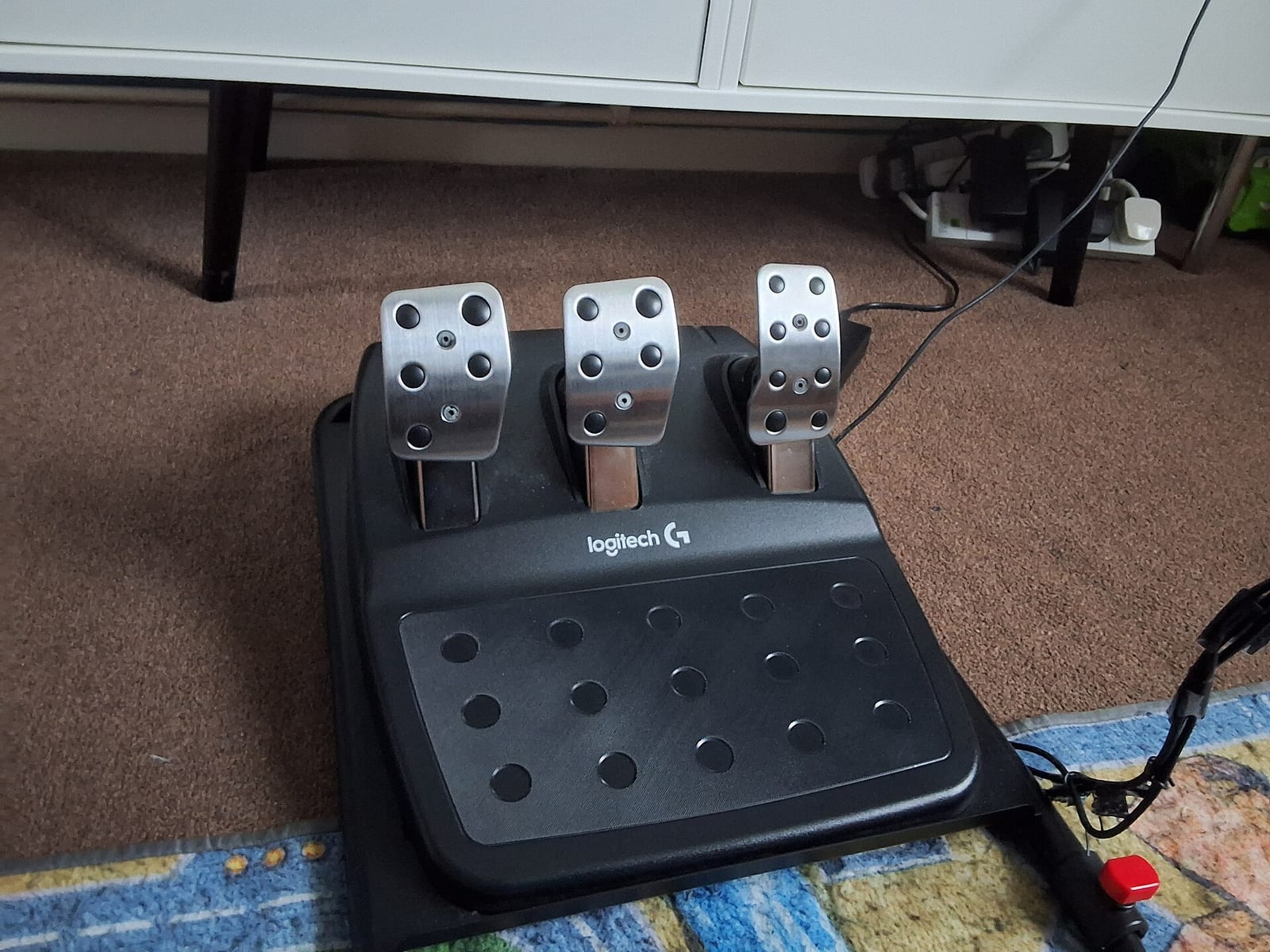
Gear and belt bases still sell at the bottom of the market. Logitech's G29 and G920 are listed at $299.99 on Logitech G's US store, with dual motor force feedback, the G29 for PlayStation and PC and the G920 for Xbox and PC. They work, and millions of people learned on them.
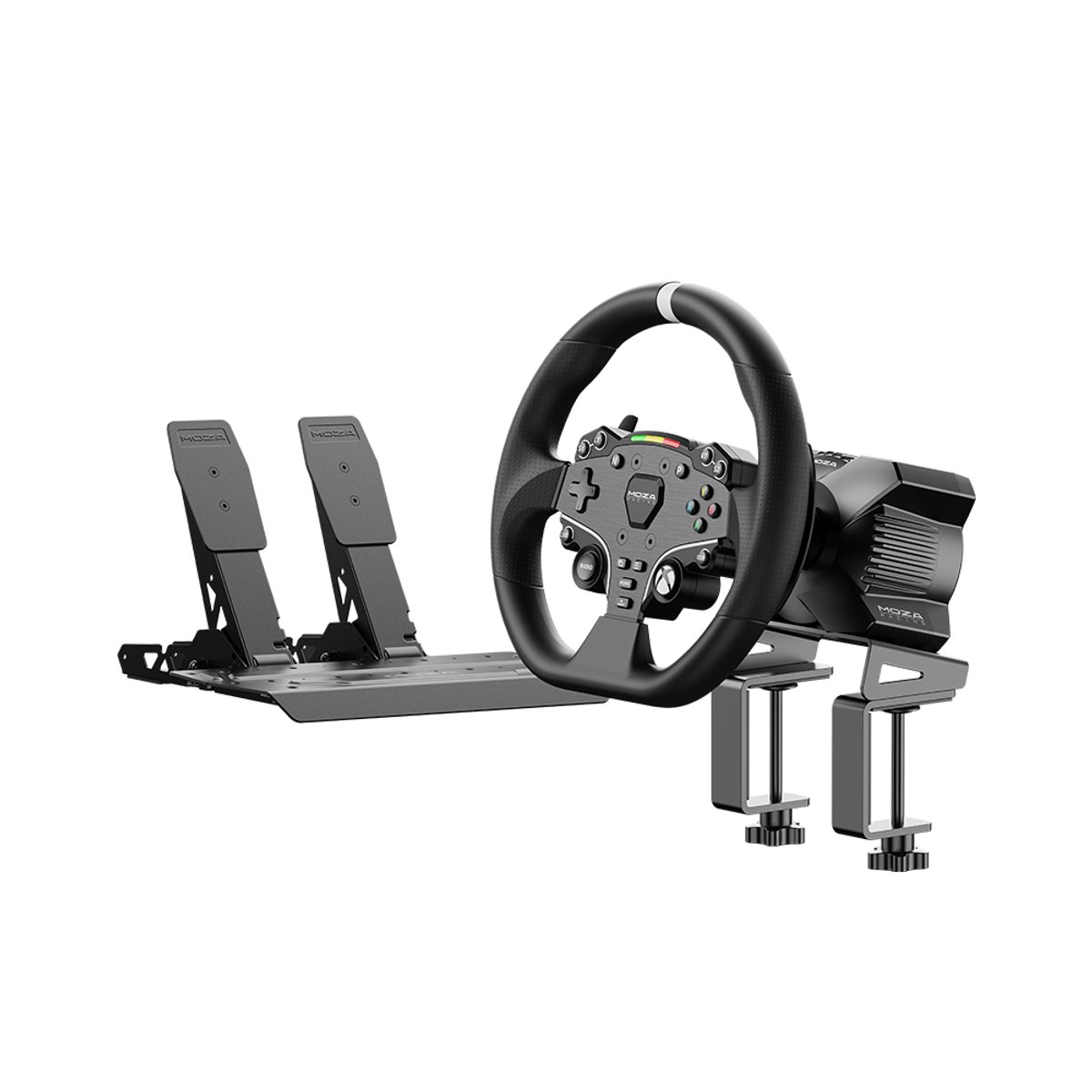
But entry direct drive now costs about the same. MOZA's R3 bundle (3.9 Nm base, ESX wheel, SR-P Lite pedals, table clamp) was $339 on MOZA's US store on 15 October 2026, a sale price against a regular $399. The R5 bundle (5.5 Nm base, ES wheel, SR-P Lite pedals) was $379, down from a regular $599. At those prices I would buy direct drive every time if the platform fits. The feel is cleaner, there is no gear rattle, and you can upgrade the pedals and rim later.
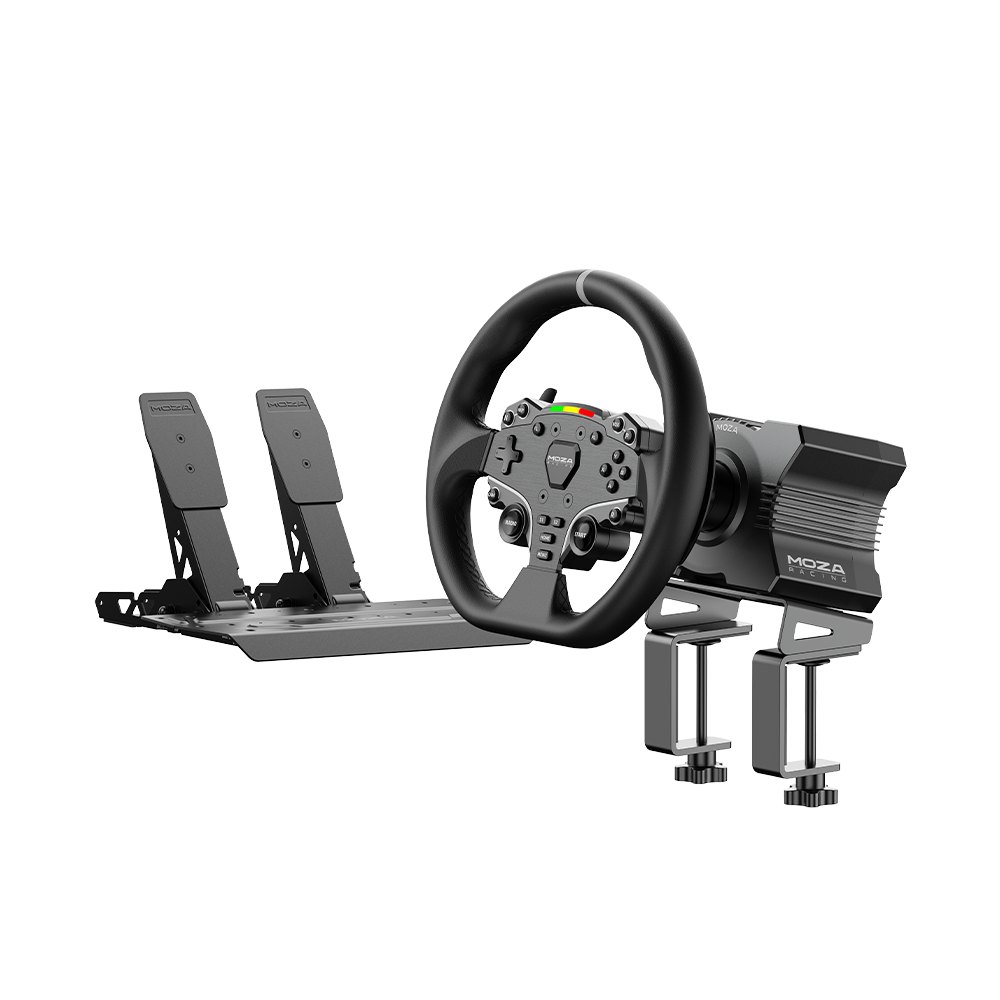
How much torque do you need? Less than the marketing says. Torque is headroom, not quality. A 5 Nm base turned down to suit you is fine for learning. 8 to 12 Nm is where most people stop wanting more. Past that you pay for detail at the top end and for a base that never clips, which matters once you race seriously. More on this in direct drive vs belt drive vs gear drive.
The wheel rim
A bundle rim is fine to start. When you upgrade, pick the rim for the cars you drive. Round rims of around 30 cm suit road cars and drifting. GT and formula style rims are smaller, with more buttons for brake bias, traction control and ABS, which you will want once you race online. A quick release lets you swap rims in seconds.
My shortlist is in the best sim racing steering wheels.
The pedals
This is where I would put the money first. Lap time comes from braking, and braking is about the brake pedal.
Cheap pedals measure how far the pedal travels. Real brakes do not work like that. In a real car you brake on pressure: the pedal barely moves and your leg pushes harder. A load cell brake measures force, so your muscle memory is built on pressure, like the real thing. It is more consistent lap after lap, and it is the single biggest upgrade I can recommend.
The price of entry has fallen a long way. MOZA's SRP2 pedals (throttle and brake, 100 kg load cell) were listed at $149 on MOZA's US store on 15 October 2026. The CRP2 set with a 200 kg load cell was $369, down from $399. My full list is in the best load cell pedals, and if you want to go further, hydraulic pedals and active pedals are the next step up.
Investing in a high quality sim racing cockpit
Your hardware is only as good as what it is bolted to. Every bit of flex in the mount eats force feedback and moves the brake pedal away from you when you push it. A brake pedal that moves is a brake pedal you cannot trust.
Three options, in order of price:
- Desk clamp. Fine for low torque bases. Your pedals will slide on the floor and your chair will roll back under braking. With a load cell brake this gets worse, because you push harder.
- Wheel stand. A frame for wheel and pedals that you sit behind on your own chair or sofa. Next Level Racing's Wheel Stand 2.0 is listed at $279 on its US store. I go through more in the best steering wheel stands.
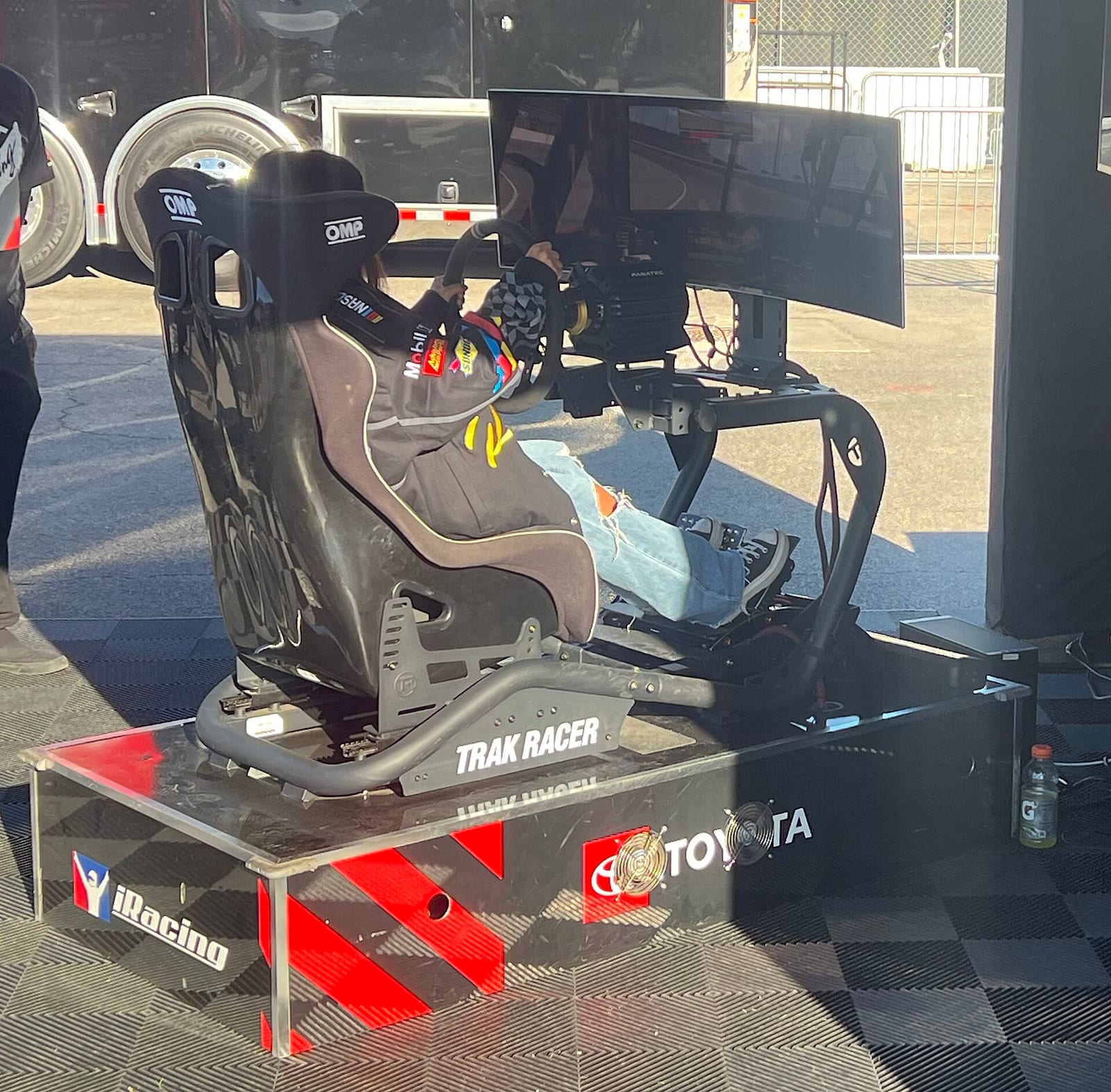
- Cockpit. Seat, wheel deck and pedal plate on one frame. Folding tube cockpits like Next Level Racing's F-GT Lite ($299 on its US store) are compact. Aluminium profile cockpits are the stiffest and the easiest to adjust. Sim-Lab's GT1 Evo was $598 on Sim-Lab's US store (profiles, wheel deck and pedal tray, no seat), listed as sold out when I checked.
My cheap picks are in the best budget sim racing cockpits, and the full cockpit buying advice is in choosing a sim racing cockpit.
The seat
If you buy a cockpit without a seat, the seat matters more than people think. A car seat or a bucket seat on sliders holds you in place under heavy braking with a load cell brake. An office chair cannot. Make sure the seat mounts match your cockpit's brackets before you order.
The display: TV, monitor, triples or VR
What you look at decides how well you judge speed and distance. The rule is simple: the closer the screen sits to your eyes, the more of the world it covers, and the more natural the correct field of view looks.
- TV. What most people start with on console. Fine, as long as it is close.
- Single monitor. Mount it right behind the wheel base, as low as you can.
- Ultrawide or triples. Triples give you side vision for wheel to wheel racing. I compare them in triple monitors vs a single ultrawide.
- VR. Full depth and the best sense of where the apex is, but heavy on the PC and not for everyone over long races. Meta's Quest 3 (512 GB) was €619.99 on Meta's Italian store on 15 October 2026. More in sim racing VR vs monitor.
PC or console
A console is the cheapest way in, but the choice of sims is smaller and only licensed wheels connect. A PC opens every sim and every piece of hardware. Already own a console? Start there. In for years? Go PC.
Sim racing setups by budget in 2026
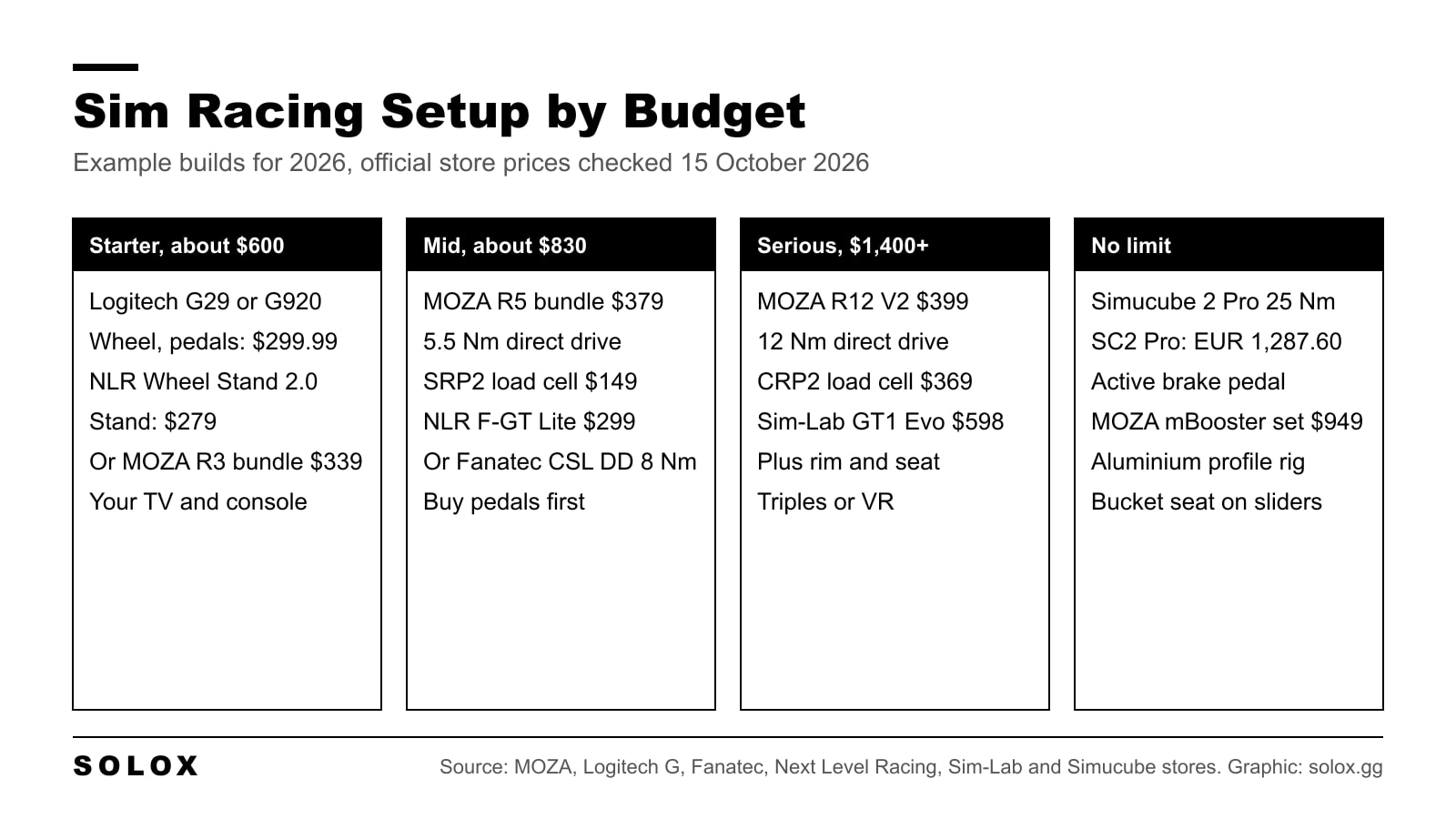
Example builds, with official store prices from 15 October 2026, before shipping. Totals are simple sums.
Starter: around $600
- Logitech G29 (PlayStation and PC) or G920 (Xbox and PC), $299.99, wheel and pedals included
- Next Level Racing Wheel Stand 2.0, $279
- Your existing TV and console
- Total: $578.99
On PC or Xbox, the MOZA R3 bundle at $339 (sale, regular $399) gets you into direct drive for a little more than the Logitech. My cheapest builds are in the budget sim racing setup guide.
Mid range: around $830 to $1,100
- MOZA R5 bundle, $379 (sale, regular $599)
- Swap to MOZA SRP2 load cell pedals, $149
- Next Level Racing F-GT Lite folding cockpit, $299
- Total: $827 at the sale price, $1,047 at the regular price
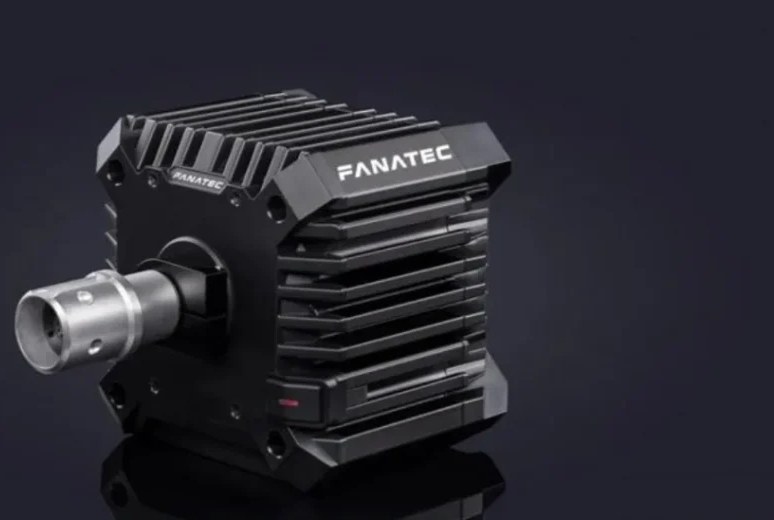
This is the setup I would tell most people to aim for. If you are on Fanatec, the CSL DD (8 Nm, QR2 with FullForce) base was $479.99 on Fanatec's US store, base only.
Serious: around $1,400 plus rim and seat
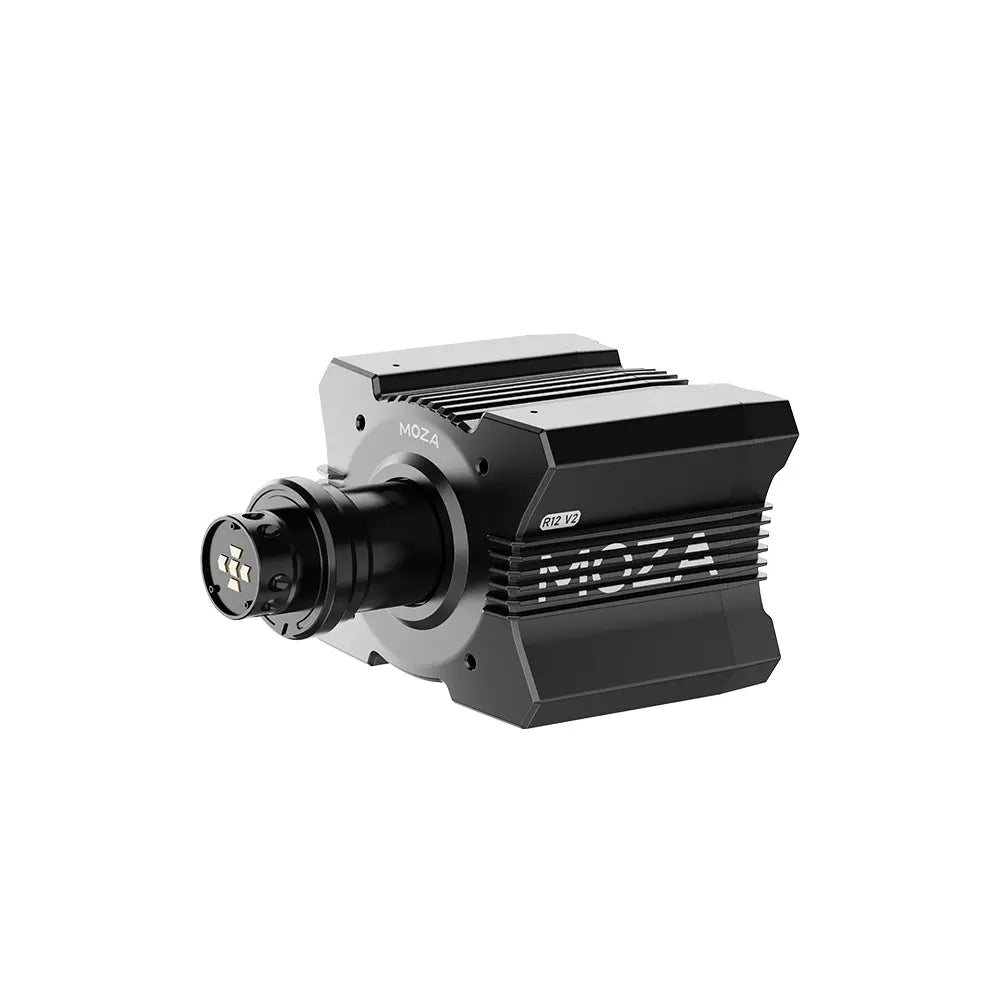
- MOZA R12 V2 base (12 Nm), $399 (sale, regular $469)
- MOZA CRP2 load cell pedals (200 kg), $369 (sale, regular $399)
- Sim-Lab GT1 Evo aluminium profile cockpit, $598 (sold out when I checked)
- Total: $1,366, before a wheel rim, seat and monitor mount
At this level the cockpit is no longer optional. 12 Nm on a desk clamp or a folding frame will flex. Add a rim that suits your cars and a proper seat, then triples or VR.
No limit
- Simucube 2 Sport (17 Nm), €981.60, or Simucube 2 Pro (25 Nm), €1,287.60, on Simucube's store
- MOZA mBooster pedal set with CRP2 throttle (active brake, 200 kg), $949 (sale, regular $999)
- Aluminium profile cockpit, bucket seat, triples or a high end VR headset
You are paying for the last few percent of detail. Worth it if you race every week. It does not make you fast on its own.
How I would spend the money, in order
If the budget is tight, this is the order I would buy in:
- Pedals with a load cell brake. Biggest effect on consistency.
- Something rigid to mount everything on. Flex undoes everything else.
- Direct drive base. Even a low torque one.
- Display placement and FOV. Costs nothing if you move what you have.
- Better rim, shifter, handbrake, haptics. Nice, not needed to be quick.
For the extras later, I cover gear shifters, hydraulic handbrakes and bass shakers vs wheel haptics.
The heart of the setup: assembling your sim racing rig
Step by step
- Build the frame on its own first. Leave the bolts slightly loose until everything is square, then tighten.
- Fit the seat and set your seating position before you mount the wheel or pedals. Everything else is measured from you.
- Mount the pedals so your leg is right at full brake (see below).
- Mount the wheelbase at the right height and distance for that seat position.
- Mount the display as close behind the wheel as you can.
- Route the cables away from your feet and from anything that moves. Plug the wheelbase into its own power, and the USB straight into the PC, not a cheap hub.
- Install the manufacturer software, update firmware, calibrate the pedals, then set up each sim.
Seating position like a real car
GT position. In a GT3 car you sit fairly upright, low, with the seat tight around your hips. The wheel is close. With your shoulders against the seat back, your wrists should rest on top of the rim with your arms straight. When you hold the rim at quarter to three, your elbows are bent. That bend is what lets you turn the wheel quickly without your shoulders leaving the seat.
Formula position. In a formula car your feet are higher, roughly at hip level, and you lie further back. Same rule for the arms. A formula style cockpit or an adjustable profile rig can do both.
Pedals. At full brake, your knee should still be slightly bent. If your leg locks straight, you are too far away and you lose fine control at the top of the pedal. If your knee is up at your chest, you are too close.
Wheel height. The top of the rim should sit below your eye line so you see the road over it, the same way you would in a car.
I go into the measurements in how far the steering wheel should be.
Field of view
Once the seat and screen are where they will stay, measure the distance from your eyes to the screen and the screen size, then calculate the FOV. Do not set it by feel. A wide, wrong FOV makes everything look slower and further away, so you brake late and miss apexes. Use the sim racing FOV calculator, and expect a lower number than you are used to on a single screen.
Optimising your sim racing software and system
- Firmware and drivers. Update the wheelbase and pedals through the maker's own software before you change any setting.
- Pedal calibration. Set the brake so 100% comes at a force you can hit every time without straining, not at the maximum the load cell can read. You want to reach full braking with a firm push, lap after lap.
- Force feedback. Start from the maker's or the sim's baseline, then lower the strength until it never clips in fast corners. Strong is not the same as good. My per game settings are in the settings hub.
FAQ
What do I need for a sim racing setup?
A wheelbase, a wheel rim, pedals, something to mount them on (a desk clamp, wheel stand or cockpit), a screen or VR headset, and a PC or console. Many bundles include the base, rim and pedals in one box.
How much does a sim racing setup cost in 2026?
On 15 October 2026 a starter setup with a Logitech G29 or G920 and a wheel stand added up to $578.99 at official store prices. A mid range direct drive build with load cell pedals and a folding cockpit came to $827 at MOZA's sale prices. Serious setups start around $1,400 before a rim and seat.
Is direct drive worth it for a beginner?
At 2026 prices, yes, if the platform fits. MOZA's R3 and R5 bundles were $339 and $379 on sale on 15 October 2026, close to the price of a gear driven wheel. Turn the strength down to start with.
Should I buy a better wheelbase or better pedals first?
Pedals. A load cell brake does more for consistency than extra torque. MOZA's SRP2 load cell set was $149 on 15 October 2026.
Do I need a cockpit or is a desk enough?
A desk works for low torque bases if the desk is solid and your chair does not roll. Once you add a load cell brake or go above roughly 8 Nm, a wheel stand or cockpit stops things moving and pays for itself.
Monitor, triples or VR for a sim racing setup?
A single monitor close behind the wheel is enough to start. Triples add side vision for close racing. VR gives the best depth but needs a strong PC. Whichever you pick, set the FOV with a calculator.