
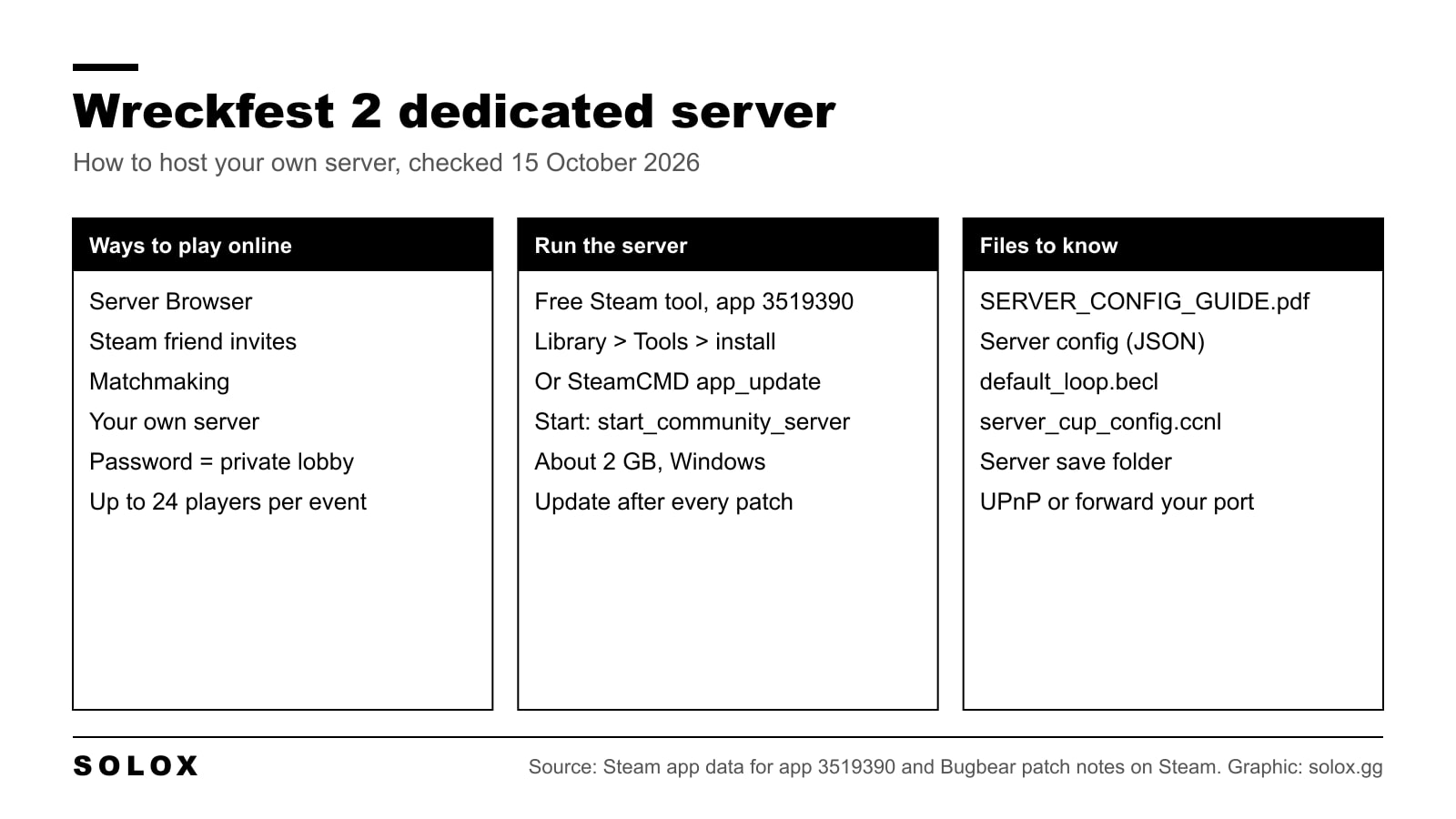
Yes, Wreckfest 2 has a dedicated server. It is a free Steam tool called Wreckfest 2 Dedicated Server, app ID 3519390, and you install it from your Steam Library or with SteamCMD. You run it on a PC that stays on, give it a password if you want it private, and your friends find it in the in-game Server Browser.
That is the only way to host your own Wreckfest 2 server that I could find in Bugbear's own material. Below is how to install it, which files to edit, how admin works and what to check when nobody can join.
Checked on 15 October 2026 against the Steam app data for Wreckfest 2 Dedicated Server (app 3519390), the Wreckfest 2 Steam store page and every Bugbear announcement on Steam from March 2025 to the Content Update #9 changelog of 15 October 2026. I have not run this server myself. Where Bugbear has not published something, I say so instead of filling the gap.
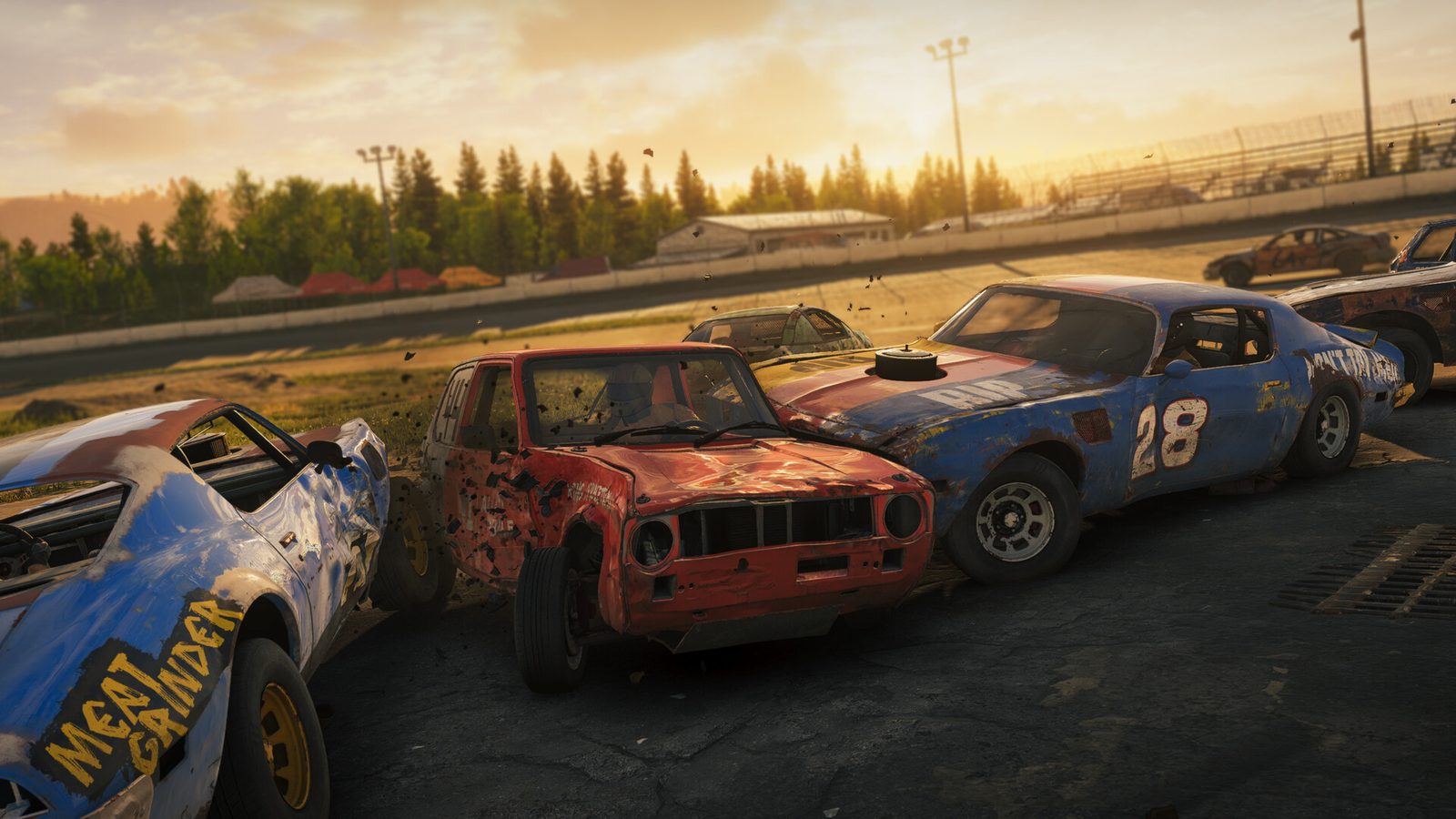
Every way to play Wreckfest 2 online
There are three ways into a multiplayer race today.
| Way | What it is | Who controls the rules |
|---|---|---|
| Server Browser | Join any public server in the list | Whoever runs that server |
| Friend invite | Invite friends from your Steam Friends List to the server you are on | The server owner |
| Your own server | Run the Wreckfest 2 Dedicated Server tool | You |
Matchmaking is also in the game, and Bugbear's store page says skill based matchmaking and server queues are still coming during Early Access.
What about hosting straight from the game, like a "Host" button? Bugbear's patch notes never describe one. Every hosting feature they mention (passwords, cup playlists, admin roles, server logging) belongs to the server and its config. So if you want a private room with your own rules, plan on running the tool.
Each event takes up to 24 players, with bots allowed to fill the grid. That is the number on the store page since the Early Access launch on 20 March 2025.
Is there a Wreckfest 2 Dedicated Server on Steam?
Yes. Here is what Steam's own app data says about it:
| Field | Value |
|---|---|
| Name | Wreckfest 2 Dedicated Server |
| App ID | 3519390 |
| Type | Tool, parent app 1203190 (Wreckfest 2) |
| Price | Free to download |
| Install folder | Wreckfest 2 Dedicated Server |
| Launch file | start_community_server.bat |
| Install size | About 2.0 GB (1.3 GB download) |
| Last public build | 10 July 2026 |
The first Wreckfest had its own server tool as app 361580. This is the Wreckfest 2 version of the same idea, a separate tool and not part of the game install.
Bugbear calls it the "community server" in its patch notes. The only launch entry Steam lists is a Windows batch file. I found no official Linux build, so treat Windows as the supported platform.
How to install and run it
From the Steam client
- Open your Steam Library.
- Change the filter at the top left so it shows Tools.
- Find Wreckfest 2 Dedicated Server and install it.
- Press Play. Steam runs start_community_server.bat and a server console opens.
The PC running it has to stay on for as long as people want to race. A spare machine on a wired connection is better than your gaming PC, because the server and the game then do not fight for the same CPU and upload.
With SteamCMD
On a machine without the Steam client, SteamCMD does the same job:
steamcmd +force_install_dir C:\wf2server +login <your_steam_username> +app_update 3519390 validate +quit
The tool is free, but I have not tested whether Steam accepts an anonymous login for it. If you try +login anonymous and it is refused, log in with your own Steam account. Run the same command again after every game update to bring the server up to date.
Then start it with start_community_server.bat from the install folder.
Server config files and key settings
This is where I have to be honest about what is public. Bugbear has not posted a full list of server settings or their default values on Steam. Since Content Update #7 (19 May 2026) the server ships with a file called SERVER_CONFIG_GUIDE.pdf, which Bugbear added "to make it easier to run a server". Open that before you change anything, because it is written for the build you installed.
What the patch notes do confirm:
| File or setting | What it does | Source |
|---|---|---|
| Server config (JSON format) | Main settings, including Cup Mode, file logging and lobby rules | Content Updates #5 and #7 |
| default_loop.becl | Example playlist with every event, a base for your own | Content Update #6 |
| Your own .becl files | Cup playlists: event ID, game mode, rules per event | Content Update #6 |
| server_cup_config.ccnl | Defines each cup: playlist, points, car restrictions | Content Update #6 |
| "disable auto-admin" | Controls whether the Steam account that launched the server becomes admin | Content Update #7 |
The playlists and the cup config live in the server save folder. Event rotation was moved there in Content Update #4 (3 November 2025), and Bugbear says it can be changed while the server is running.
Lobby rules you can set on the server, all from the patch notes:
- Password. Added in Update #1 on 28 March 2025. This is your private lobby.
- Cup Mode. Players vote for a cup instead of a single event. Added in Content Update #5 (15 December 2025).
- Car restrictions. Per cup, and per event loop since Content Update #7. Bugbear's example cup config shows how to block cars with the "reverse rule" flag.
- Spec lobbies. Car upgrades and tuning can be switched off, since Content Update #7.
- Inboard camera only. Also Content Update #7.
- Server file logging. Switch it on in the server config, since Content Update #5.
Bugbear's cup notes from March 2026 said the car list ran from car01 to car14, plus school_bus and motorhome. Cars have been added since, so check the current IDs in the example files that came with your build.
For anything else, defaults included, the PDF and the shipped config are the reference. I would rather send you there than print a value I cannot check.
Ports to forward
Bugbear has not published a port list in its Steam news. Two things are official:
- The game supports UPnP port forwarding since Content Update #1 (13 May 2025). If your router has UPnP switched on, the server can open what it needs by itself.
- Since Content Update #5 Patch #1 (18 December 2025) the lobby no longer shows the server IP publicly. Your friends find you by name in the Server Browser.
Third-party hosting guides (not Bugbear) list UDP 30100 for Wreckfest 2. I could not confirm that against the shipped guide, so read the port setting in your own server config and forward exactly that, on UDP, to the local IP of the server PC. Do not copy the old Wreckfest 1 port lists: they belong to a different server.
Allow the server through Windows Firewall as well. Most "server not showing" problems on any sim come down to a router or firewall rule, the same as on iRacing behind a firewall.
Admin commands and moderation
What Bugbear has confirmed:
- Auto admin. Since Content Update #7, the Steam account that launched the server is made admin by default. The "disable auto-admin" setting controls this.
- Admins and moderators can ban players from the player list, since Content Update #4 Patch #1 (7 November 2025).
- Any player can report someone for misconduct from the Player List, since Content Update #3.
- Console commands. Bugbear's notes of 19 March 2026 name three server commands it fixed:
cup reload,reset_countdownandidle_kick.
That is all the official command list I could find. The names suggest what they do (reload the cup files, restart the countdown, kick idle players), but Bugbear did not describe them, so check the PDF for the exact syntax before you rely on them in a league night.

Troubleshooting
Friends get a version mismatch. Update the server. Wreckfest 2 gets regular content updates, the latest being Content Update #9 on 15 October 2026. After every game update, run Steam or SteamCMD again so the server build matches, and restart the server. Content Update #9 also made dedicated servers use less CPU in races and fixed servers that eventually refused new players, so it is worth updating for. Bugbear already shipped one hotfix for a server mismatch in online play, on 20 March 2025.
The server is not in the Server Browser. Check the port forward and the firewall first. Then use the name search in the browser, added in Content Update #1. The list returns up to 400 servers, so a search is quicker than scrolling.
You are not admin. Launch the server from the same Steam account you play on, and check the auto admin setting.
Cup changes do nothing. Check the .becl and .ccnl files are valid JSON, then use cup reload.
Something else. Switch on server file logging in the config and read the log. Bugbear points players to its Steam support thread for bug reports.
If you want to understand who can actually join your server, crossplay and split screen are covered in Wreckfest 2 crossplay and split screen. For price, Early Access status and my verdict on the game, see the Wreckfest 2 guide. If you run servers for other sims too, my ACC multiplayer guide and how to make an iRacing server cover the same job on those platforms.
FAQ
Is there a Wreckfest 2 dedicated server?
Yes. Wreckfest 2 Dedicated Server is a free Steam tool, app ID 3519390. Install it from the Tools section of your Steam Library or with SteamCMD.
How do I host a server in Wreckfest 2?
Install the dedicated server tool, set it up with the server config and SERVER_CONFIG_GUIDE.pdf, add a password for a private lobby, forward the port your config uses, and start it with start_community_server.bat. Friends join from the Server Browser.
Can I make a private lobby in Wreckfest 2?
Yes, by setting a password on your server. Password protected servers have been in the game since Update #1 in March 2025.
Where is the Wreckfest 2 server config?
The main config is a JSON format file that comes with the server, and the cup playlists (.becl) and cup config (server_cup_config.ccnl) sit in the server save folder. The included SERVER_CONFIG_GUIDE.pdf explains each setting.
What port does a Wreckfest 2 server use?
Bugbear has not published it on Steam. Third-party hosts list UDP 30100. Use the port set in your own server config, and UPnP can open it automatically if your router supports it.
How many players can join a Wreckfest 2 server?
Up to 24 per event, with bots to fill the grid.
Does the Wreckfest 2 server run on Linux?
There is no official Linux build. The only launch file Steam lists is a Windows batch file.