
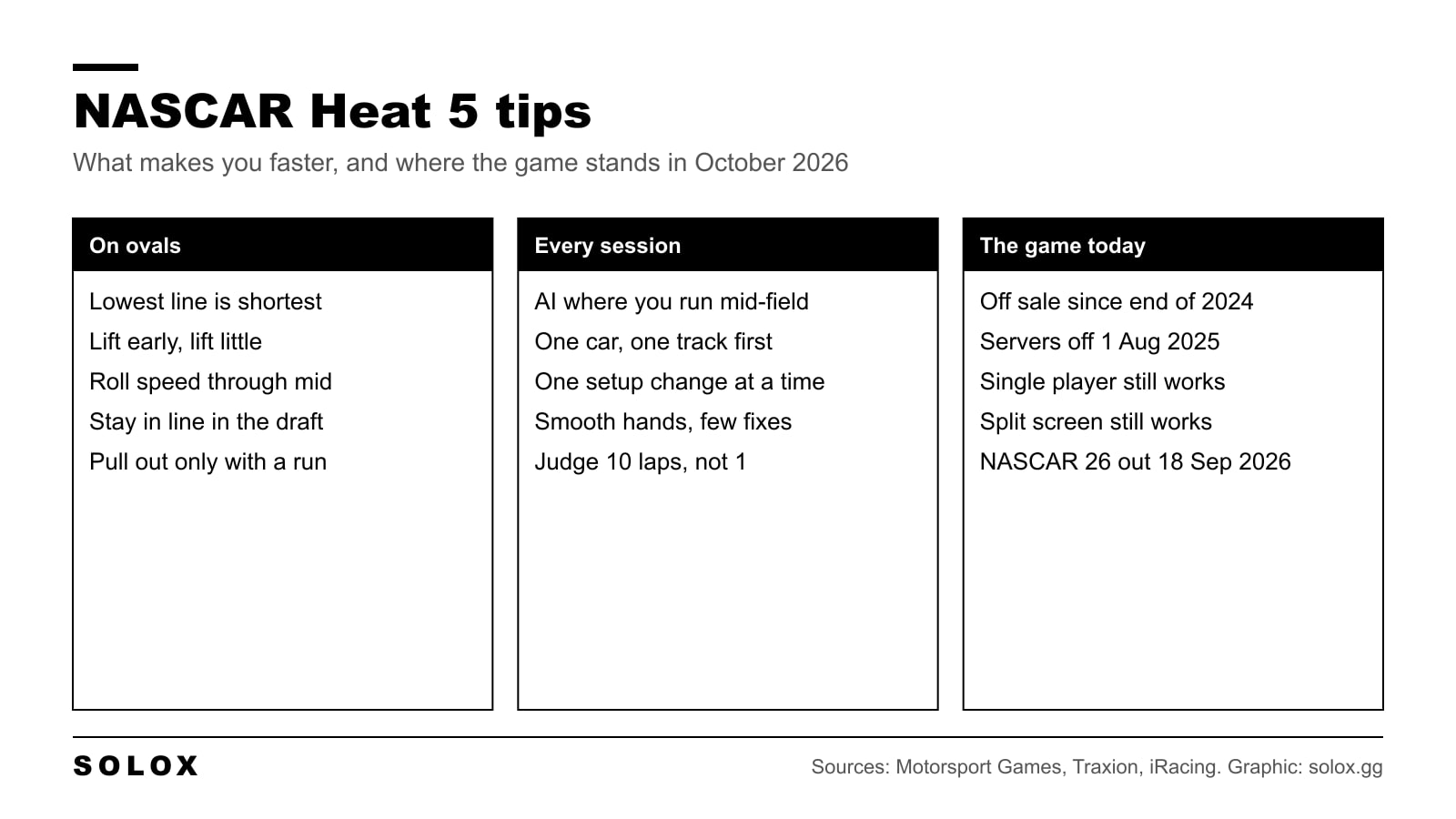
NASCAR Heat 5 looks simple: turn left, stay flat. Then the AI drives away from you on the long run and you cannot see where the time goes. These are the nine things that make the biggest difference, in the order I would work on them.
First, a word on where the game stands, because it changed a lot since it came out in 2020.
NASCAR Heat 5 in 2026
| What | Status |
|---|---|
| Buying it | Off sale on every digital store since 31 December 2024, after Motorsport Games passed the NASCAR licence to iRacing |
| Owners | Keep the game and can download it again |
| Online multiplayer | Closed on 1 August 2025 |
| Single player and split screen | Still work |
| The new NASCAR game | NASCAR 26 by iRacing Studios, out 18 September 2026 on PC, PS5 and Xbox Series X|S |
Checked on 15 October 2026 against the Motorsport Games announcement as reported by GamingOnLinux and Traxion, and the NASCAR 26 launch release.
So every tip below is for career, single races and split screen against the AI. That is where NASCAR Heat 5 lives now.
1. Set the AI where you finish mid-field
Most people set the AI either too low and learn nothing, or too high and spend the race in the wall. Pick the level where you finish around the middle of the field. That is where you learn, because you are racing cars at your pace all race long.
Once you beat that level in a full race, not a five lap sprint, raise it a little. Small steps. My NASCAR Heat 5 difficulty settings and AI settings pages cover the options.
2. One car, one track, until it is boring
Pick one series and one intermediate oval and stay there. Every oval has its own entry, its own bump, its own exit. If you change track every race you never learn any of them.
Learn the lift point, the line through the middle and where you go back to full throttle. When you can do ten laps within a tenth of each other, move on.
3. Drive the lowest line you can hold
The bottom of the track is the shortest way around. On an oval that is free lap time. Run as low as the car lets you without the front pushing up the track.
Go higher only for a reason: the car is loose low, the tyres are worn and the high line grips better, or you need to get round a car. Running high because it feels faster costs you distance on every lap.
4. Lift early, lift little
The slow way through an oval corner is a late, big lift. The car pitches forward, the rear goes light, and you spend the exit catching it.
The fast way is to lift a touch earlier and less. Keep the car settled and roll speed through the middle. Then you can be back on the throttle sooner. Minimum speed in the middle of the corner is the number that makes your lap, not how deep you went.
5. Smooth hands
On an oval the car is loaded for the whole corner. Every correction scrubs the tyres and costs speed down the next straight. If you see yourself sawing at the wheel, the car is not balanced or your entry is too fast.
Turn in once, hold it, unwind as the car comes off the banking. Fewer, slower movements.
6. Use the draft, and stay in line
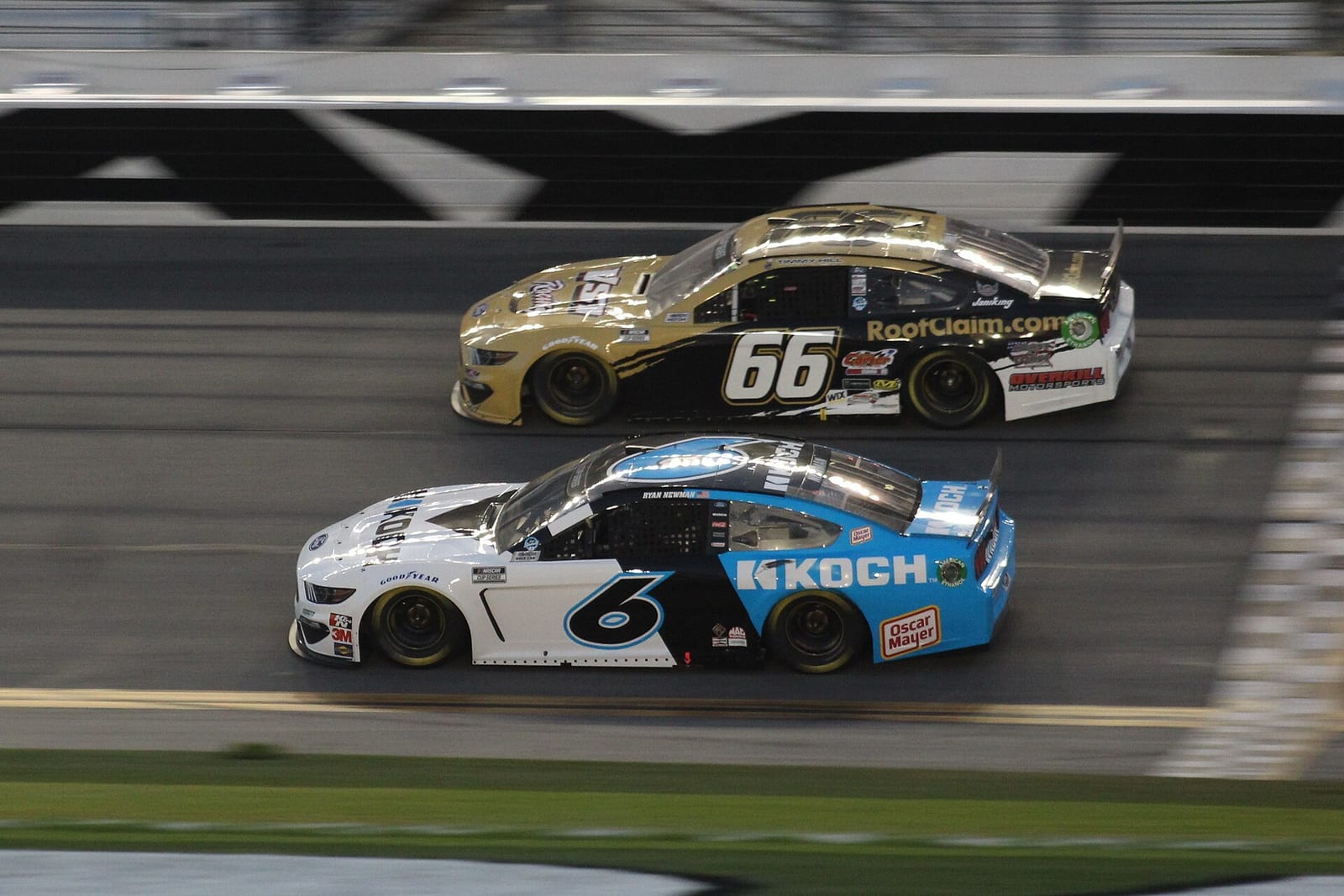
At Daytona and Talladega the draft decides the race, not your line. A car alone is slower than a line of cars, so the worst thing you can do is pull out with no one behind you.
Stay in line and wait. Pull out only when you have a run, ideally with a car pushing you. If the move does not work, find a gap and get back in line quickly. Hanging out in the wind is how you lose ten places in one lap.
7. Change one setup value at a time
Setups matter in NASCAR Heat 5, but change one thing at a time. Change two and you do not know which one helped. Run ten laps on the new value, check the average and the last lap, and keep it only if the car is faster when the tyres are worn.
A setup that is fast for one lap and loose after ten loses the race. Start from my Cup setups or Xfinity setups and adjust from there.
8. Get the controls right before you blame yourself
On a pad, too much sensitivity makes the car twitch on every small input. My controller settings for NASCAR Heat 5 page has the values to start from.
A wheel is the bigger step. You can hold a steady angle through a long oval corner, and you feel the front start to push before it happens. If you have one, set it up with my NASCAR Heat 5 wheel and FFB settings and check yours on the compatible wheels list.
9. Judge ten laps, not one
A hot lap tells you very little in a NASCAR game. The race is decided over a run, when the tyres wear and the car changes.
Practise in stints of ten laps or more. Look at how close your laps are to each other, not only at the best one. Consistent and a tenth slower beats fast once and in the wall the next lap.
Should you still play NASCAR Heat 5?
If you own it and enjoy it offline, yes. The AI races, the career works and split screen still works. What you lose is online racing and any future fixes.
If you want to race people online, or you do not own it, NASCAR Heat 5 is no longer the game. NASCAR 26 is the current official NASCAR title, and my NASCAR 26 wheel settings get a wheel set up for it. For how the older game compares with the others, see NASCAR Heat 5 vs NASCAR Heat 4 and GT7 vs NASCAR Heat 5.
FAQ
How do I get faster in NASCAR Heat 5?
Run the lowest line you can hold, lift earlier and less, roll speed through the middle of the corner and keep the steering smooth. Practise in ten lap runs at one track until your laps are consistent.
What AI difficulty should I use in NASCAR Heat 5?
The level where you finish around mid-field in a full race. Raise it in small steps once you beat it.
Can you still buy NASCAR Heat 5?
No. It was removed from all digital stores on 31 December 2024. Owners keep the game and can download it again.
Is NASCAR Heat 5 online still working?
No. The online servers closed on 1 August 2025. Single player and split screen still work.
Is a wheel worth it for NASCAR Heat 5?
Yes, if you play it a lot. You hold a steadier angle through long oval corners and feel the front push earlier. A pad works, but turn the sensitivity down.
What replaced NASCAR Heat 5?
NASCAR 26 by iRacing Studios, released on 18 September 2026 for PC, PS5 and Xbox Series X|S.