
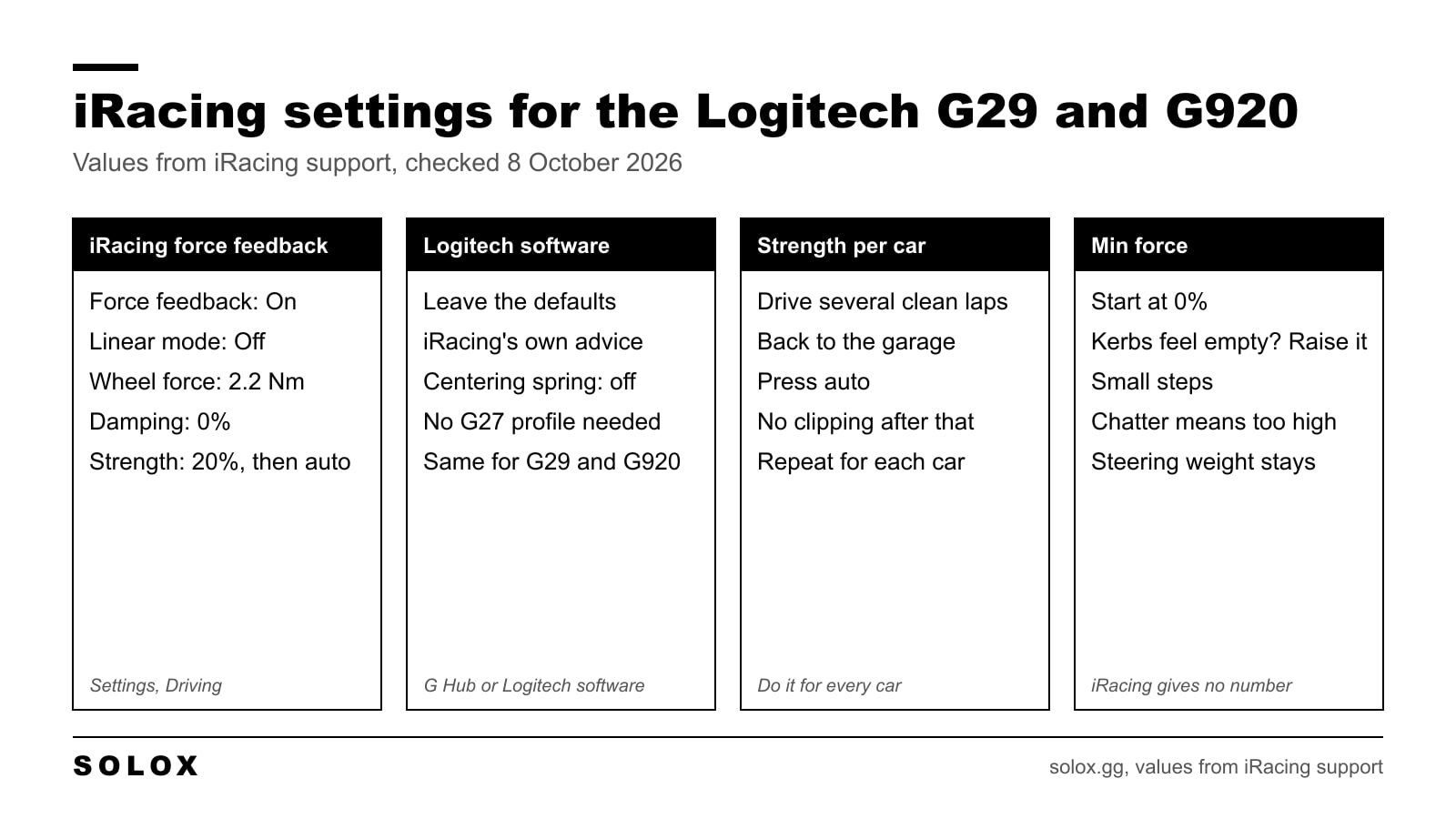
The iRacing settings for a Logitech G29 or G920: force feedback on, linear mode off, wheel force 2.2 Nm, damping 0%, and strength set with the auto button after a few laps. In the Logitech software, leave the defaults.
Every one of those comes from iRacing's own support pages, which I checked on 8 October 2026. The old version of this page had wheel force at 1.0 Nm and the centering spring switched on. Both were wrong, and they are gone.
The settings in one table
| iRacing setting | G29 and G920 value | Where it comes from |
|---|---|---|
| Enable force feedback | On | iRacing |
| Use linear mode | Off | iRacing, for gear driven wheels |
| Wheel force | 2.2 Nm | iRacing's list of wheels |
| Strength | 20% to start, then auto per car | iRacing |
| Damping | 0% | iRacing |
| Min force | 0% to start, raise if kerbs feel empty | iRacing explains the setting, gives no number |
You find these inside a session under Settings, then Driving, in the Wheel Force Feedback block. iRacing's Logitech article is here and the wheel force list is in its controller setup and calibration article.
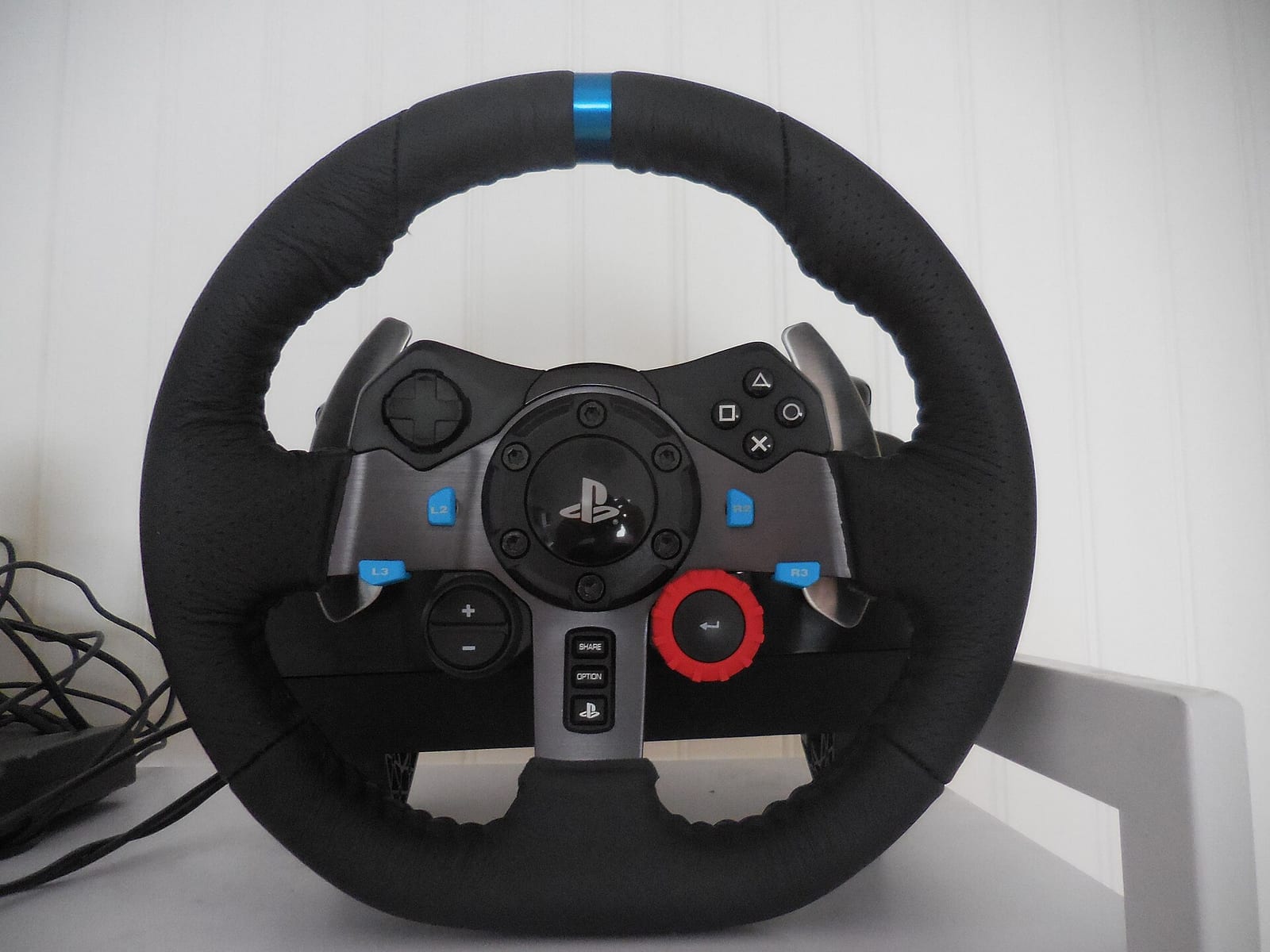
Logitech software settings
Leave them alone. iRacing's words for the G29 and G920 are that it would "recommend leaving the defaults".
The list of profiler values you see copied around the internet (overall effects 100%, spring 0%, damper 0%, centering spring unchecked, 900 degrees) is what iRacing gives for the older G27. You do not need to copy it onto a G29 or a G920. iRacing does not ask you to.
The one I would check is the centering spring. It has to be off in a sim. A spring that always pulls the wheel to the middle is fake force, and it covers what the front tyres are telling you.
Wheel force: 2.2 Nm
iRacing says to set wheel force to the manufacturer's spec for your wheel, and its own list has the G29 and G920 at 2.2 Nm.
Logitech sells the wheel as a 2.3 Nm racing system. So you will see both numbers. I would type in 2.2, because that is the one iRacing built its list on. 0.1 Nm is not something your hands will find.
Why does it matter? Because iRacing uses this number to know how strong your wheel is. Get it wrong and the strength scale, and the auto button, work from the wrong base.
Linear mode: off
On a direct drive base you switch linear mode on. On a G29 you leave it off.
iRacing explains why: with linear mode off the sim boosts the smaller forces, and that makes a gear driven wheel feel more alive. A G29 has gears between the motors and your hands. Small forces get lost in them. The boost puts some of that back.
Strength and the auto button
iRacing's starting point for a Logitech is 20%, and it says to adjust to your liking. Do not stop there. The right strength changes with every car.
So use auto. It is the best tool on this screen, and iRacing calls it the quickest way to get the force feedback feeling good.
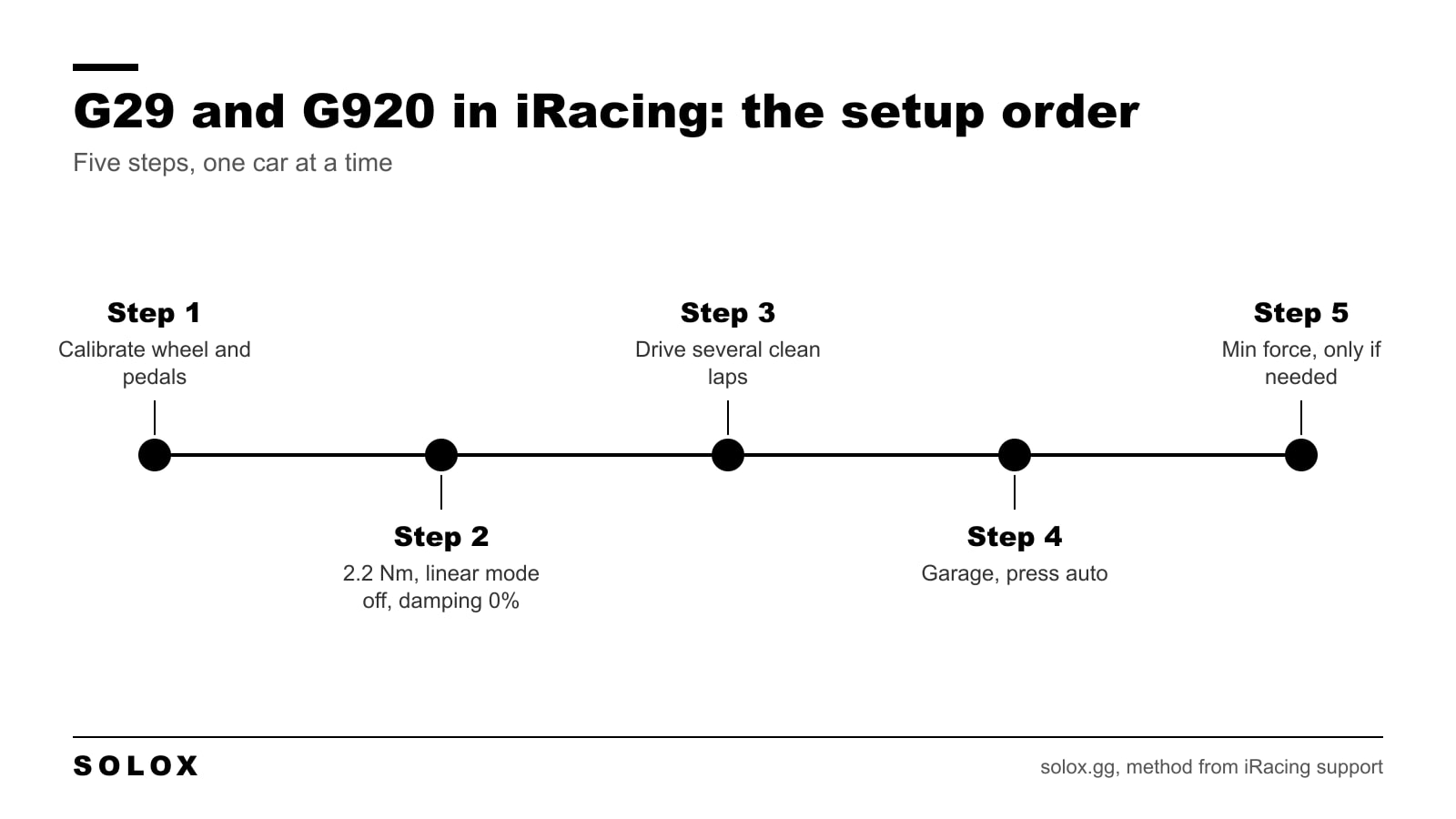
- Calibrate the wheel and pedals.
- Type in the table above.
- Drive several clean laps at your normal pace.
- Go back to the garage screen and press auto. iRacing sets the strength to the highest value that does not clip.
- Then look at min force, only if you need it.
Do it again when you change car. A Mazda MX-5 and a GT3 do not load the steering the same way.
Clean laps matter here. If you hit a wall in those laps, auto reads the hit as a force you want to feel and turns everything else down.
How to see clipping
Clipping is when the sim asks for more force than a 2.2 Nm wheel can give. Above that point everything feels the same. On a G29 it happens early, so it is worth watching.
iRacing has a meter for it. Go to Settings, Interface, On-Screen Displays, System Meters and switch on the steering force meter. It shows the force the sim is asking for. If the bar is full and orange, you are at the maximum.
A flash of orange on a kerb is normal. Orange through a whole fast corner means the strength is too high for that car.
Min force
This is the setting for gear and belt wheels. iRacing describes it like this: if you struggle to feel the small forces from bumps and kerbs, raise min force, and you get more of them without changing the steering weight or the big forces.
iRacing gives no number for it, so I will not invent one. What I would do is start at 0%, go up 2% at a time, and stop when the wheel starts to chatter by itself on the straight. Then go back one step.
Damping: 0%
iRacing lists 0% for Logitech wheels. I agree. Damping adds drag to every movement, and a G29 has enough drag from its own gears.
Calibration
Do this once, properly, before you judge any setting.
- Steering. When iRacing asks for the steering lock measurement, turn the wheel to the left. If the virtual wheel then turns the wrong way, iRacing says to run it again and turn 90 degrees to the right instead.
- If the wheel on screen does not match your hands at big angles, turn a full 360 degrees to one side and adjust the map range until the virtual wheel points straight ahead.
- Throttle. Press it fully, let it come back to about 5%, and click Done while it is still slightly pressed. That is iRacing's own method.
If the bindings are in a state after years of changes, start clean with my guide on how to reset iRacing controls.
G29 or G920, is there a difference?
For these settings, no. iRacing gives one set of values for both.
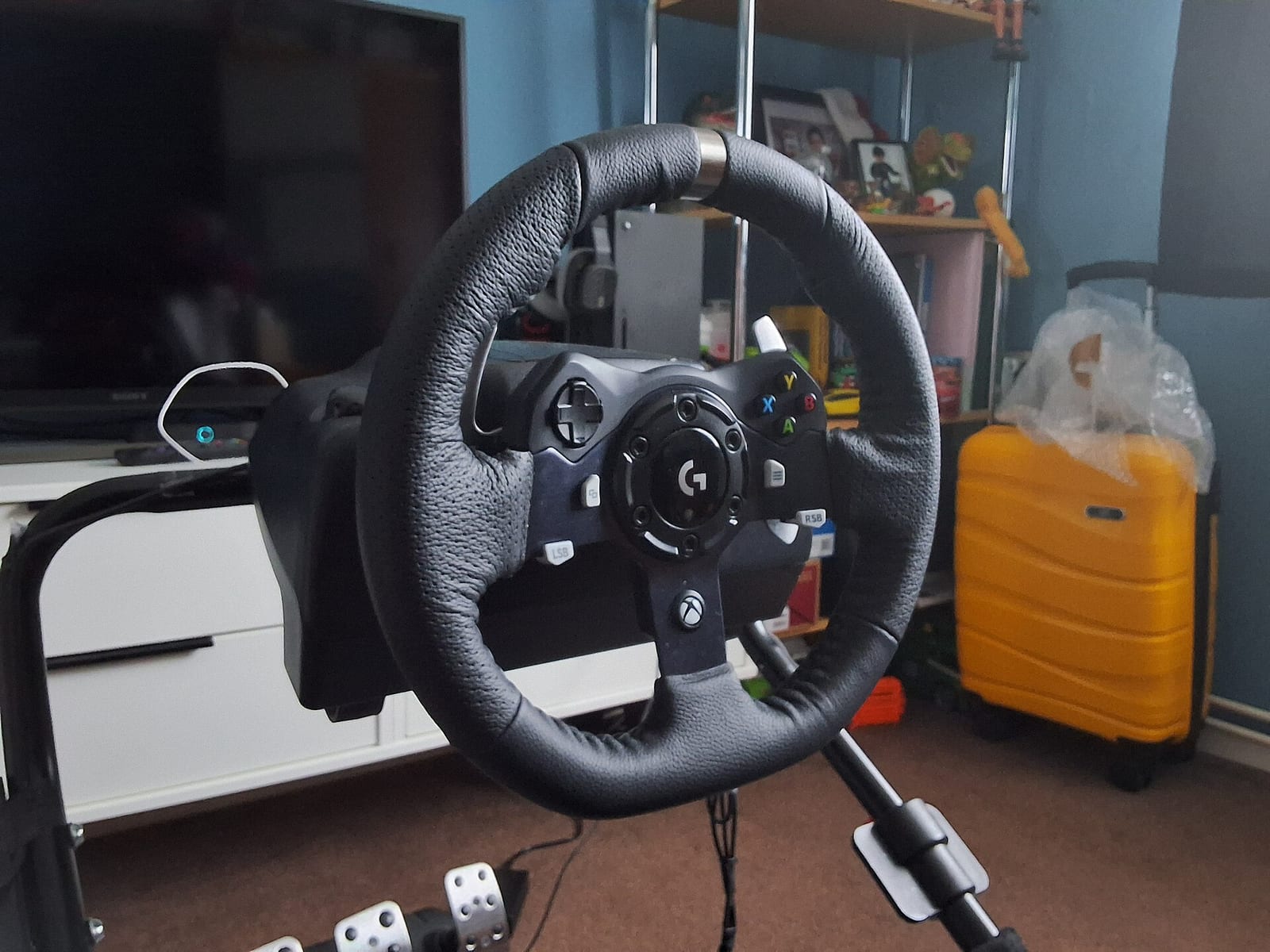
| G29 | G920 | |
|---|---|---|
| Works on | PS5, PS4, PS3 and PC | Xbox Series X and S, Xbox One and PC |
| Force feedback | Dual motor, helical gears | Dual motor, helical gears |
| Price on Logitech's US store, 8 October 2026 | $299.99 | $299.99 |
iRacing is a PC sim, so both wheels plug in over USB and both use the same values.
Can you be fast in iRacing with a G29?
Yes. The wheel is not what holds you back. It gives you less detail than a direct drive base, so you have to use your eyes and your ears more: the tyre noise, the rotation of the car, your marker boards.
The pedals are the bigger limit. The brake measures travel, not pressure, so your foot has to learn a position. Put your practice there. My iRacing tips page has the rest.
Other pages for this wheel
- The game side for every wheel is on my iRacing FFB settings page.
- Same wheel in another sim: ACC Logitech G29 and G920 settings and Assetto Corsa G29 and G920 settings.
- If you moved to the direct drive RS50, none of these numbers carry over. Use my Logitech RS50 settings by game page.
- On a Thrustmaster or a Fanatec: iRacing Thrustmaster settings and iRacing Fanatec settings.
FAQ
What wheel force should I set for a G29 in iRacing?
2.2 Nm. That is the value iRacing lists for the Logitech G29 and G920.
Should linear mode be on or off with a G29 in iRacing?
Off. iRacing says leaving it off boosts the smaller forces, which helps gear driven wheels like the G29 and G920. Linear mode is for direct drive bases.
What strength should I use in iRacing with a G29?
Start at iRacing's suggested 20%, drive several clean laps, then press the auto button in the garage screen. It sets the highest strength that does not clip for that car.
What min force should I use on a G29 or G920?
iRacing gives no number. Start at 0% and raise it a little at a time if you cannot feel bumps and kerbs. If the wheel chatters on the straight, it is too high.
What Logitech software settings does iRacing recommend?
For the G29 and G920, the defaults. Make sure the centering spring is off.
Are the iRacing settings the same for the G29 and the G920?
Yes. iRacing lists the same wheel force and the same recommendations for both.
Why does my G29 feel weak in iRacing?
It is a 2.2 Nm wheel, so it clips early. Check wheel force is 2.2, linear mode is off, and set the strength with the auto button for the car you are in.