Guides
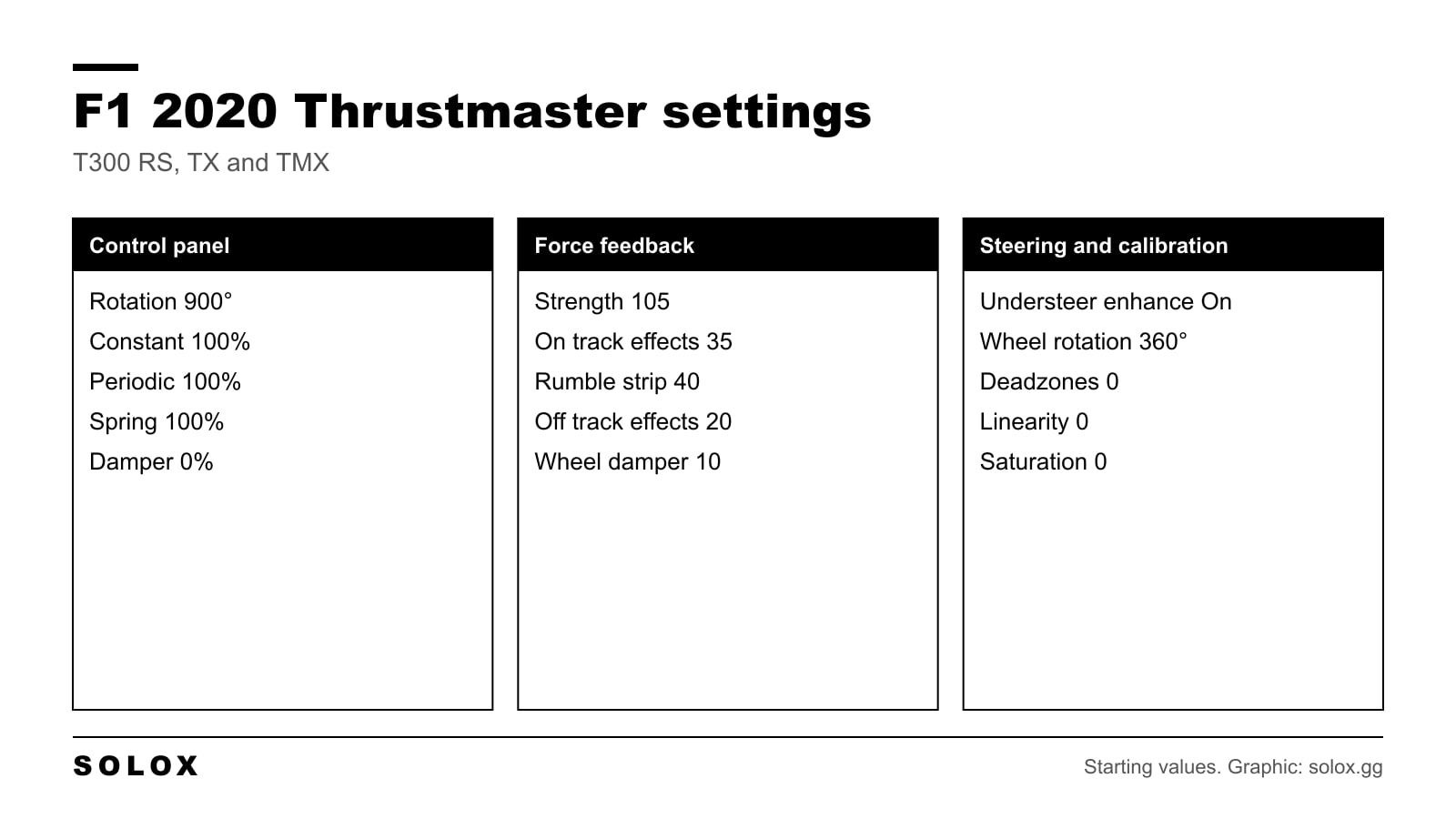
F1 2020 Thrustmaster Wheel Settings (T300, TX & TMX)
F1 2020 Thrustmaster settings for the T300 RS, TX and TMX: control panel values, calibration and force feedback strength 105 in a table, and what to change.

Practical sim racing guides: driving technique, game walkthroughs and settings.
F1 2020 Thrustmaster settings for the T300 RS, TX and TMX: control panel values, calibration and force feedback strength 105 in a table, and what to change.
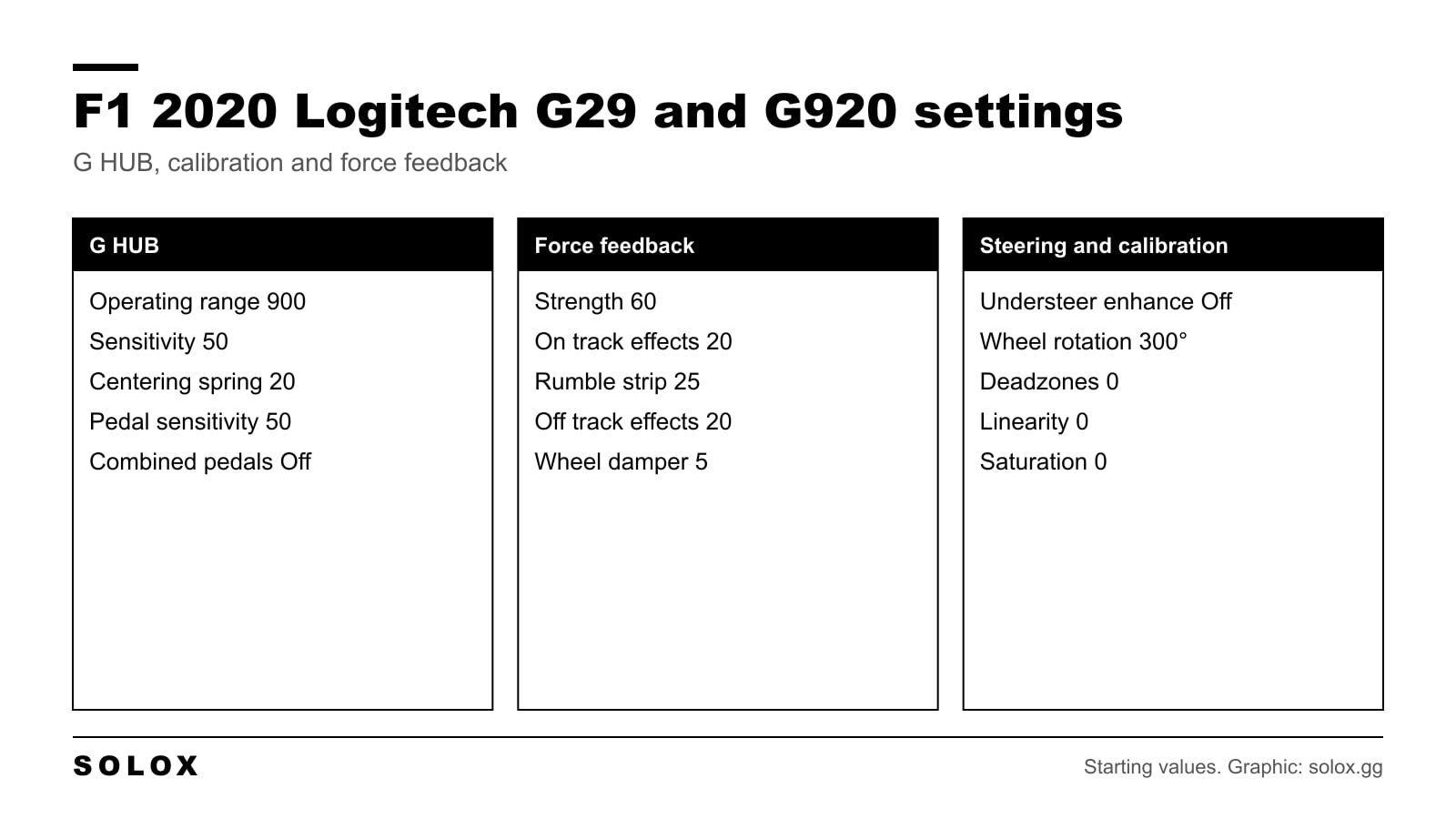
F1 2020 Logitech G29 and G920 settings: G HUB values, calibration and force feedback strength 60 in one table, plus the brake pedal fix and what to change.
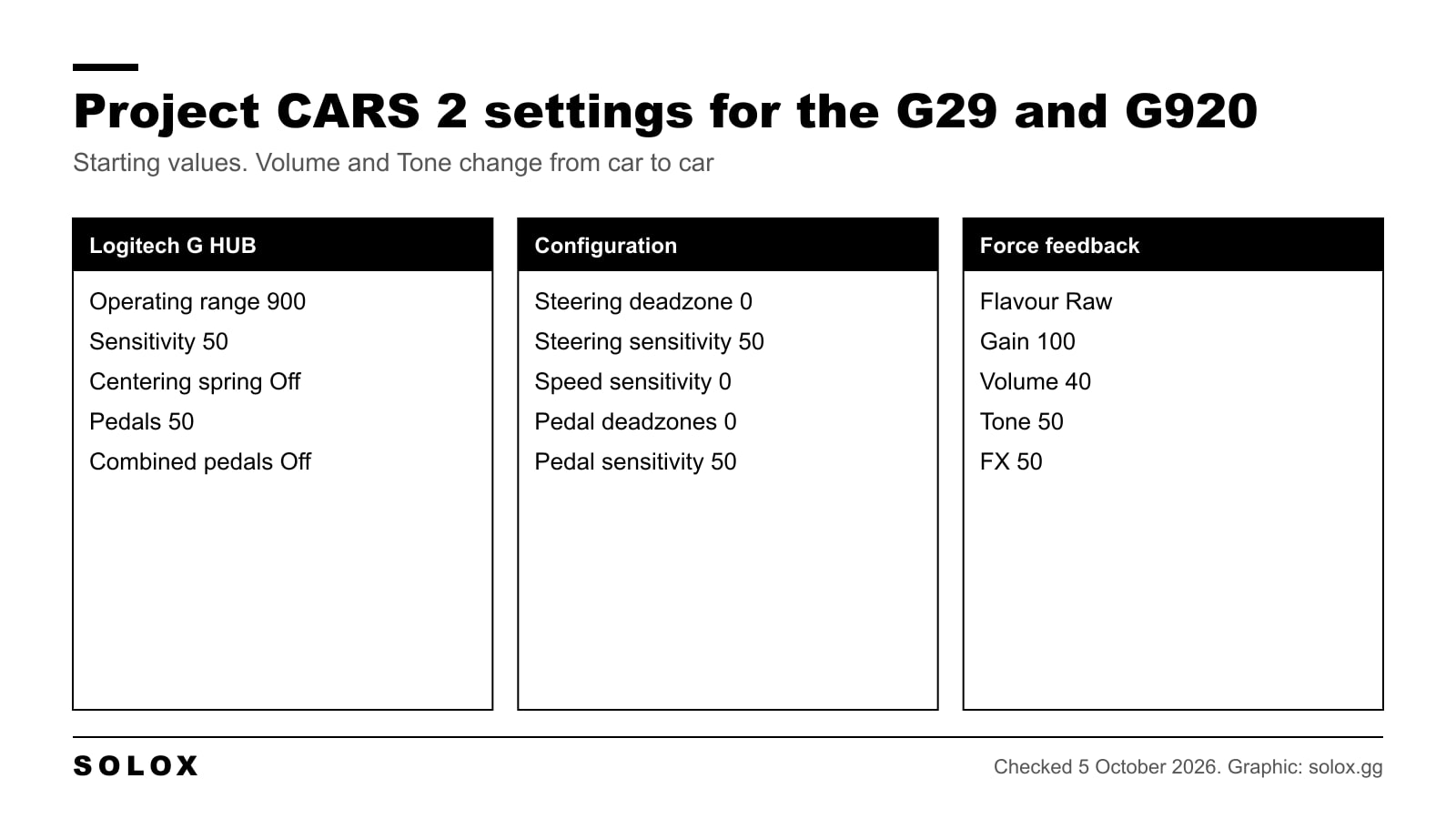
Project CARS 2 Logitech G29 and G920 settings: G HUB values, in game calibration, and force feedback numbers with what Gain, Volume, Tone and FX do.
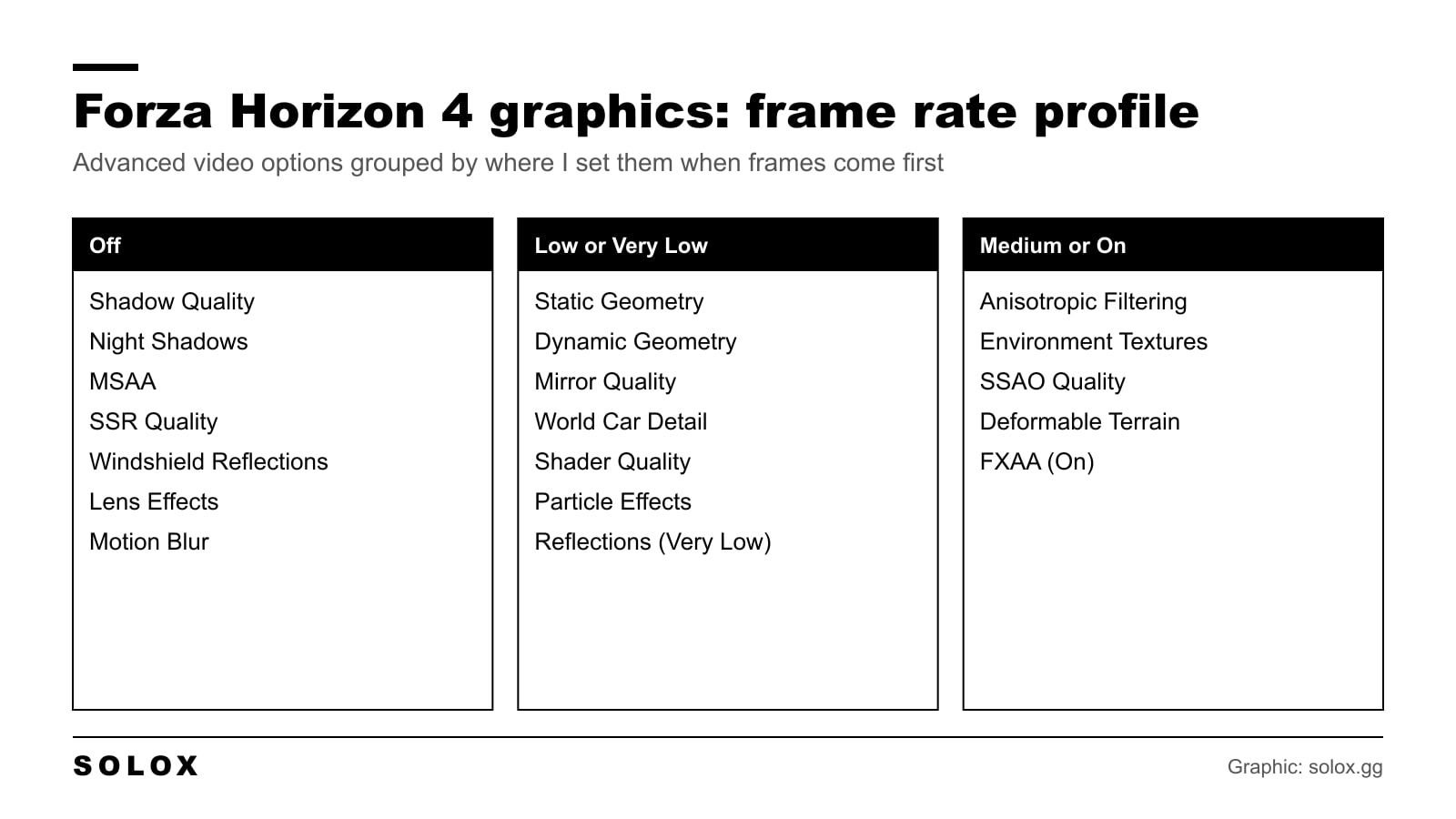
The Forza Horizon 4 graphics settings I use when frame rate comes first: every video option in one table, what to raise first, PC requirements and known fixes.
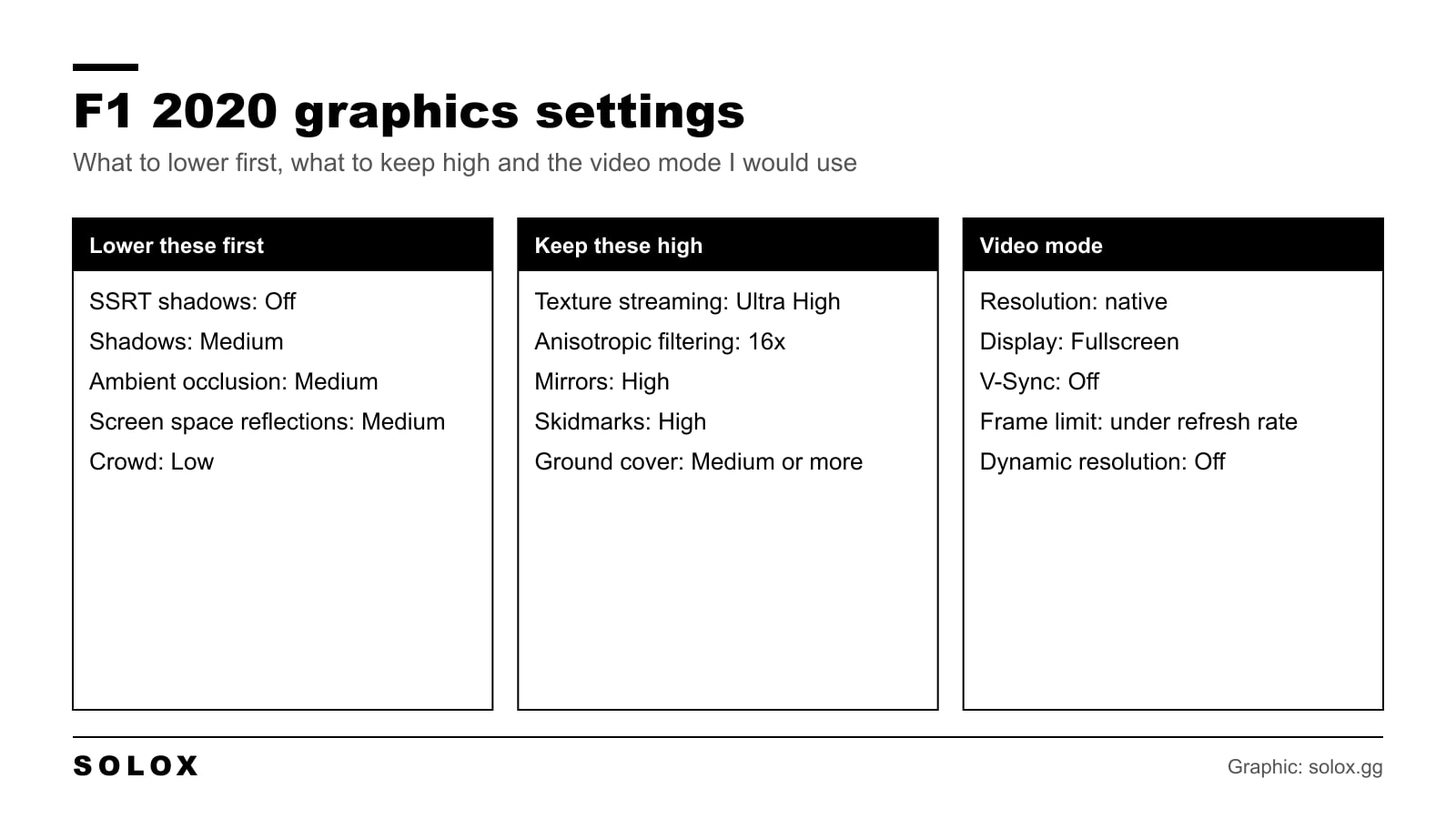
The best F1 2020 graphics settings on PC: video mode, every advanced option with its FPS cost, DLSS and FidelityFX, and fixes for stutter and low FPS.
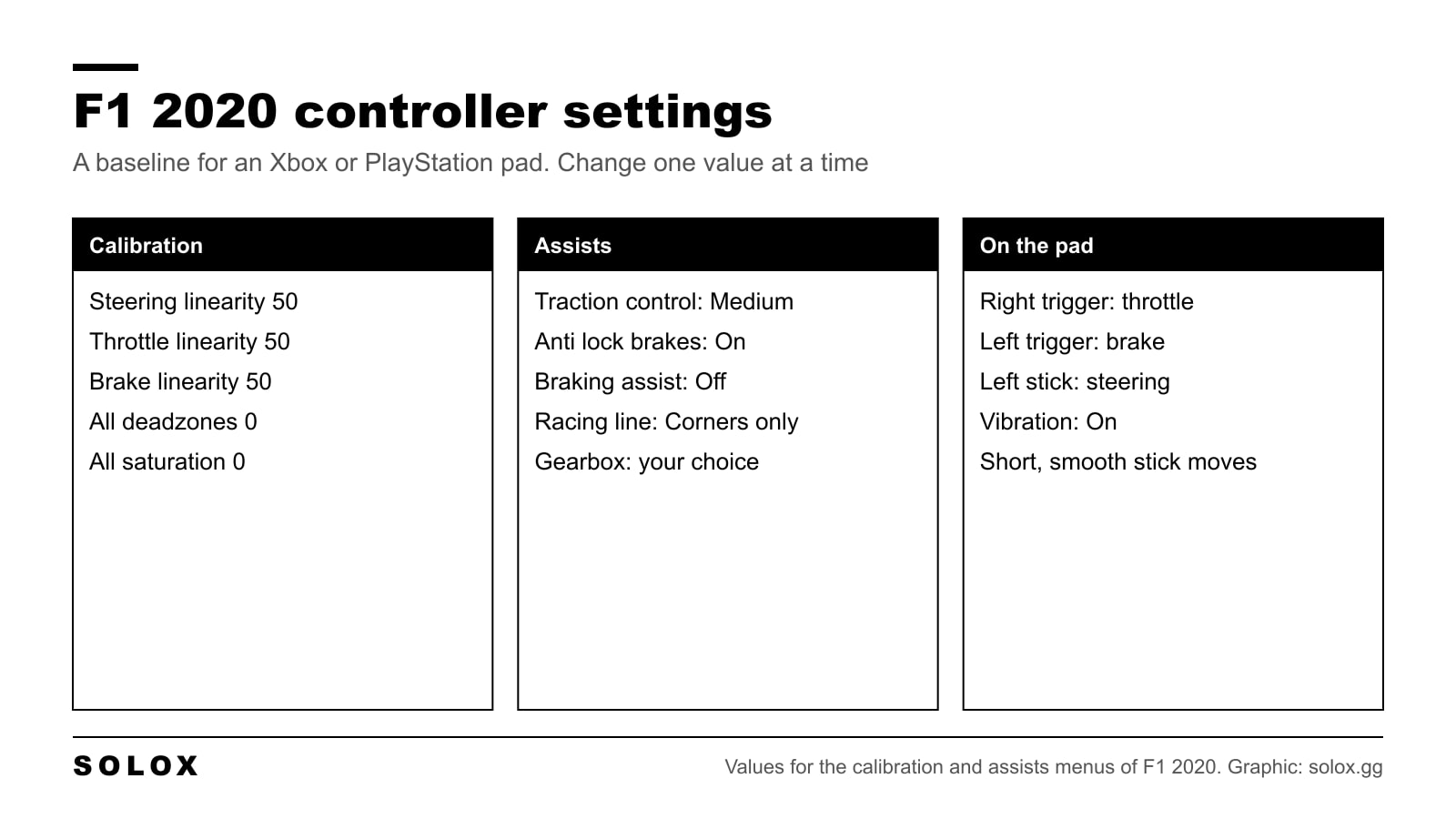
F1 2020 controller settings for Xbox and PlayStation pads: calibration with linearity at 50, the button layout I would use, and the assists that help most.
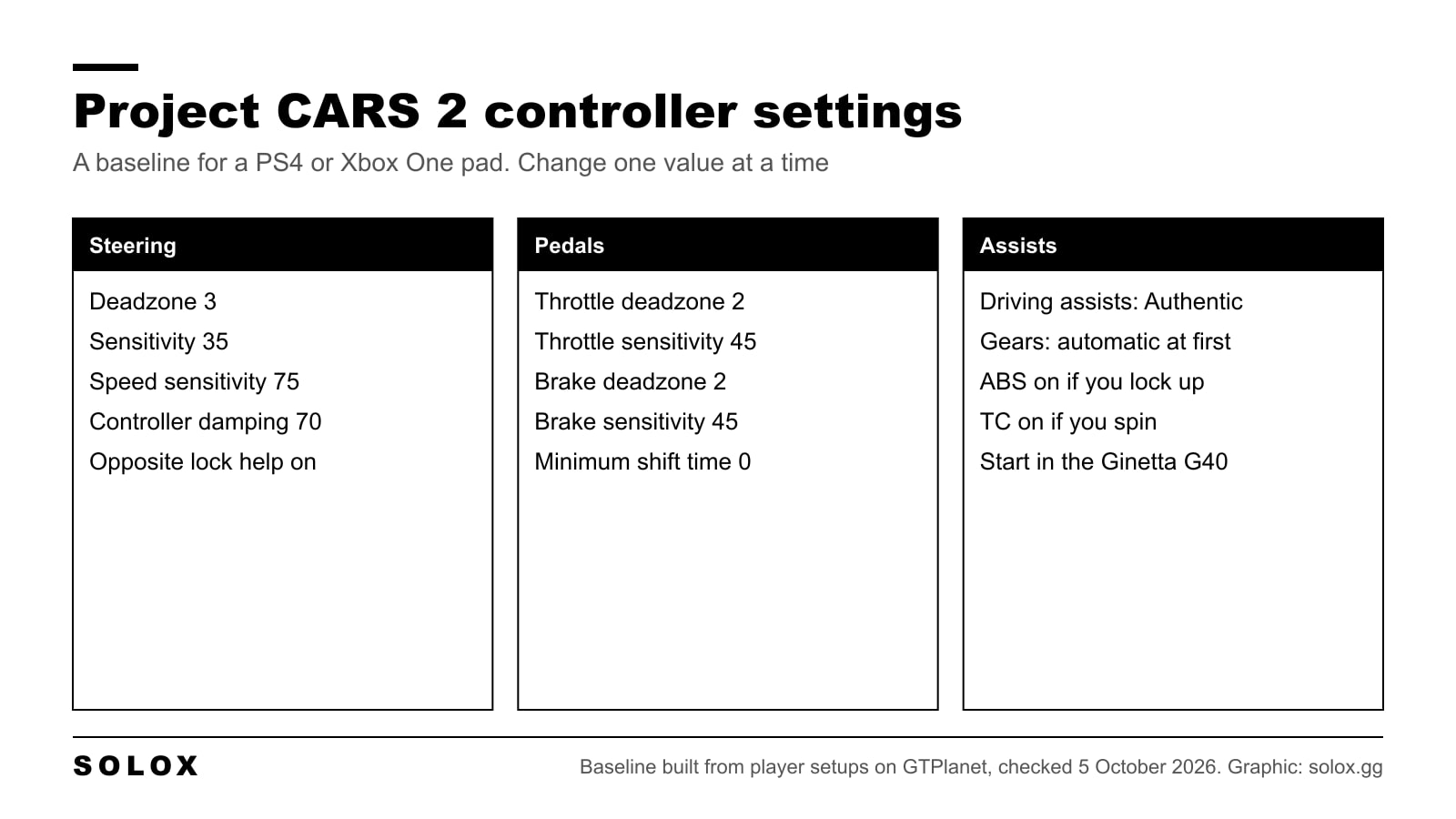
Project CARS 2 controller settings for PS4, Xbox and PC pads: a full baseline, what speed sensitivity and damping really do, and how to fix a twitchy car.
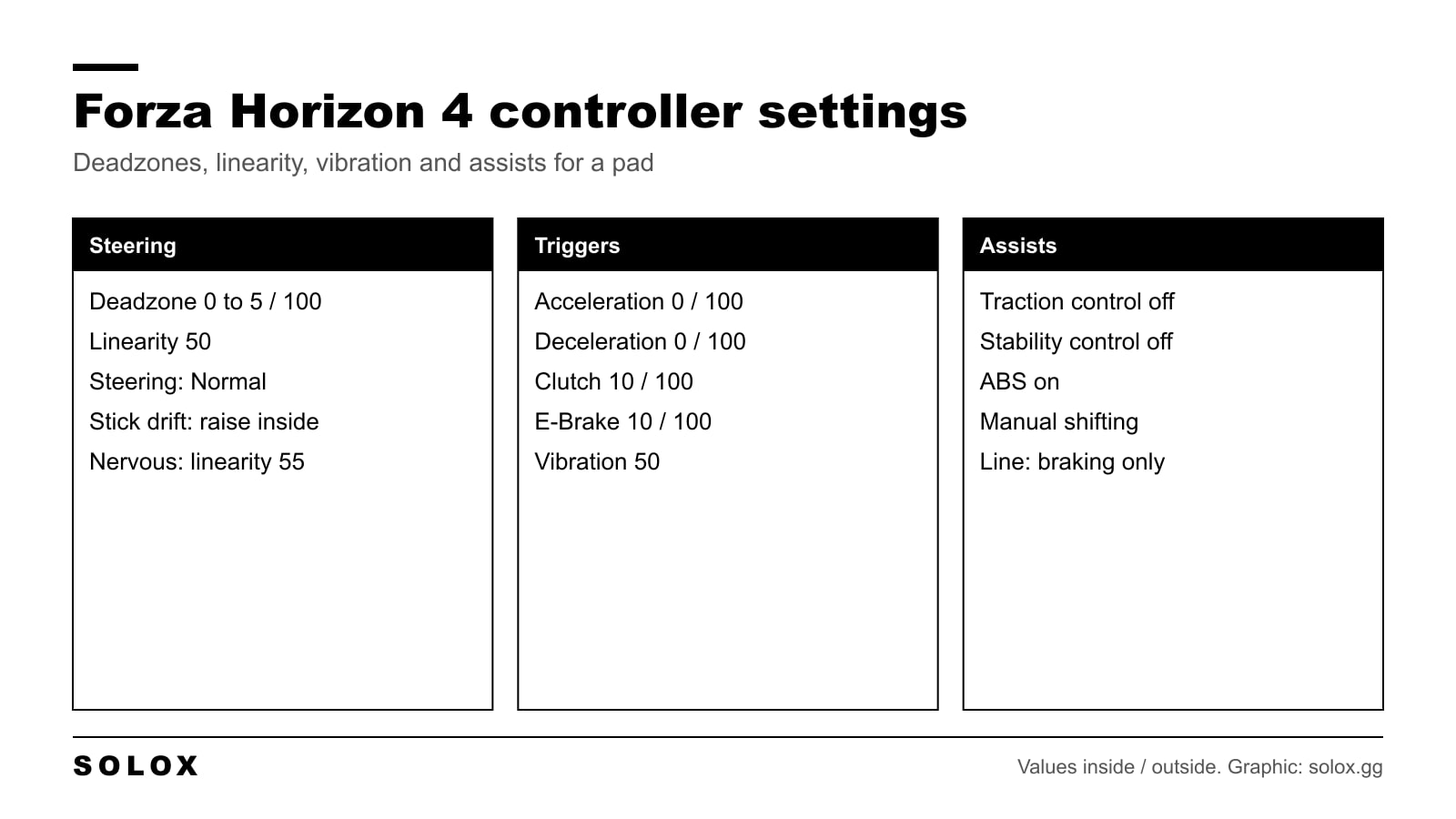
The best Forza Horizon 4 controller settings: deadzones, steering linearity, vibration, assists and button layout for an Xbox pad, with fixes for stick drift.
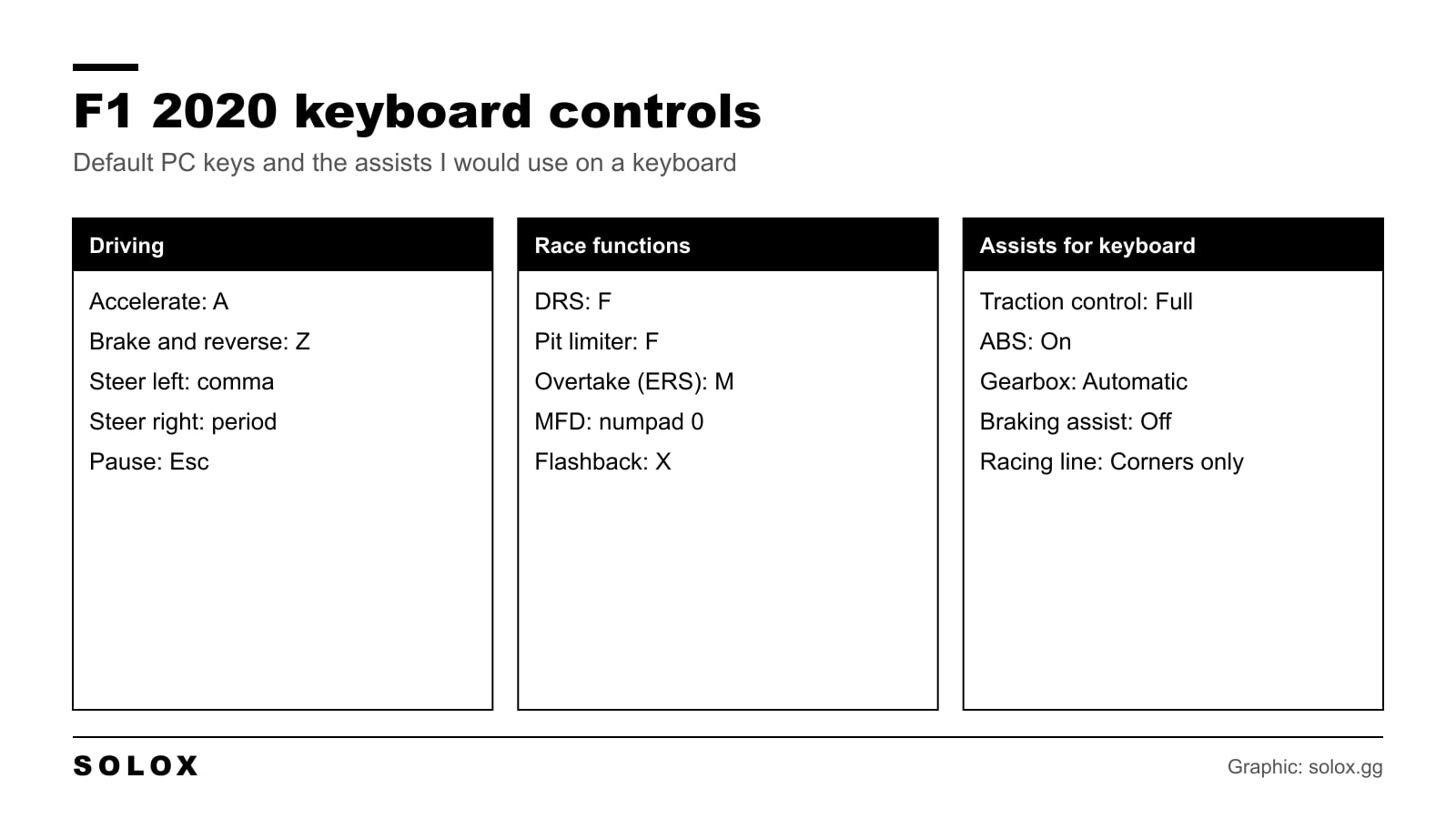
The F1 2020 keyboard controls on PC: the default keys in one table, the layout I would use, and the assists that make the car driveable on a keyboard.
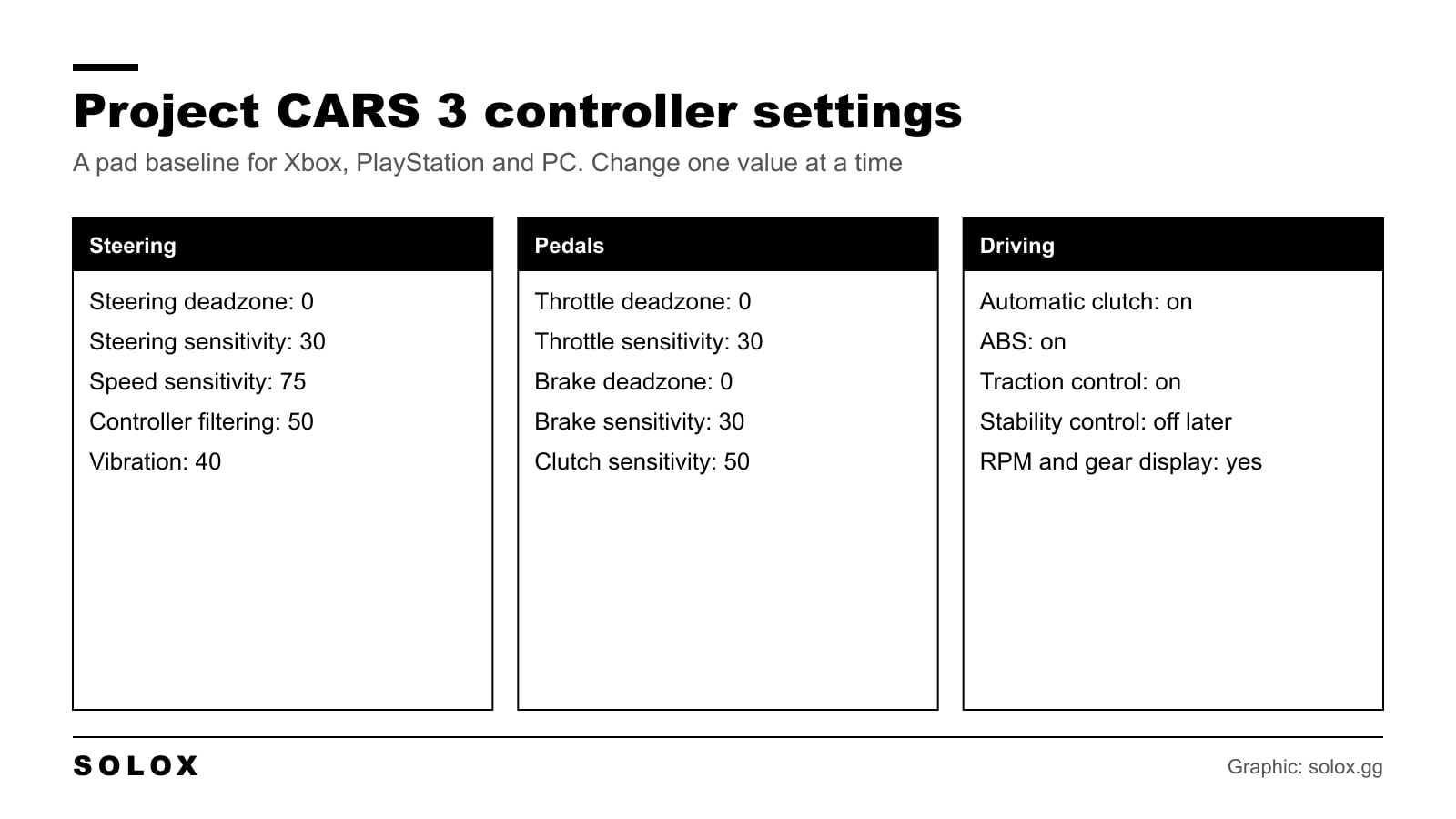
Project CARS 3 controller settings for Xbox, PlayStation and PC pads: a full baseline, what each slider does and how to fix a nervous or lazy car.
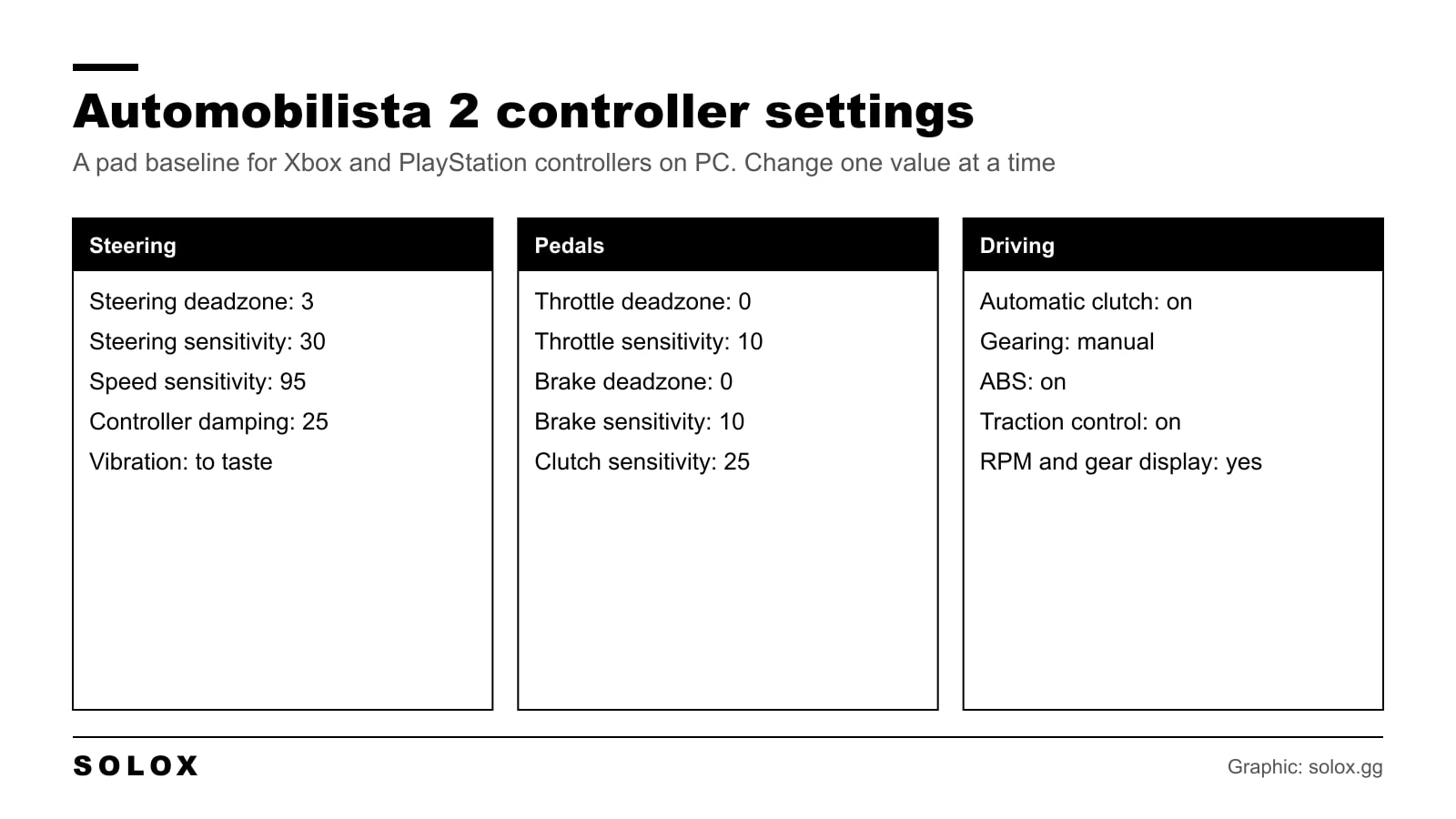
Automobilista 2 controller settings for Xbox and PlayStation pads: a full baseline, what speed sensitivity and damping do, and fixes for a twitchy car.
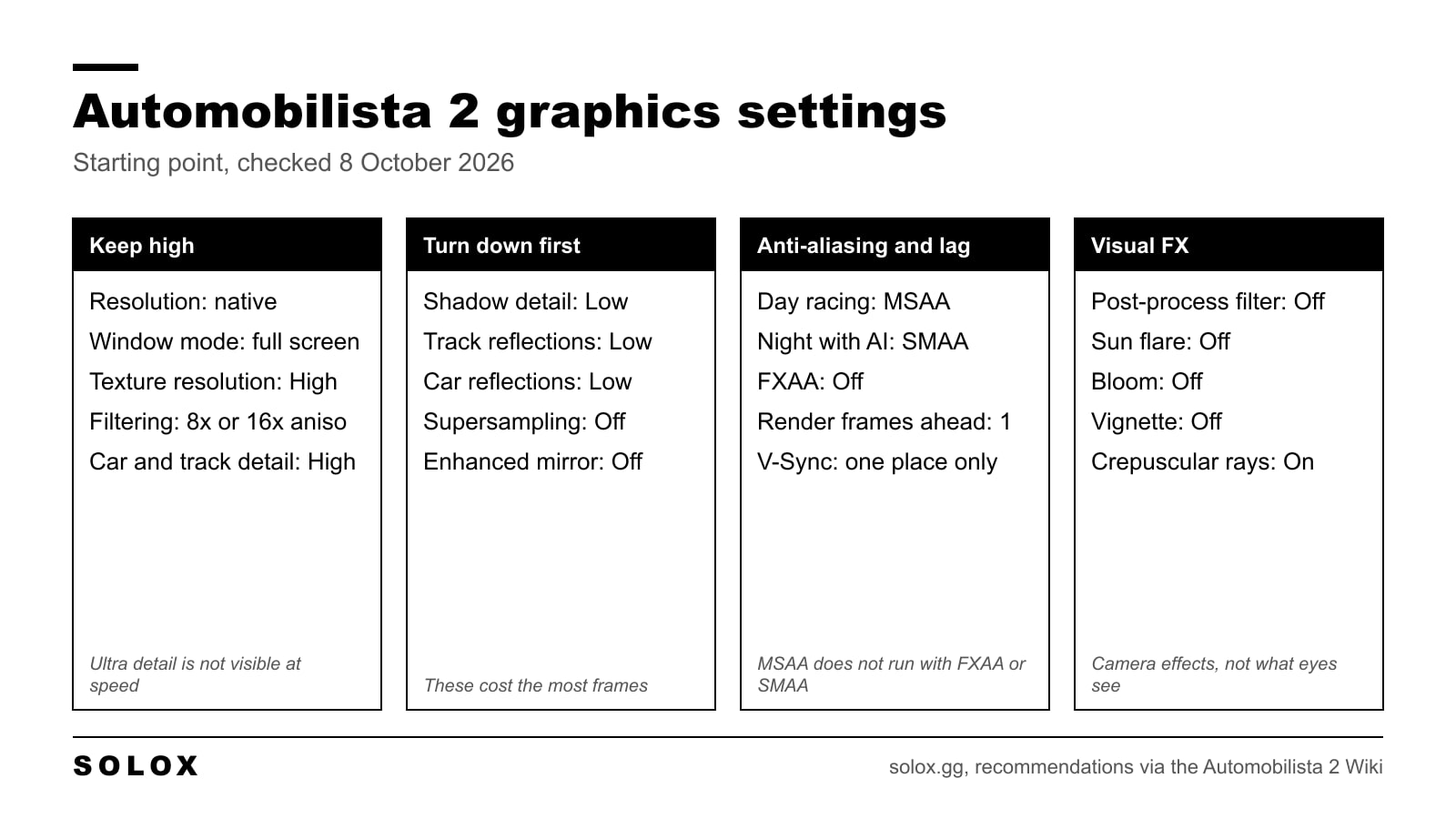
Automobilista 2 graphics settings that keep the frame rate up: what to leave on High, what to lower first, which anti-aliasing to use and which FX to cut.
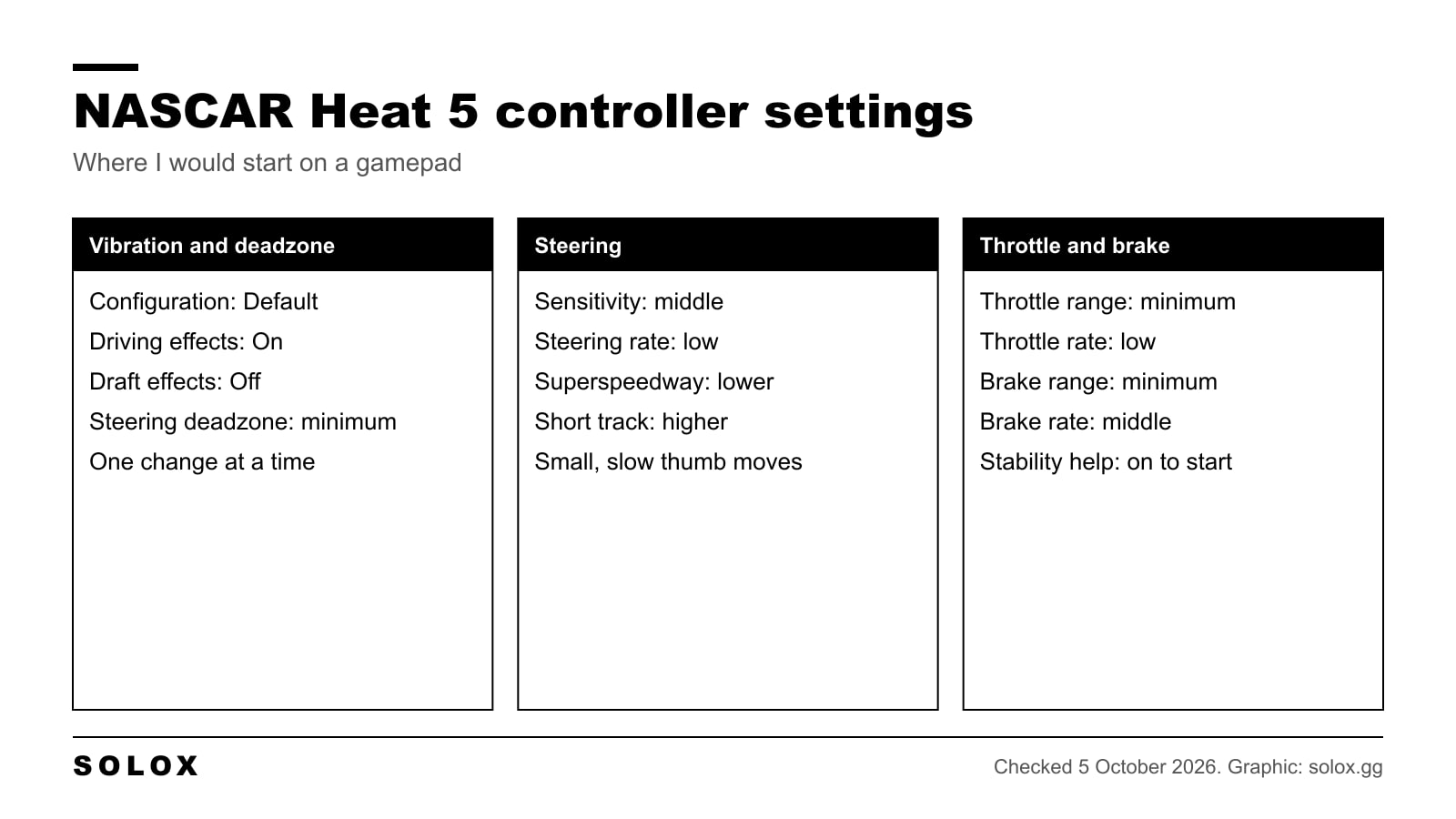
NASCAR Heat 5 controller settings for a PS4, PS5 or Xbox pad: deadzone, steering sensitivity, throttle and brake sliders, assists and how to adjust them.
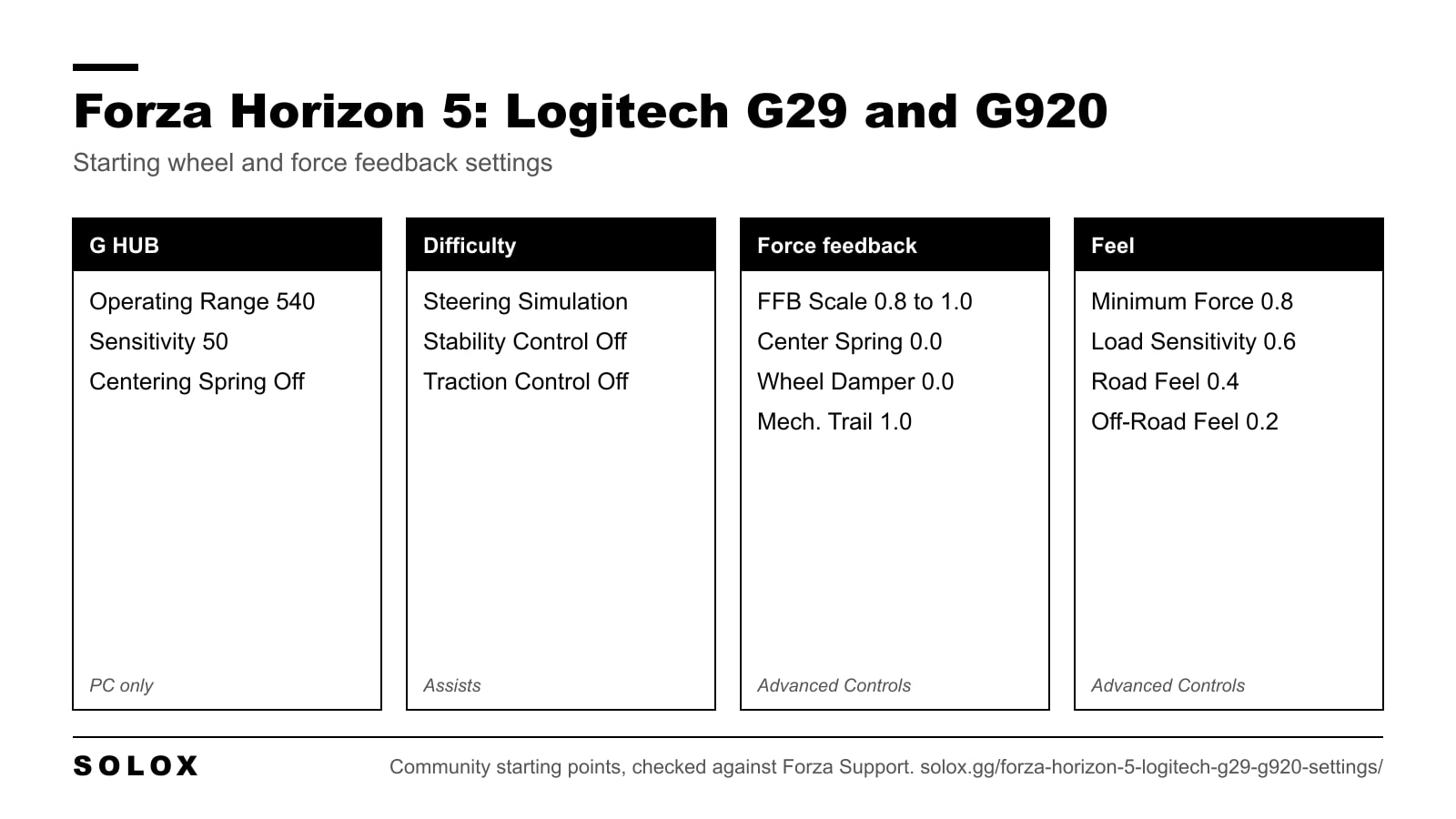
The best Forza Horizon 5 settings for the Logitech G29 and G920: G HUB values, force feedback sliders, deadzones and fixes for a heavy or rattling wheel.
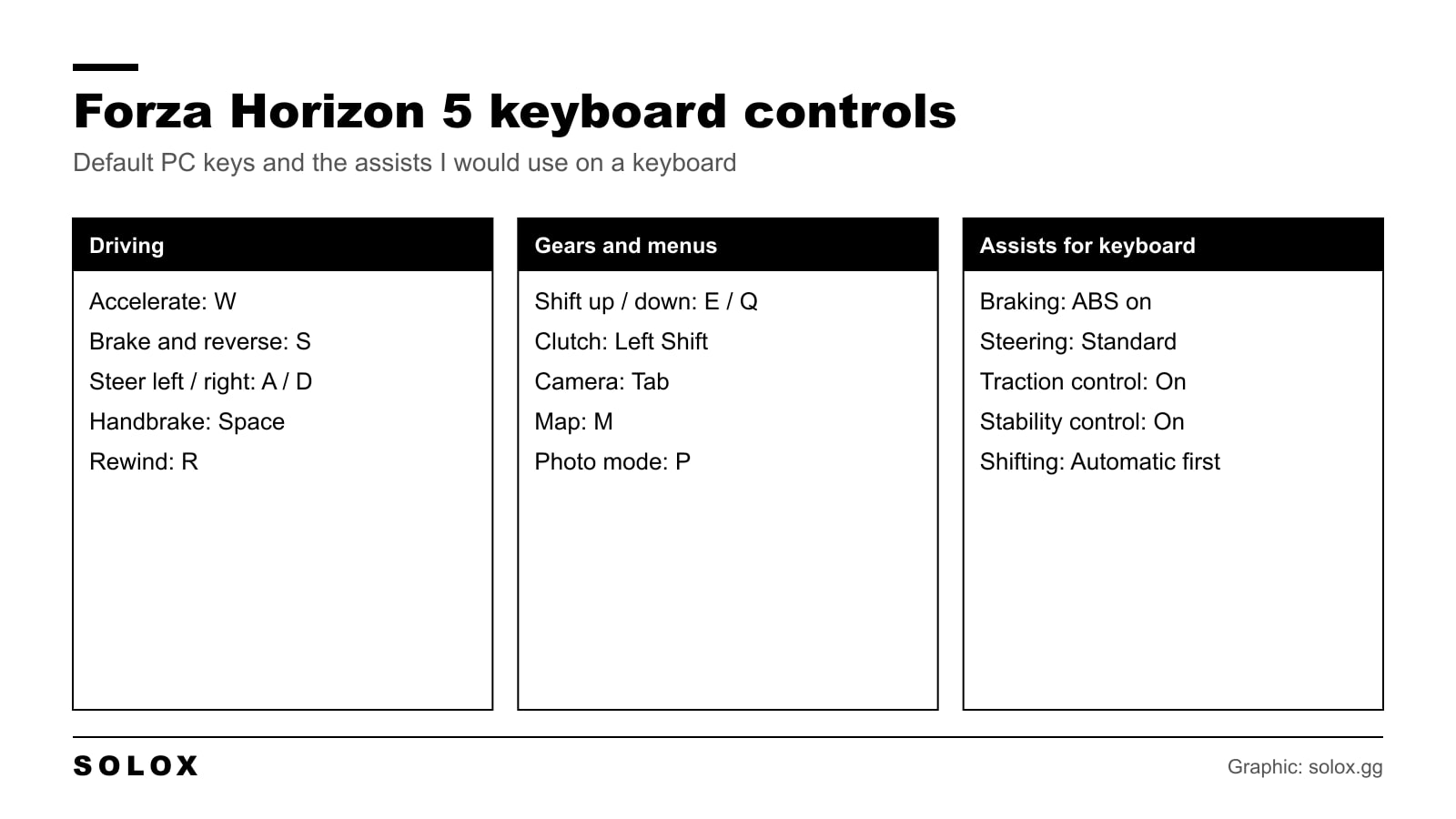
The Forza Horizon 5 keyboard controls on PC: every default key in one table, the layout I would change, and the assists that make a keyboard work.
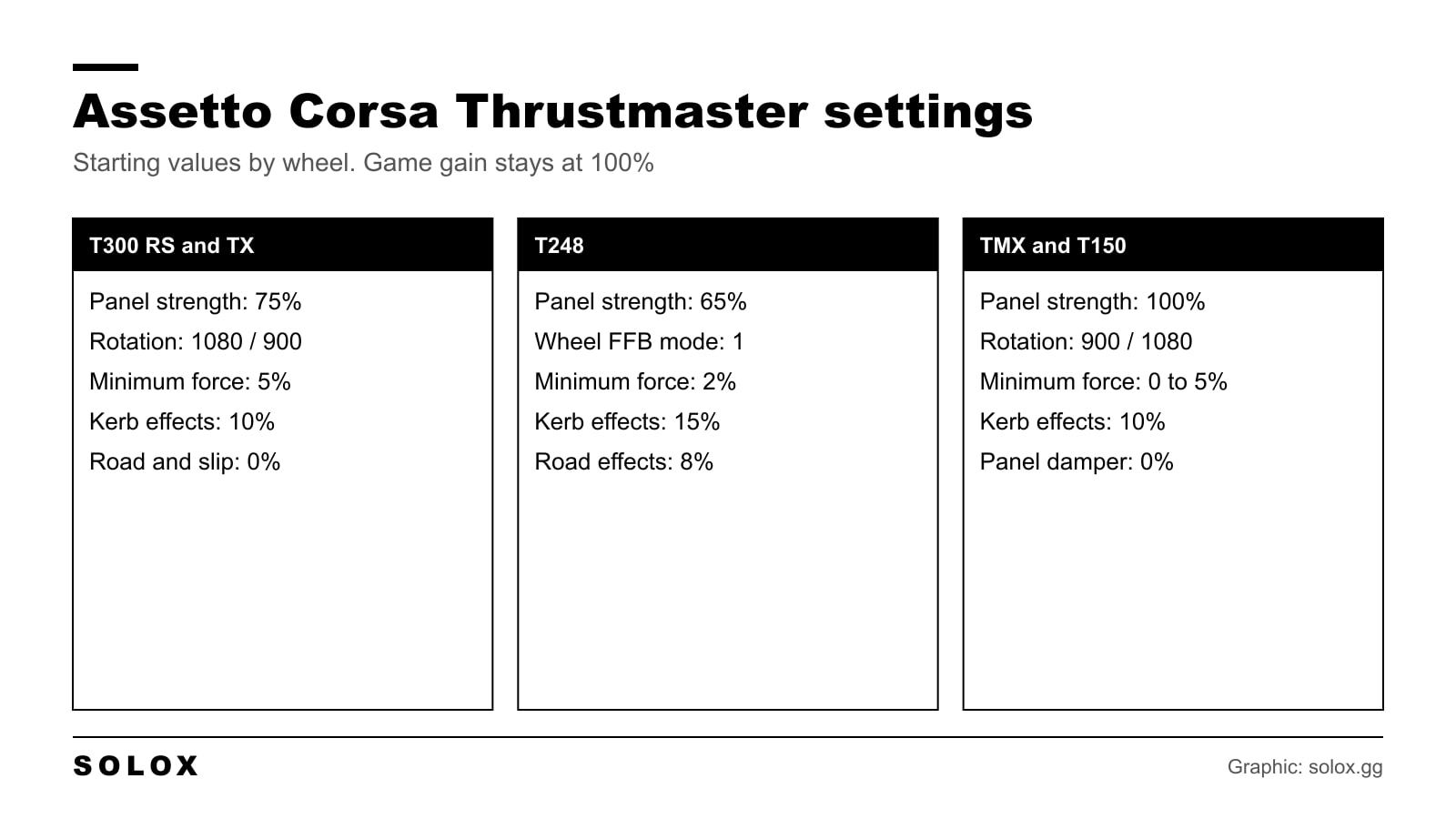
The Assetto Corsa Thrustmaster settings I would start from on the T300, TX, T248, TMX and T150: control panel values, in game force feedback and fixes.
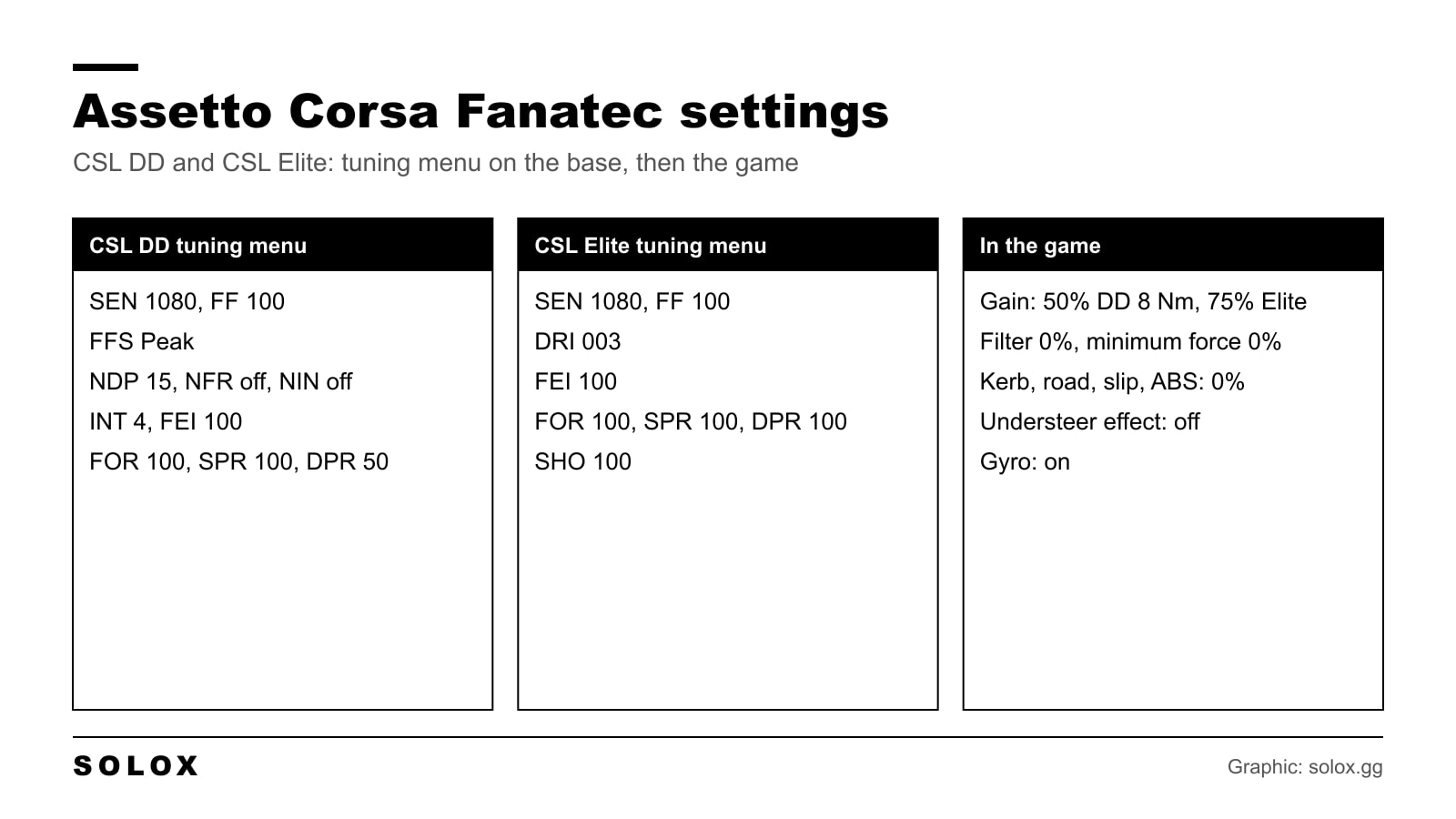
Assetto Corsa Fanatec settings for the CSL DD and the CSL Elite: tuning menu values, in game force feedback, the gyro option and how to stop clipping.
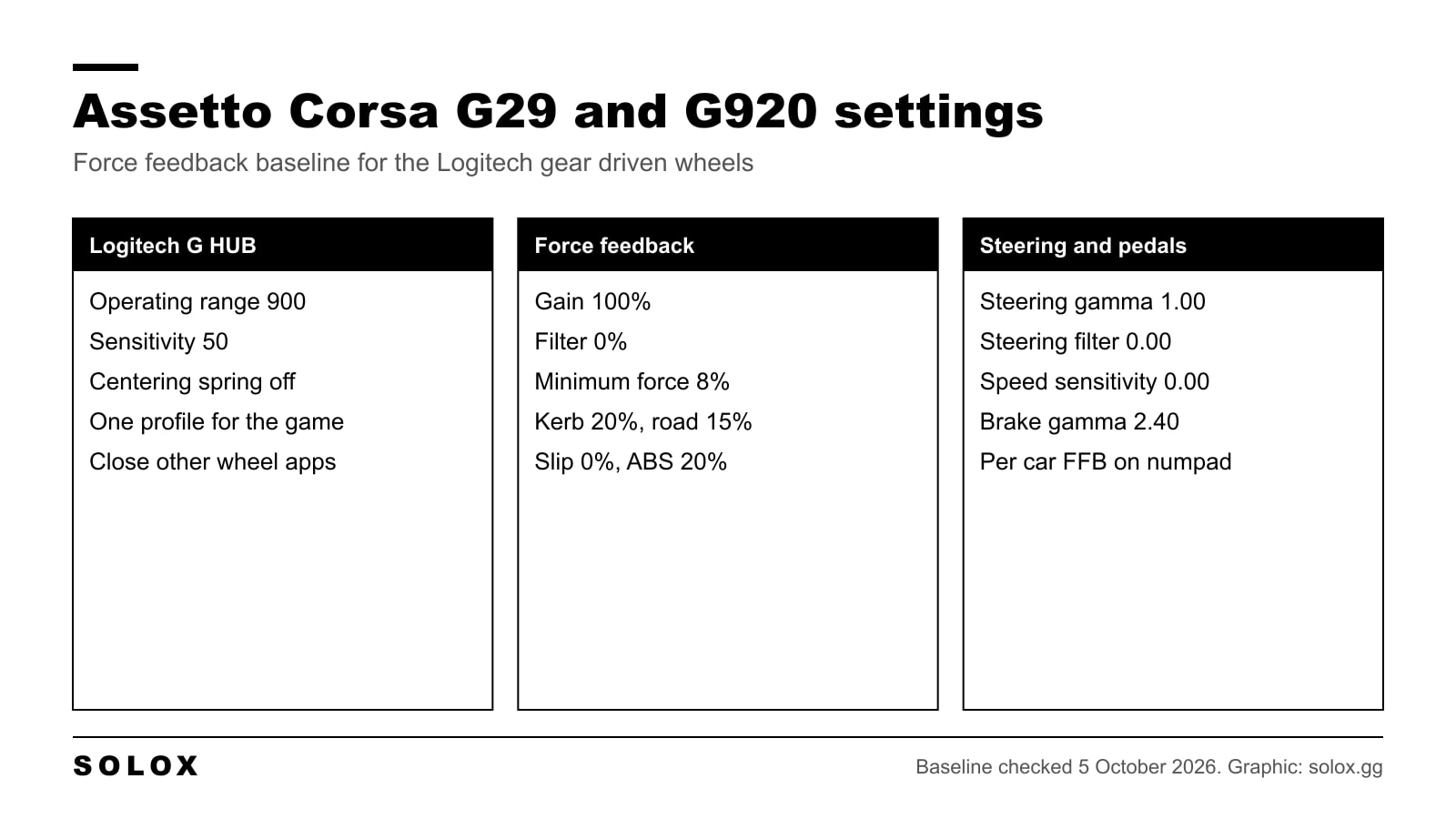
My Assetto Corsa G29 and G920 settings: G HUB values, a force feedback baseline, minimum force for the deadzone and how to stop clipping car by car.
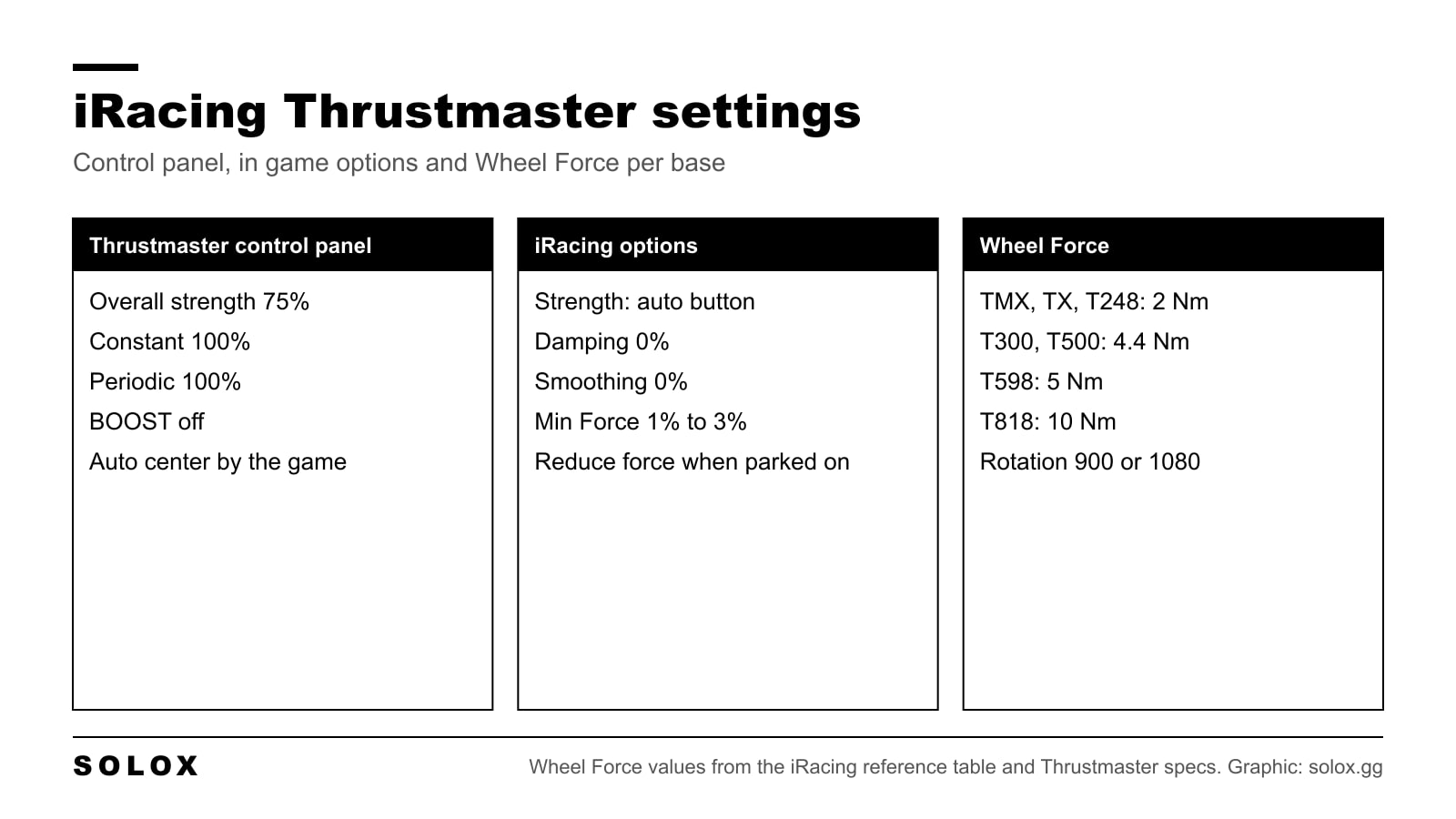
iRacing Thrustmaster settings for the T300, TX, TMX, T150, T248, T598 and T818: control panel values, Wheel Force per base, Min Force and strength.
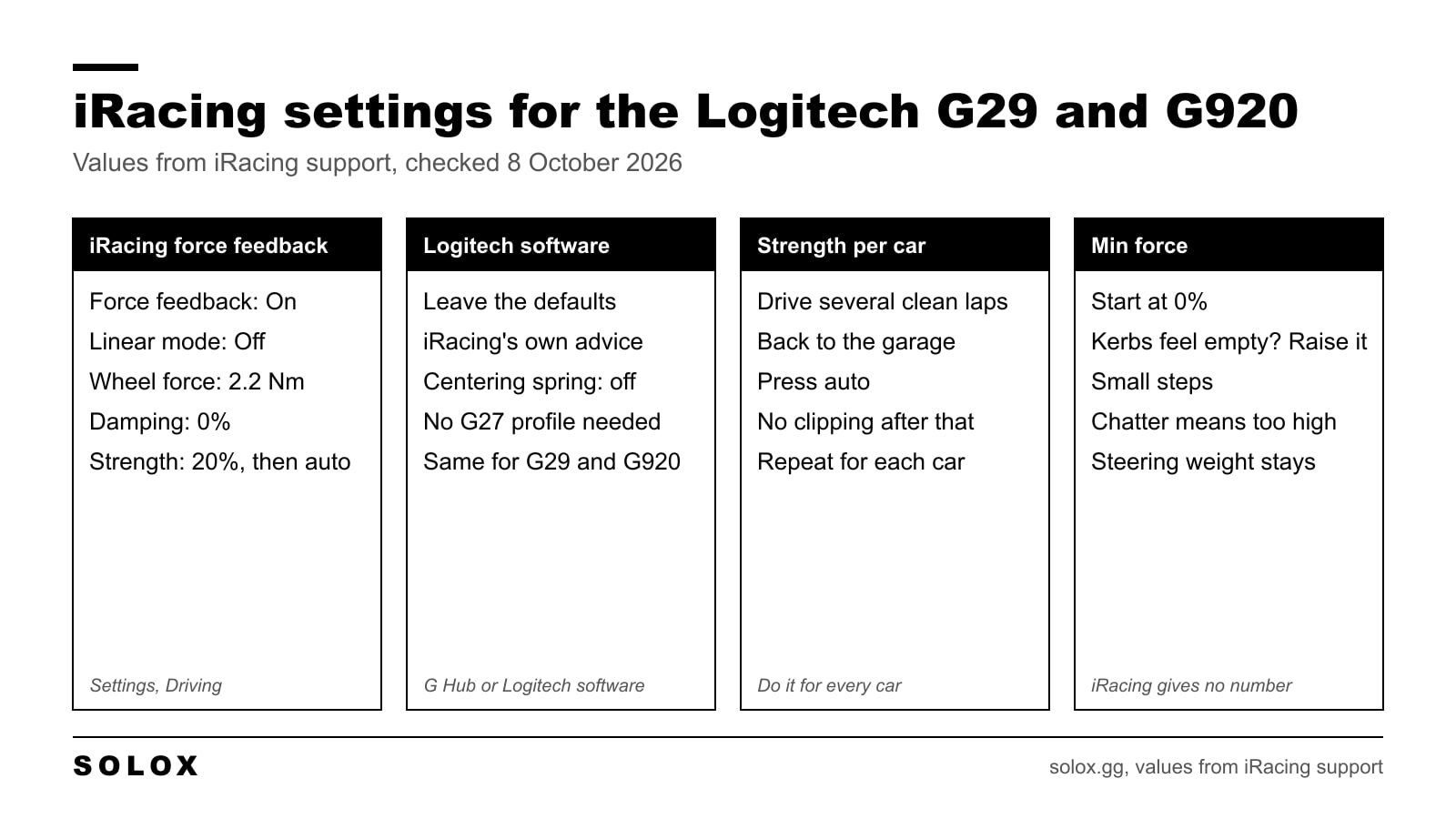
The iRacing settings for a Logitech G29 or G920: wheel force 2.2 Nm, linear mode off, strength set with the auto button, and how to use min force.
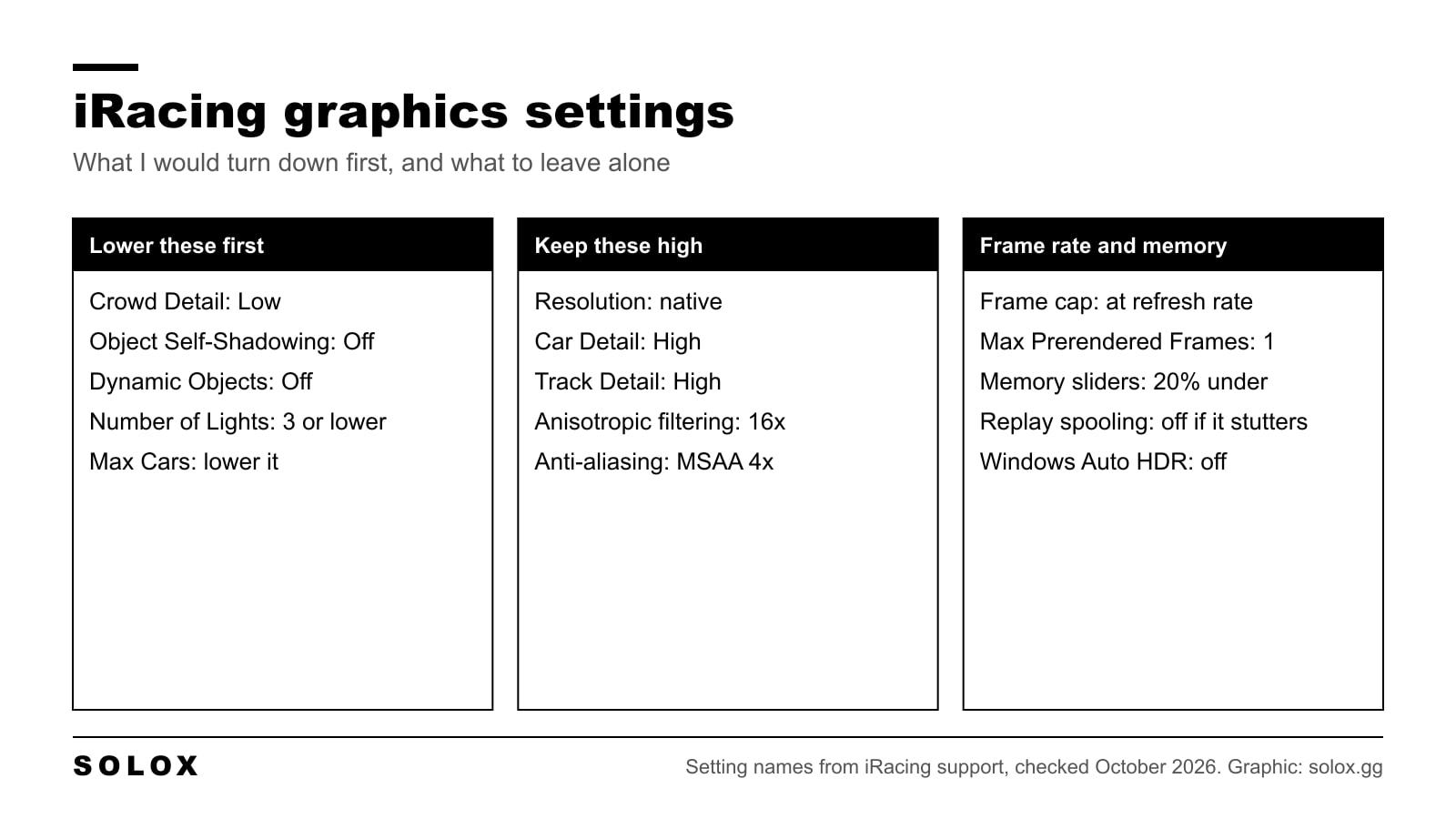
The iRacing graphics settings I would use for a smooth frame rate: what to lower first, what to keep high, the frame cap and the memory sliders.
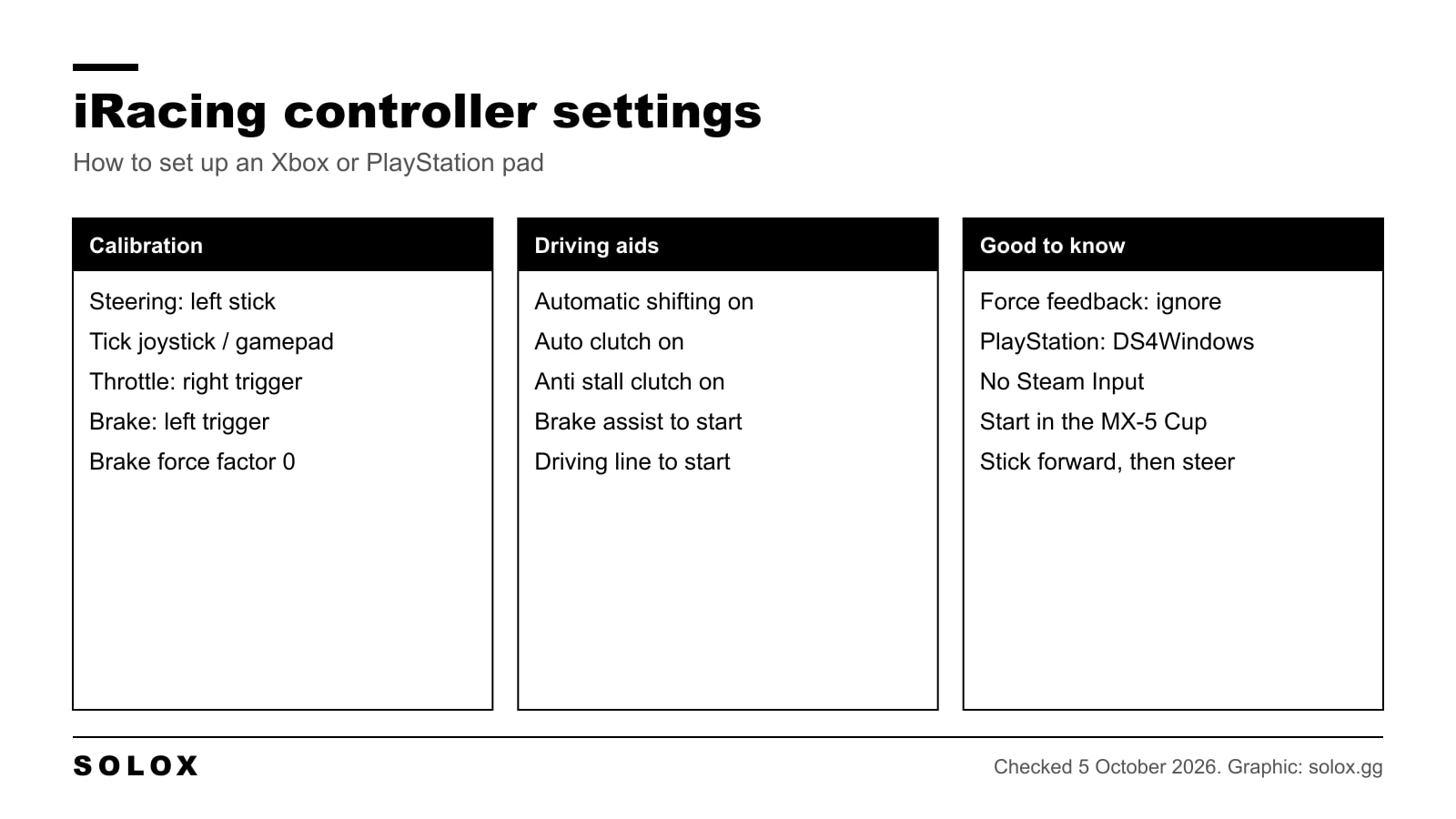
The iRacing controller settings that matter: how to calibrate an Xbox or PS5 pad, which driving aids to use, a button layout and how to stop the twitching.
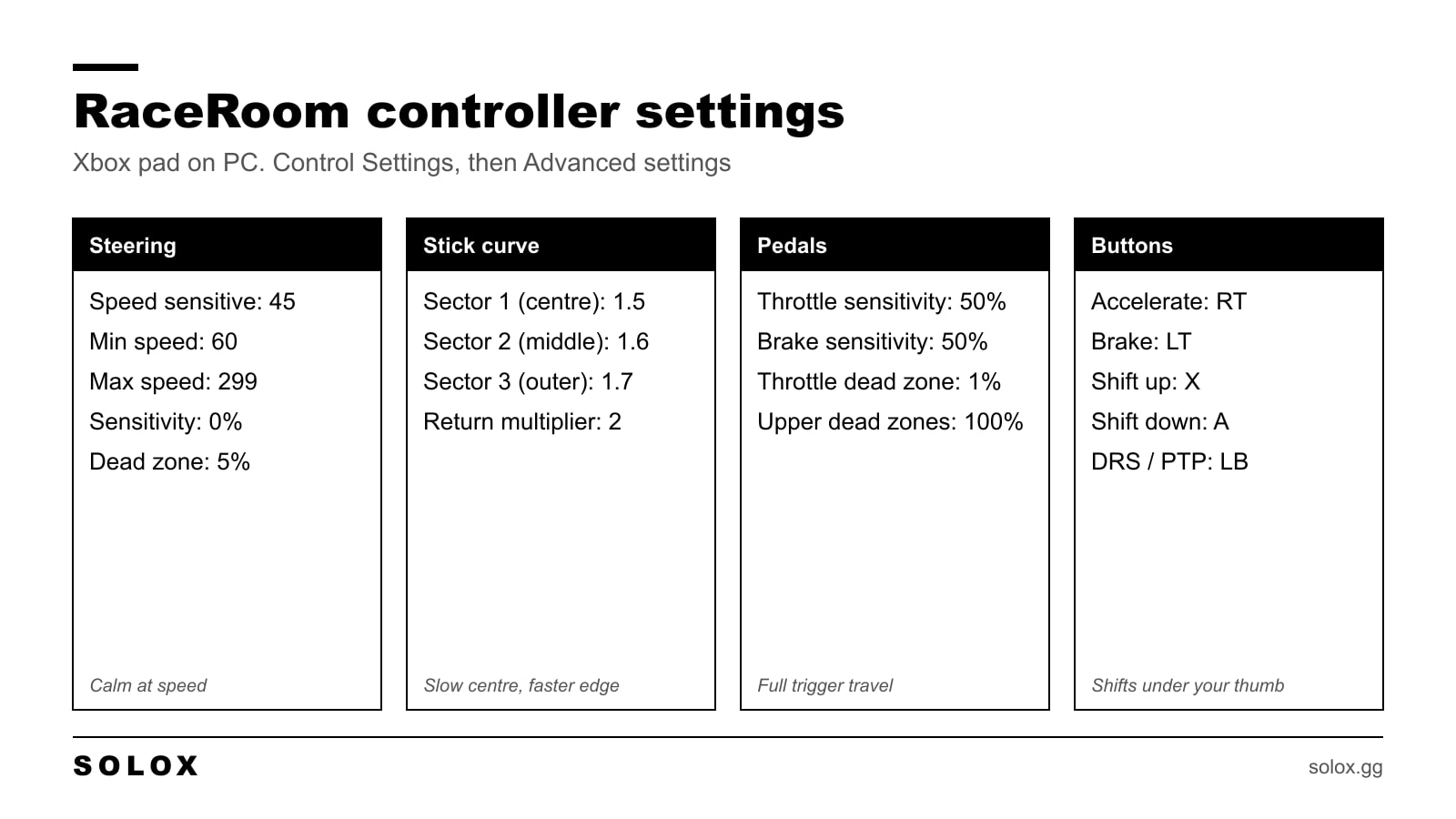
The RaceRoom controller settings I use on an Xbox pad: steering, stick curve, triggers and button layout, plus how to drive fast without a wheel.
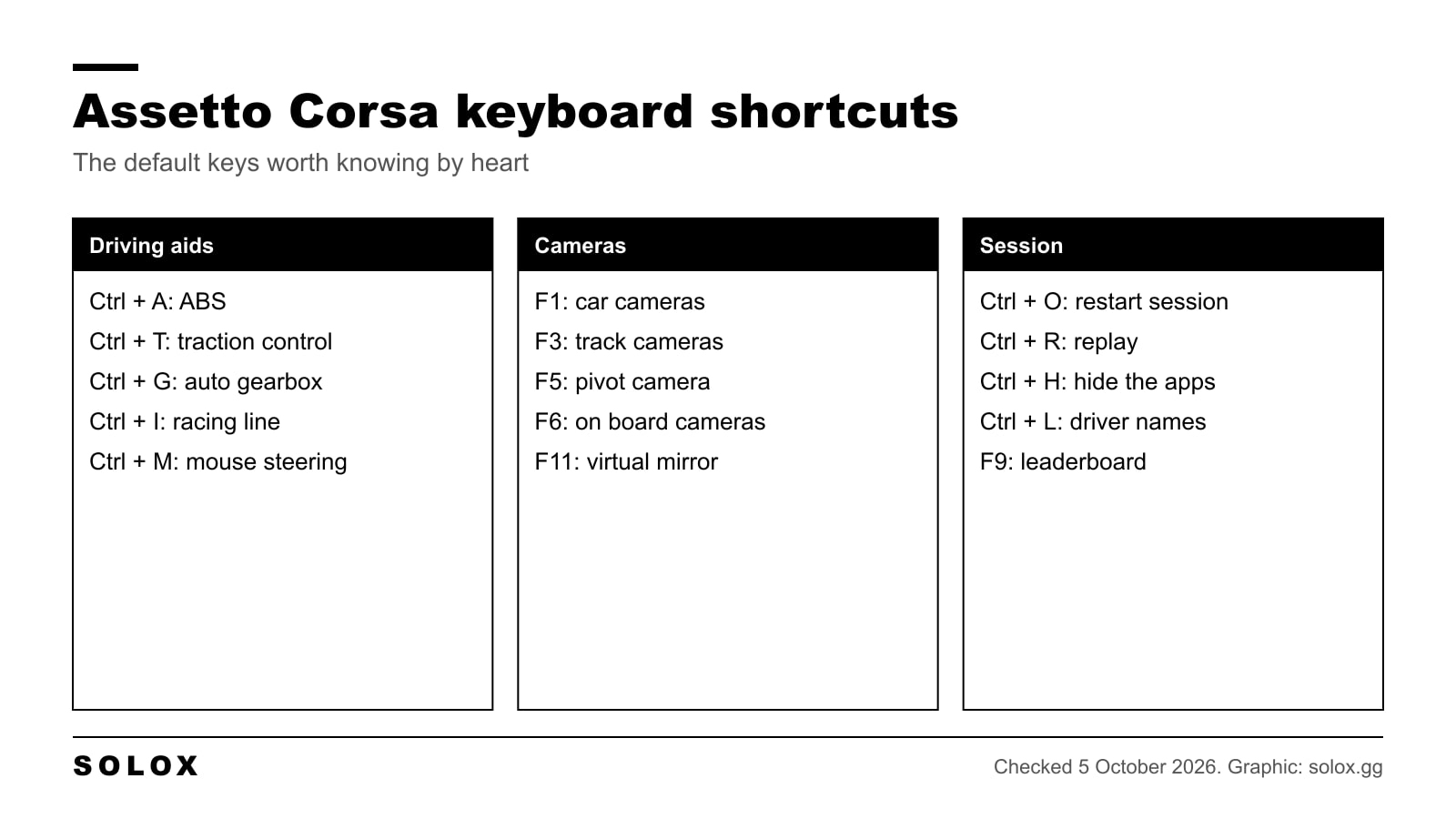
Assetto Corsa keyboard controls in clear tables: every default shortcut, how to set up keyboard or mouse steering, and the assists I would switch on.