Guides
Forza Horizon 5 Logitech G29 and G920 Settings
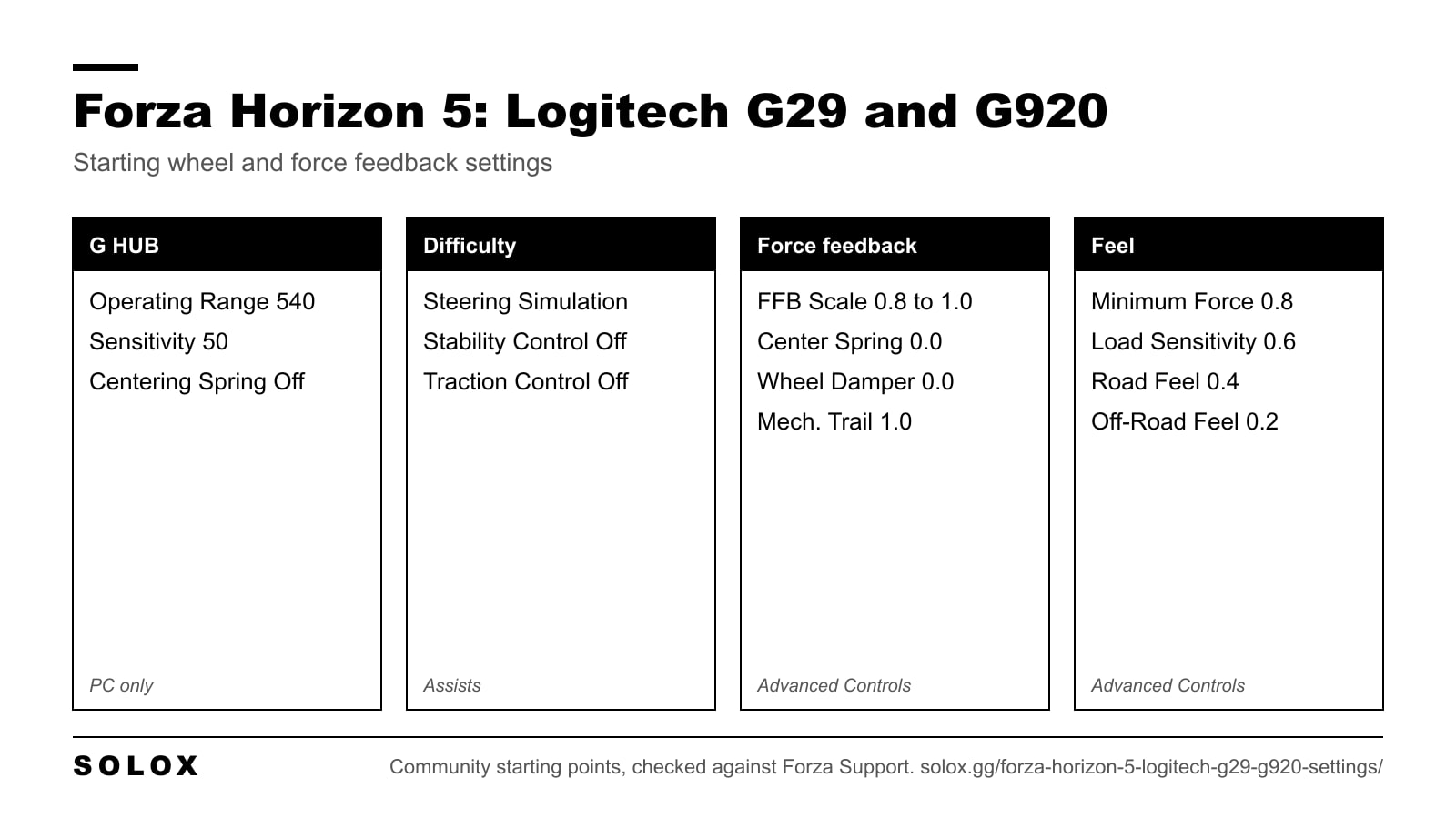
The best Forza Horizon 5 settings for the Logitech G29 and G920: G HUB values, force feedback sliders, deadzones and fixes for a heavy or rattling wheel.

Practical sim racing guides: driving technique, game walkthroughs and settings.
The best Forza Horizon 5 settings for the Logitech G29 and G920: G HUB values, force feedback sliders, deadzones and fixes for a heavy or rattling wheel.
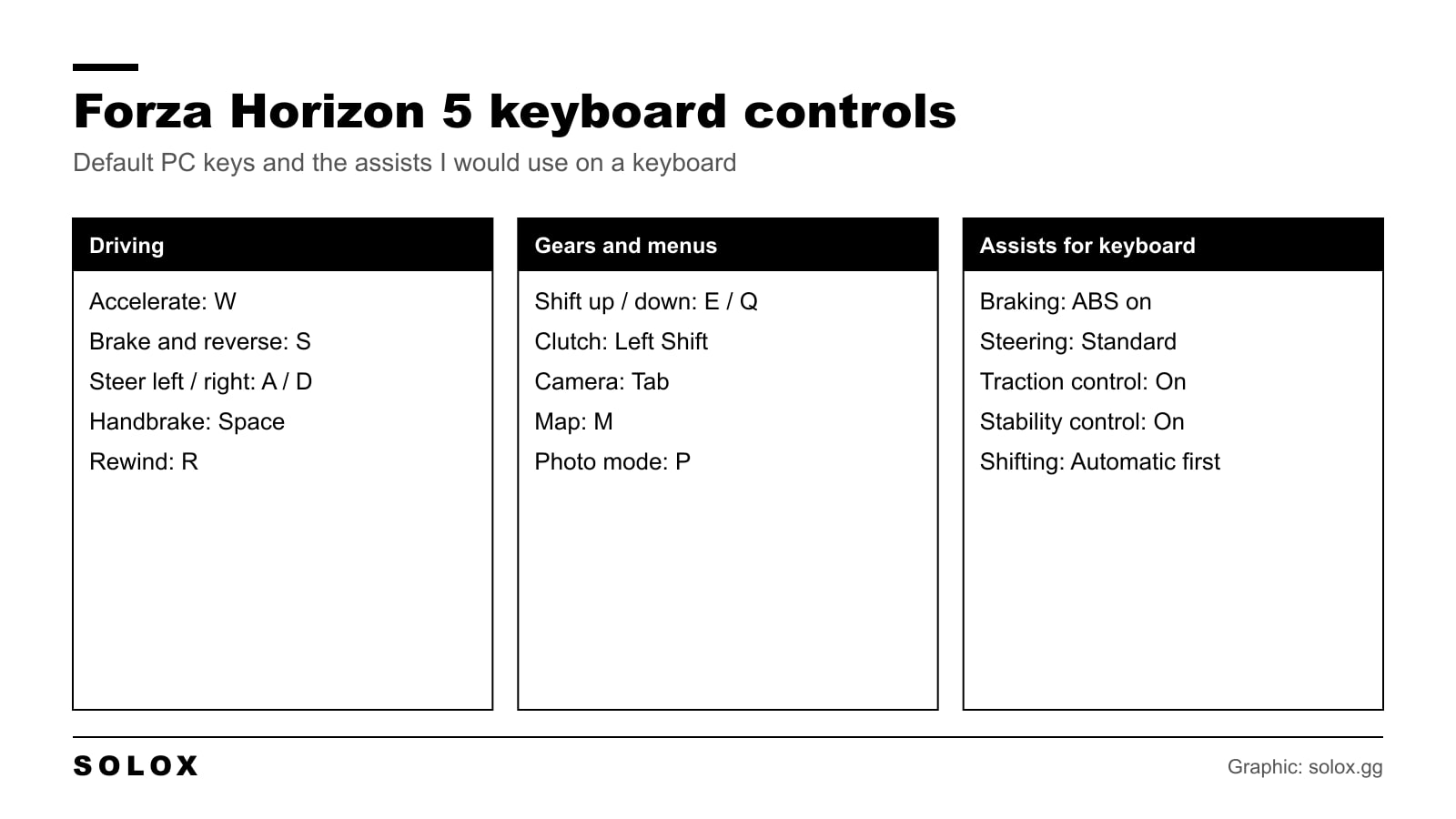
The Forza Horizon 5 keyboard controls on PC: every default key in one table, the layout I would change, and the assists that make a keyboard work.
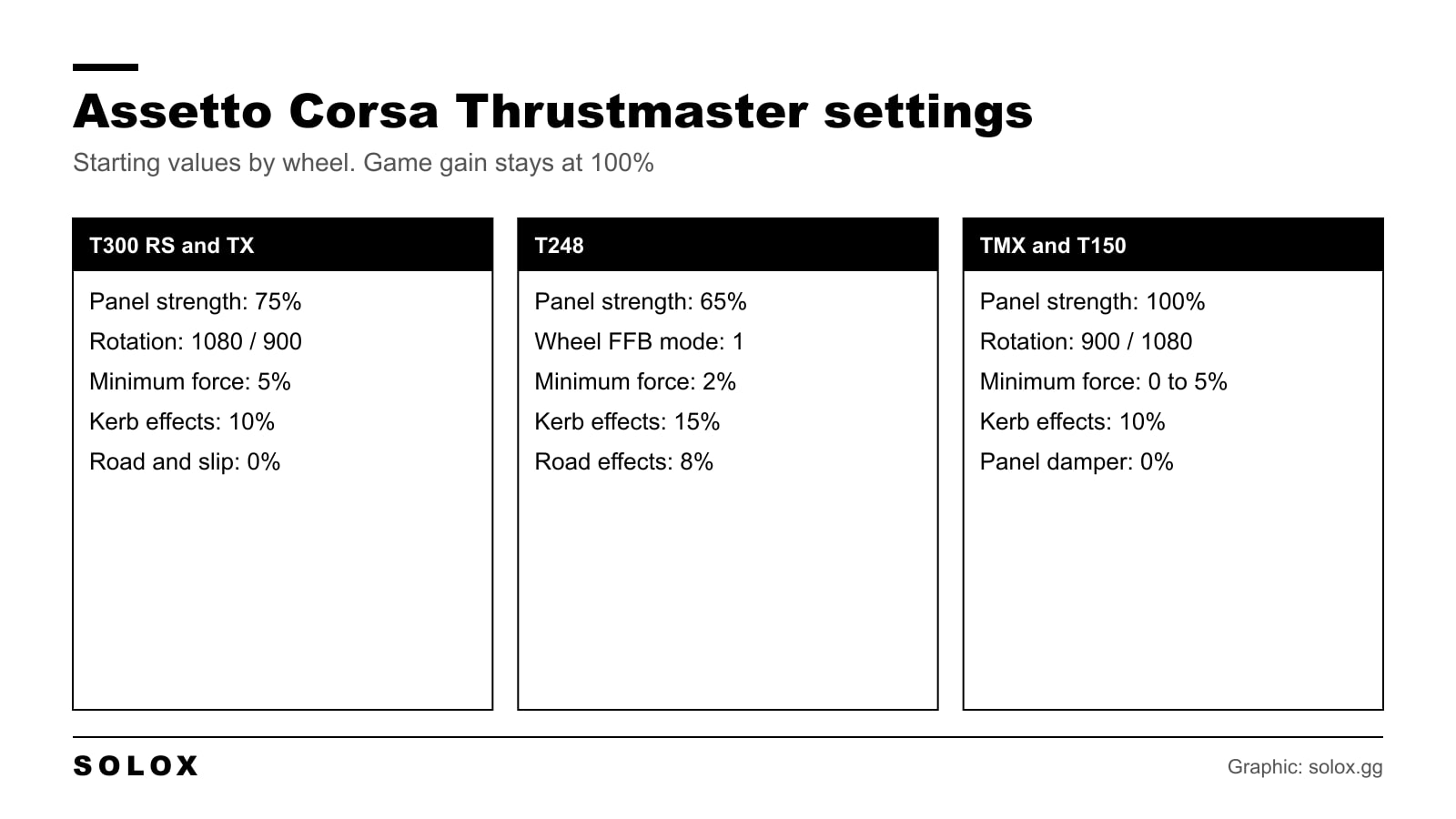
The Assetto Corsa Thrustmaster settings I would start from on the T300, TX, T248, TMX and T150: control panel values, in game force feedback and fixes.
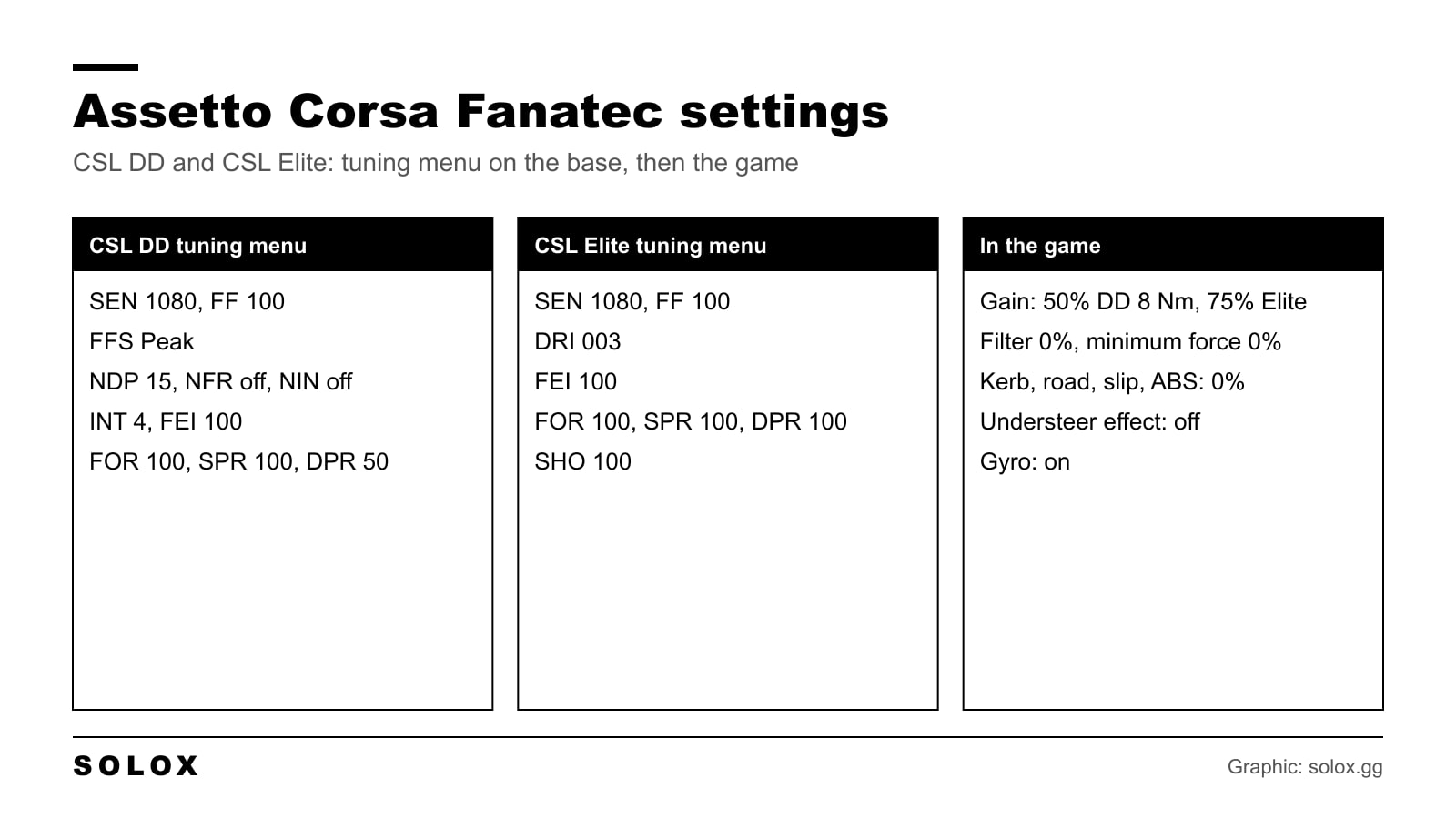
Assetto Corsa Fanatec settings for the CSL DD and the CSL Elite: tuning menu values, in game force feedback, the gyro option and how to stop clipping.
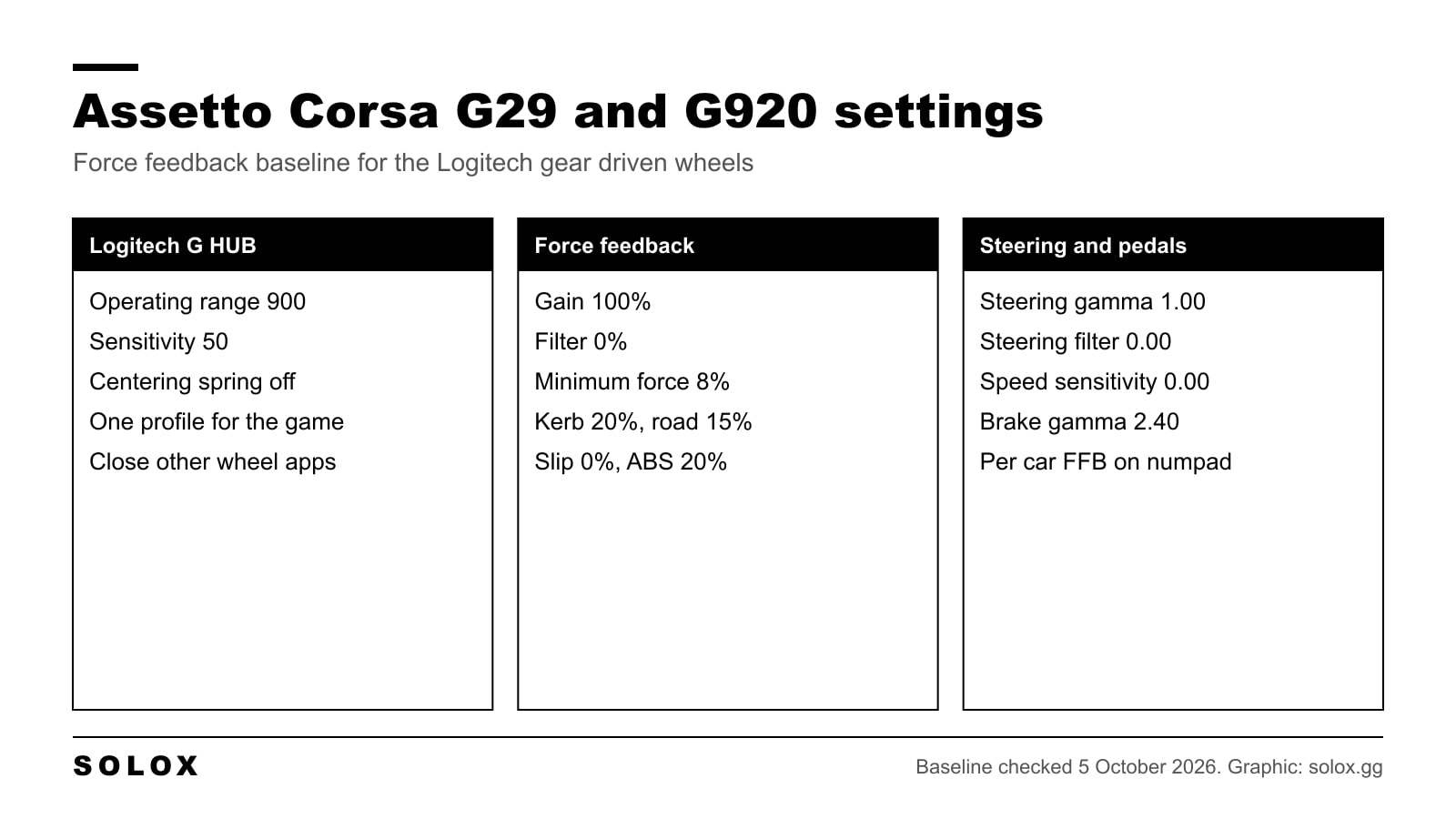
My Assetto Corsa G29 and G920 settings: G HUB values, a force feedback baseline, minimum force for the deadzone and how to stop clipping car by car.
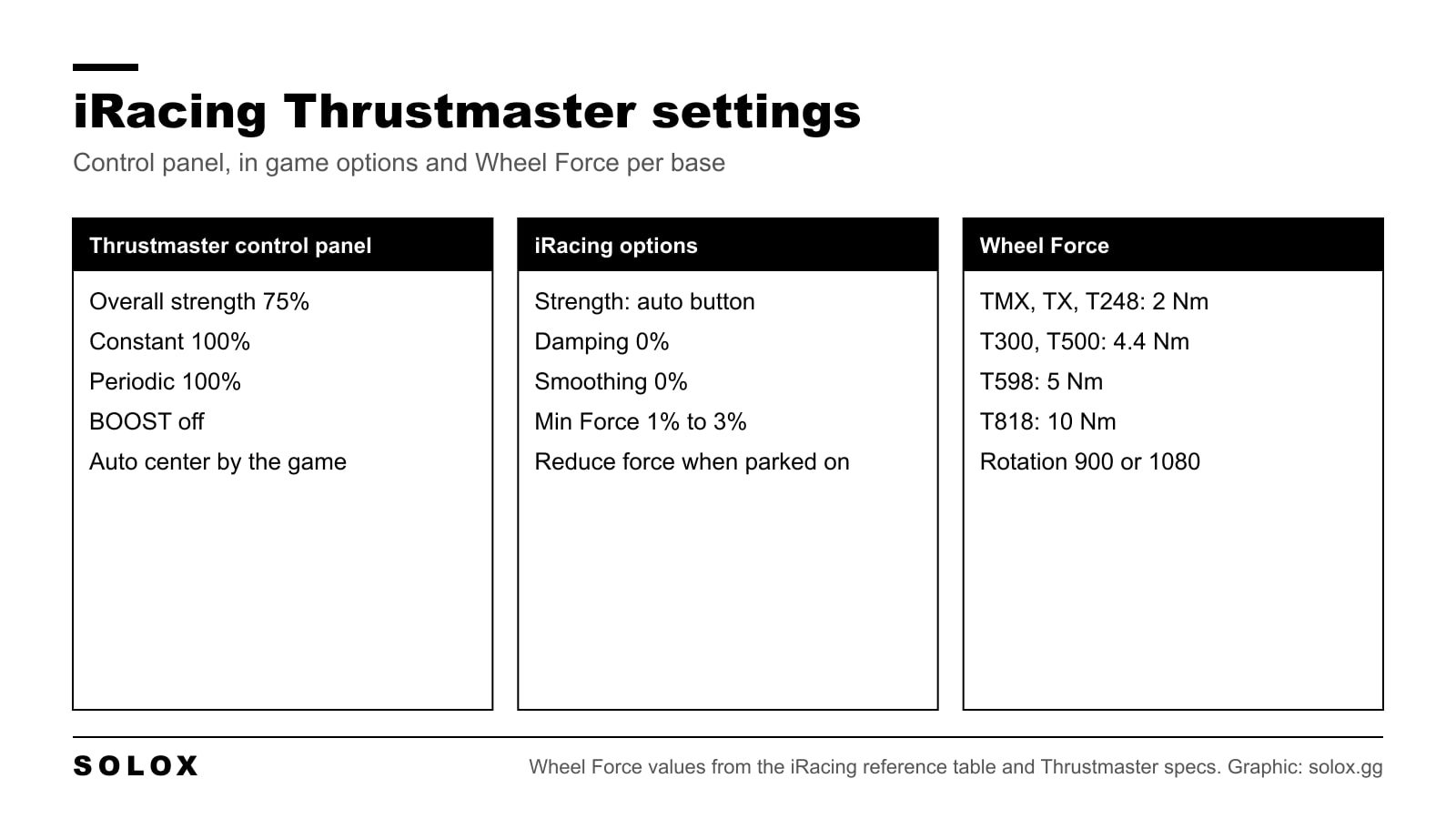
iRacing Thrustmaster settings for the T300, TX, TMX, T150, T248, T598 and T818: control panel values, Wheel Force per base, Min Force and strength.
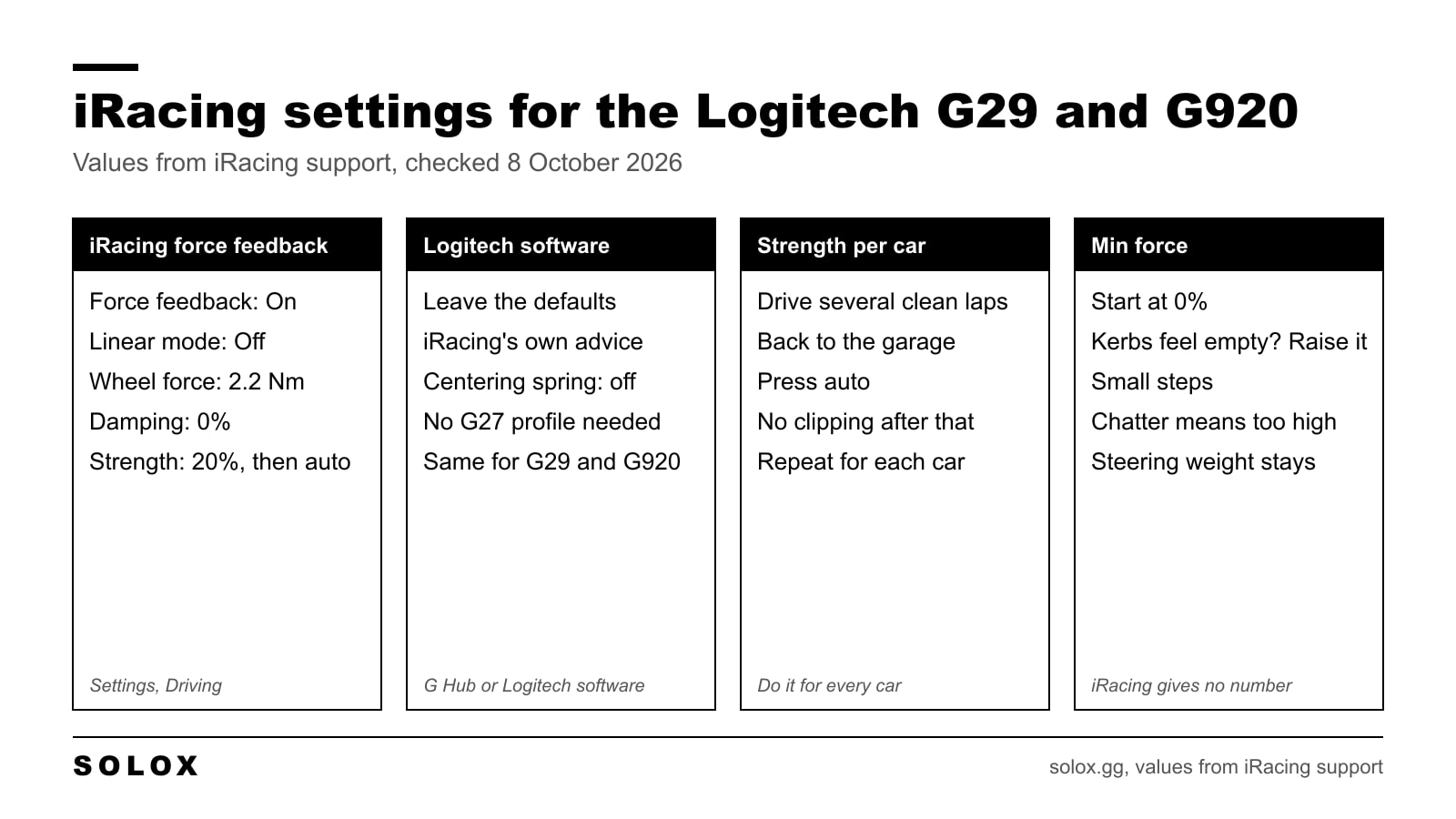
The iRacing settings for a Logitech G29 or G920: wheel force 2.2 Nm, linear mode off, strength set with the auto button, and how to use min force.
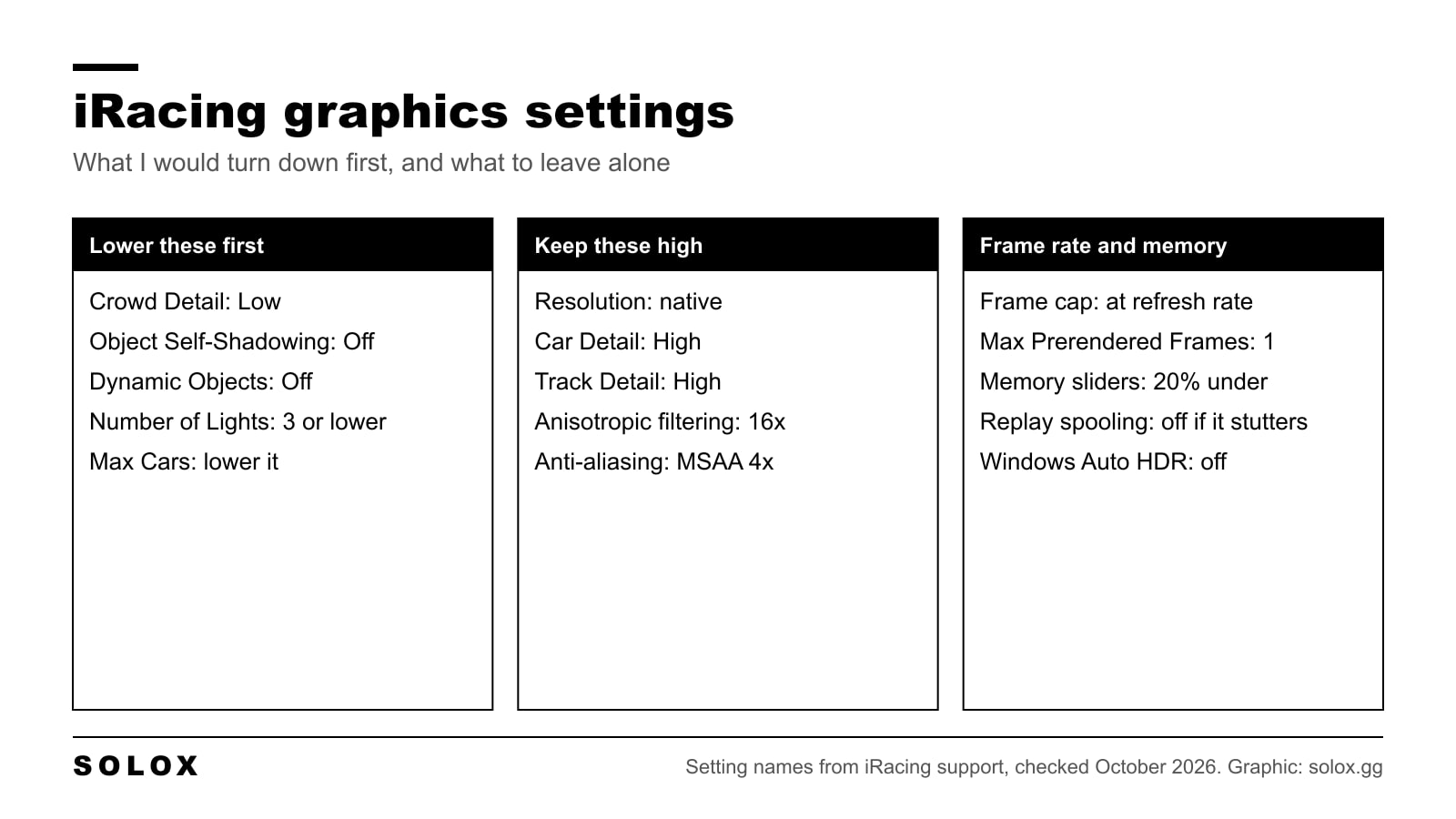
The iRacing graphics settings I would use for a smooth frame rate: what to lower first, what to keep high, the frame cap and the memory sliders.
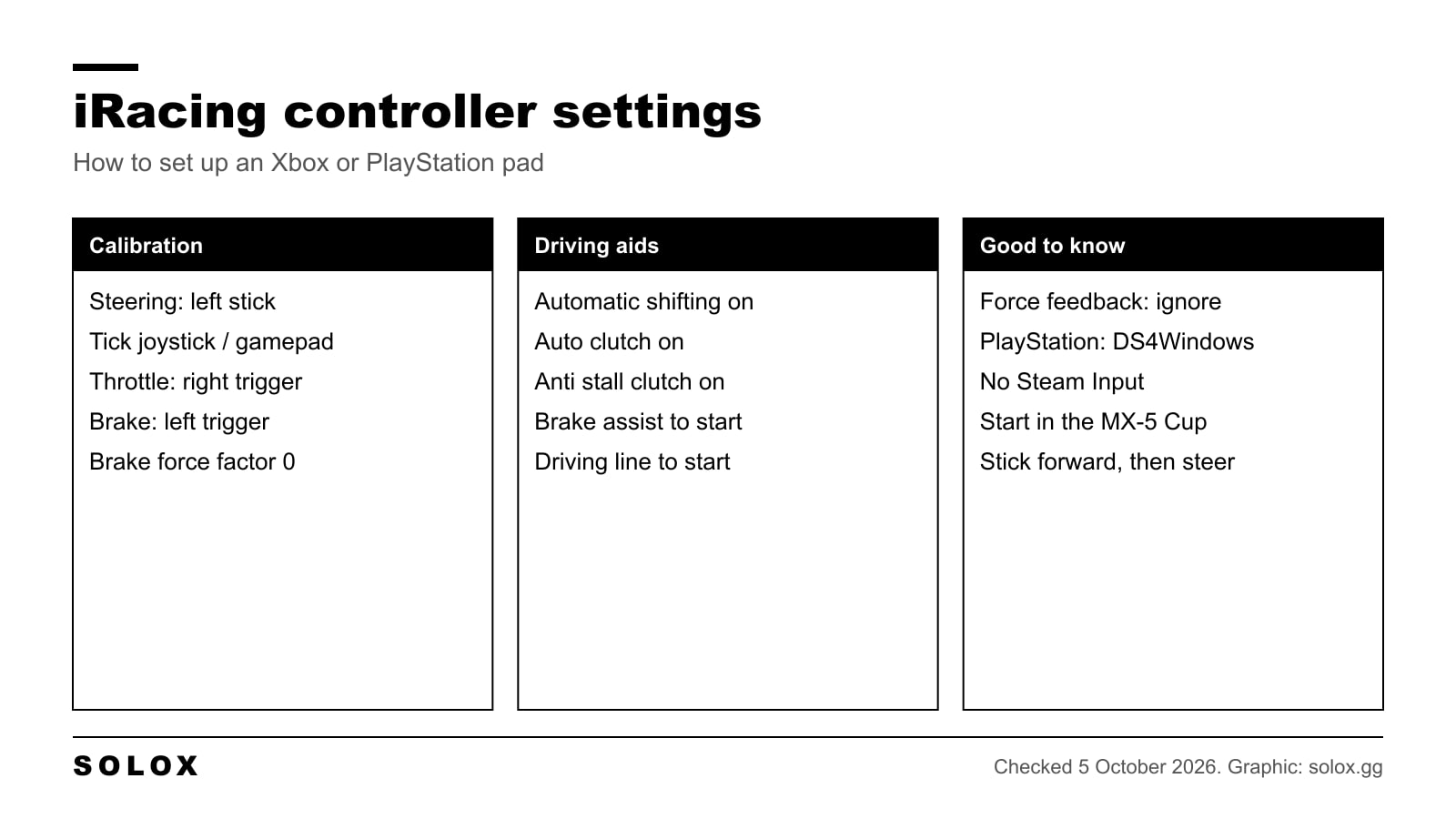
The iRacing controller settings that matter: how to calibrate an Xbox or PS5 pad, which driving aids to use, a button layout and how to stop the twitching.
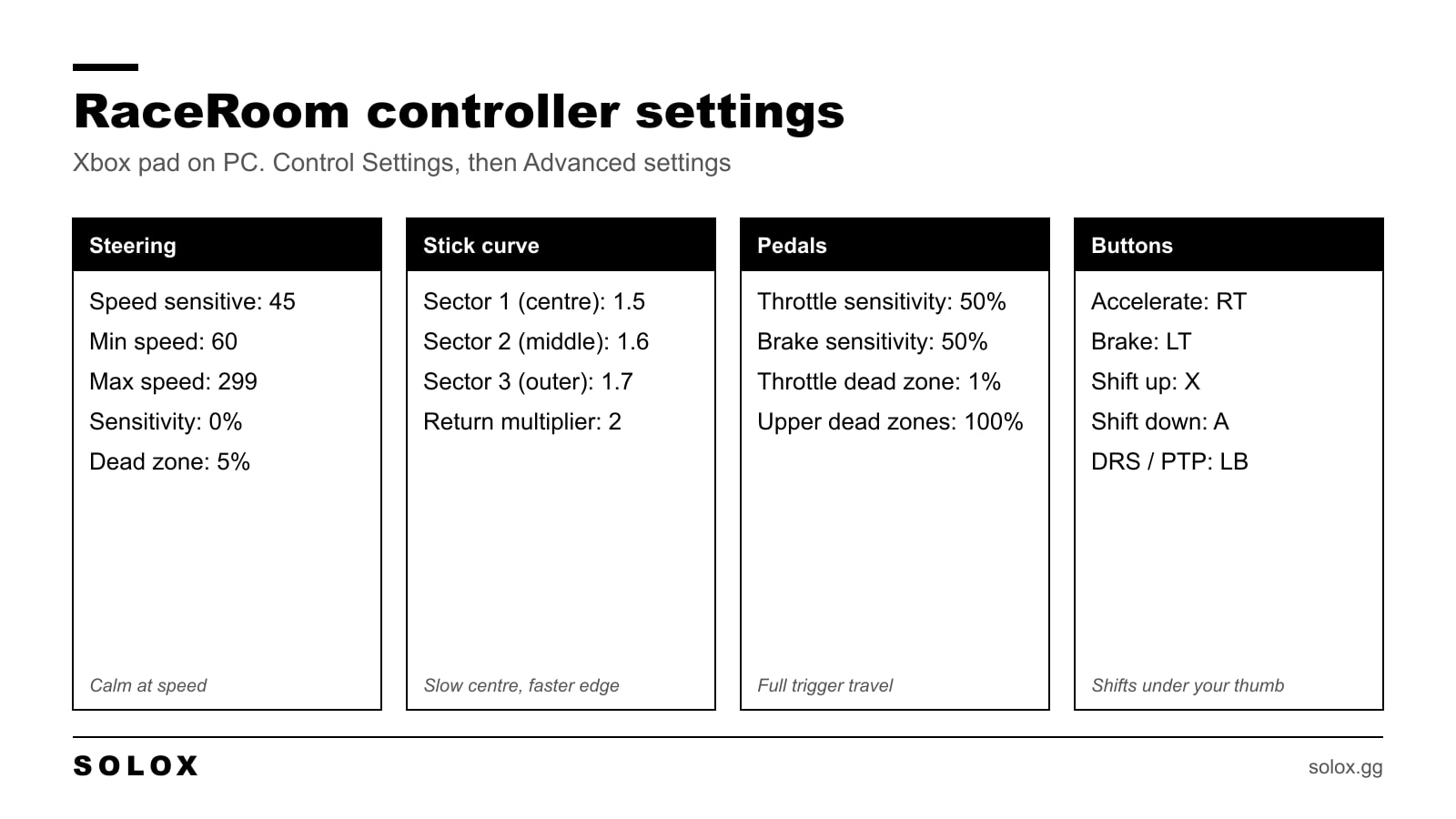
The RaceRoom controller settings I use on an Xbox pad: steering, stick curve, triggers and button layout, plus how to drive fast without a wheel.
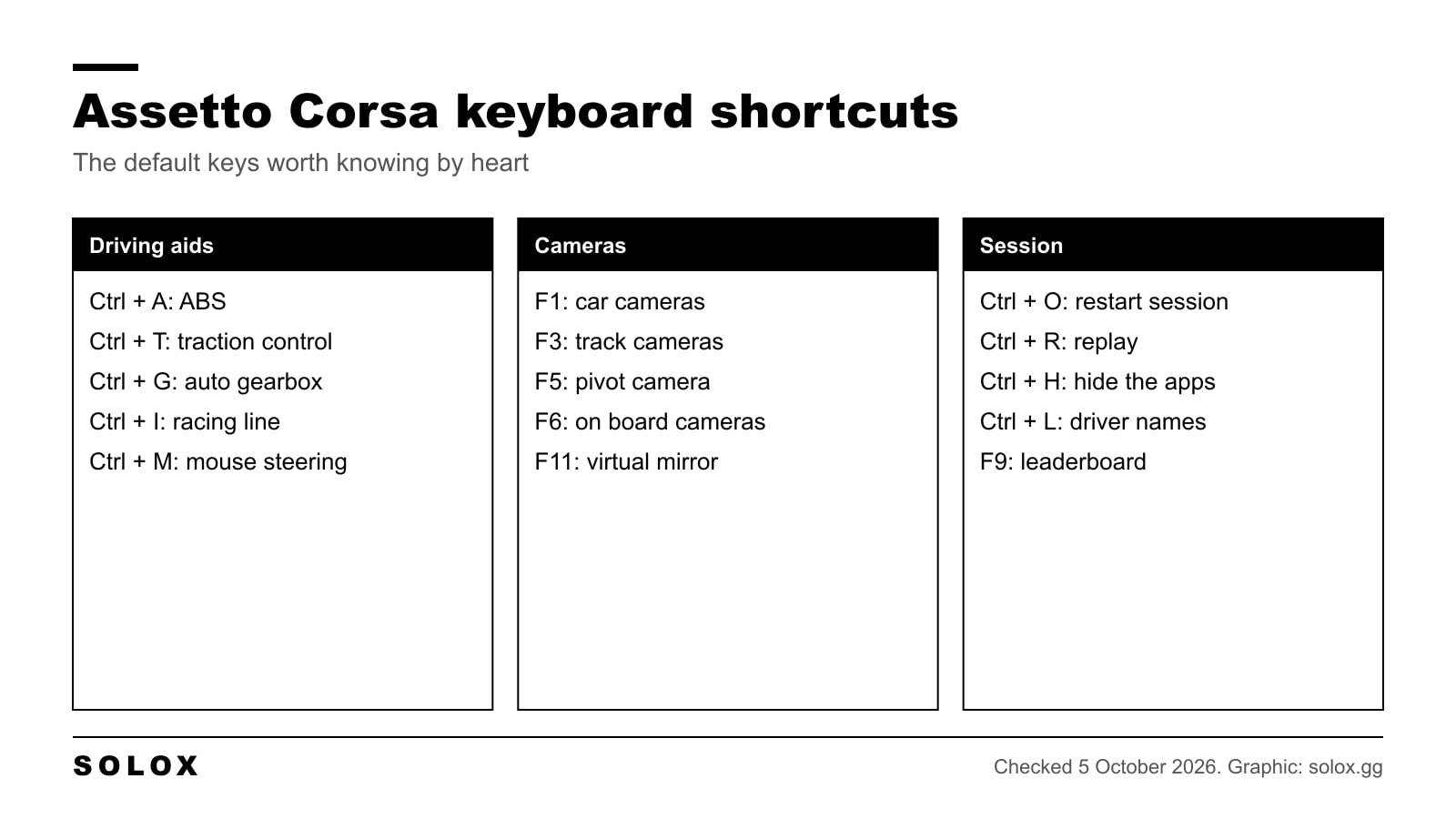
Assetto Corsa keyboard controls in clear tables: every default shortcut, how to set up keyboard or mouse steering, and the assists I would switch on.
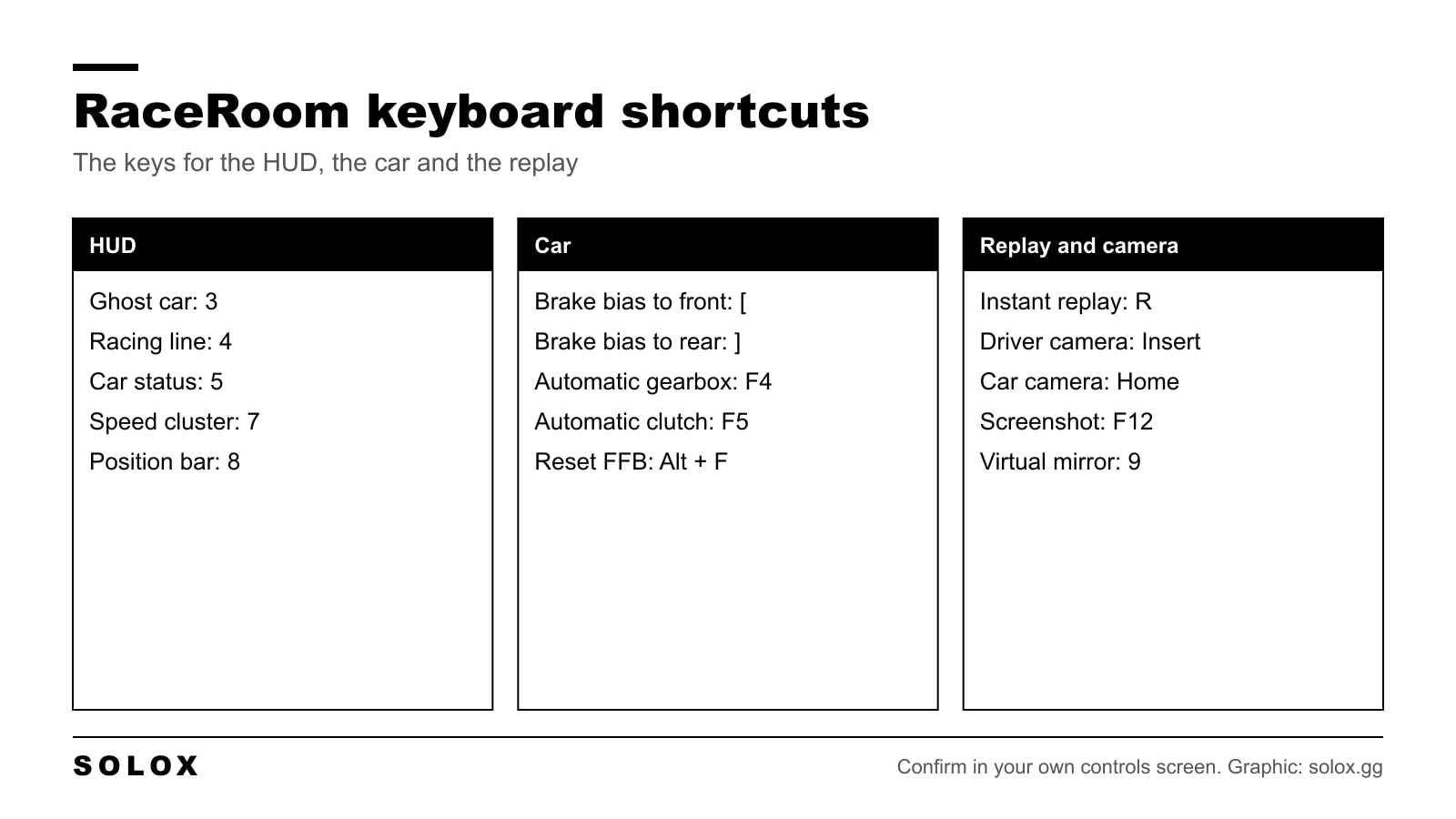
The RaceRoom keyboard shortcuts in three tables: HUD, car and replay keys, plus the driving layout and the aids I would use if you race on a keyboard.
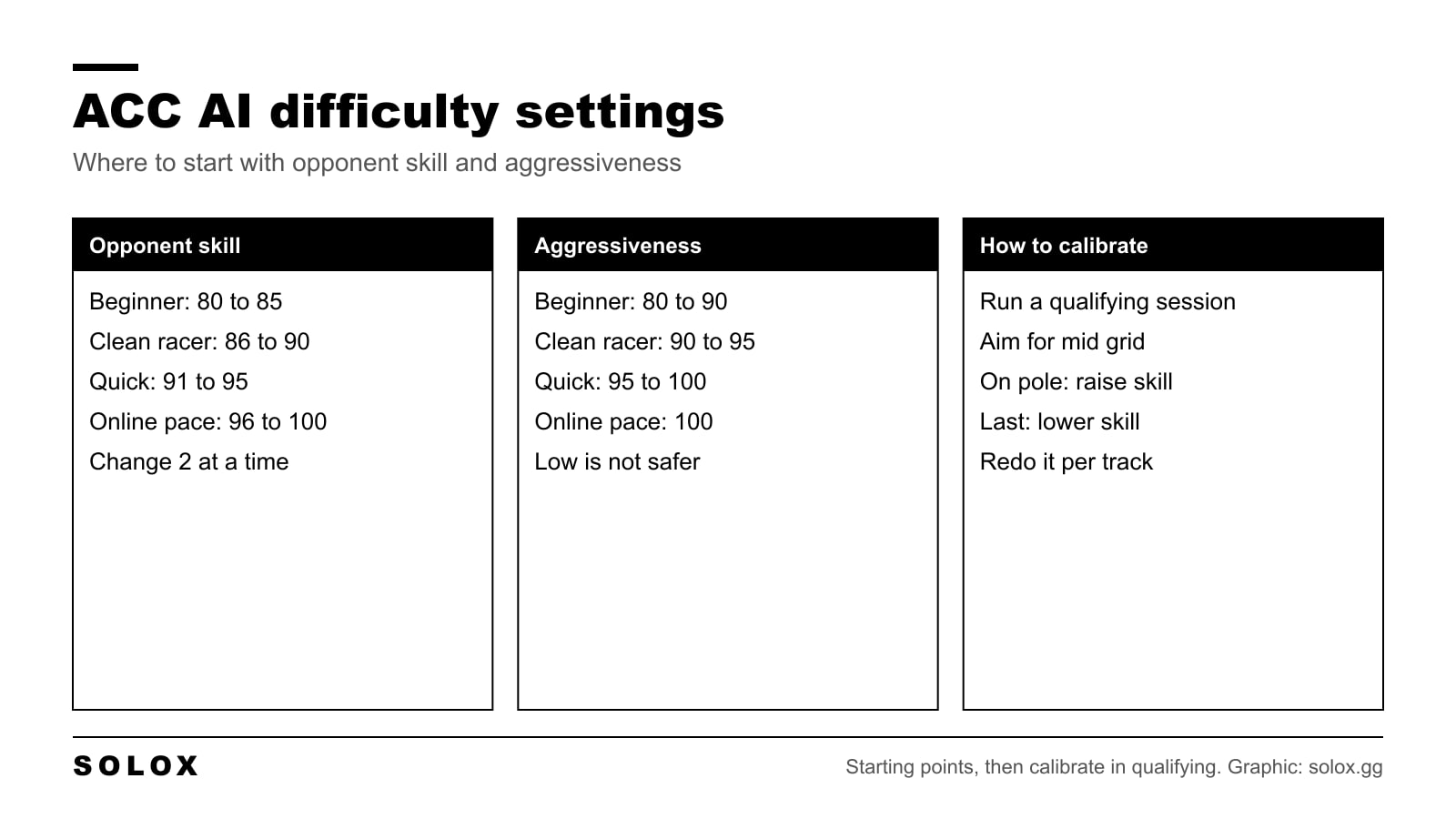
The ACC AI difficulty settings I would start with: opponent skill and aggressiveness by level, how to calibrate them in qualifying, and how to fix slow AI.
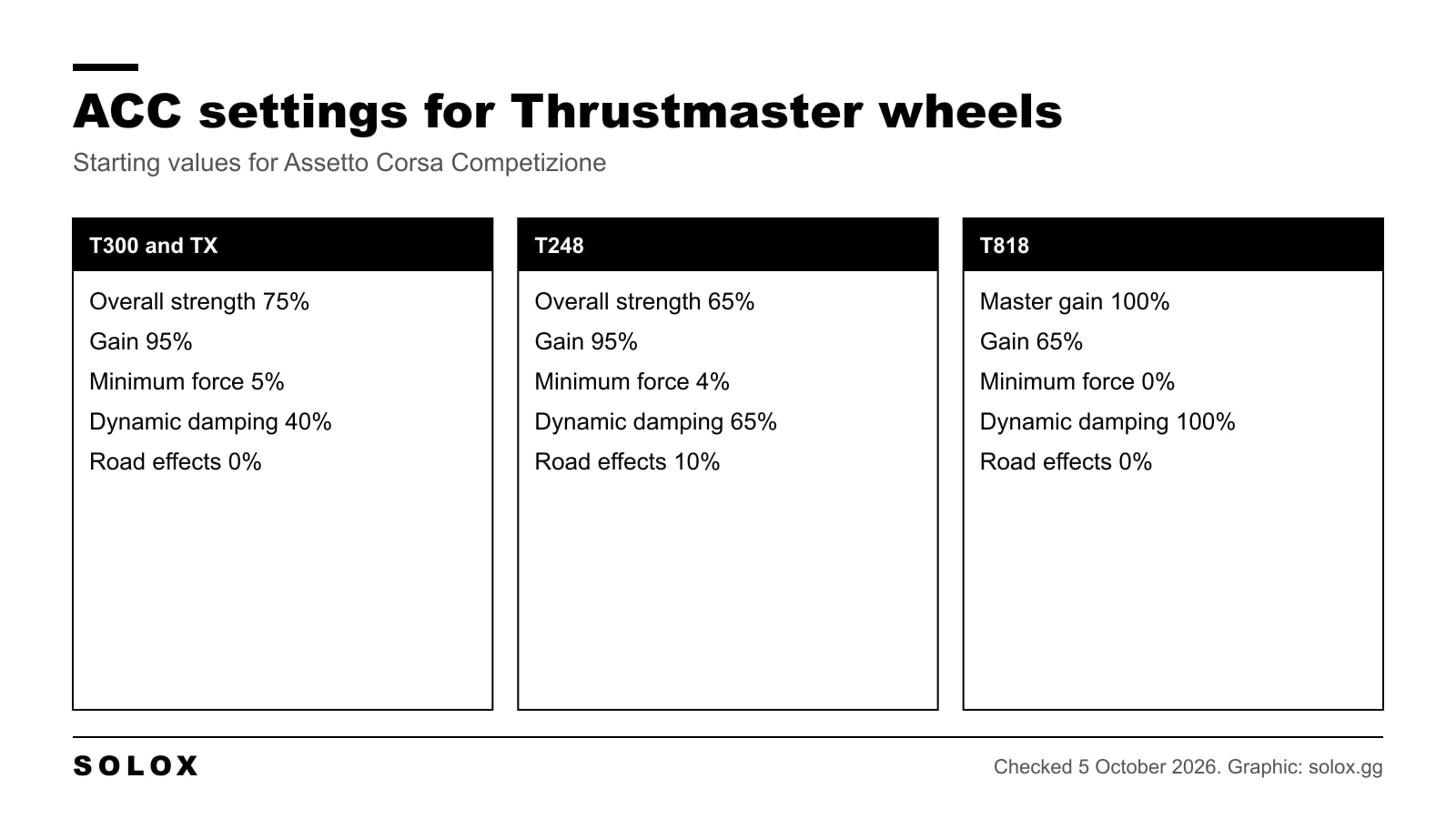
The ACC Thrustmaster settings I would start from on a T300, TX, T248, T150, TMX, TS-PC or T818: control panel values, gain, minimum force and damping.
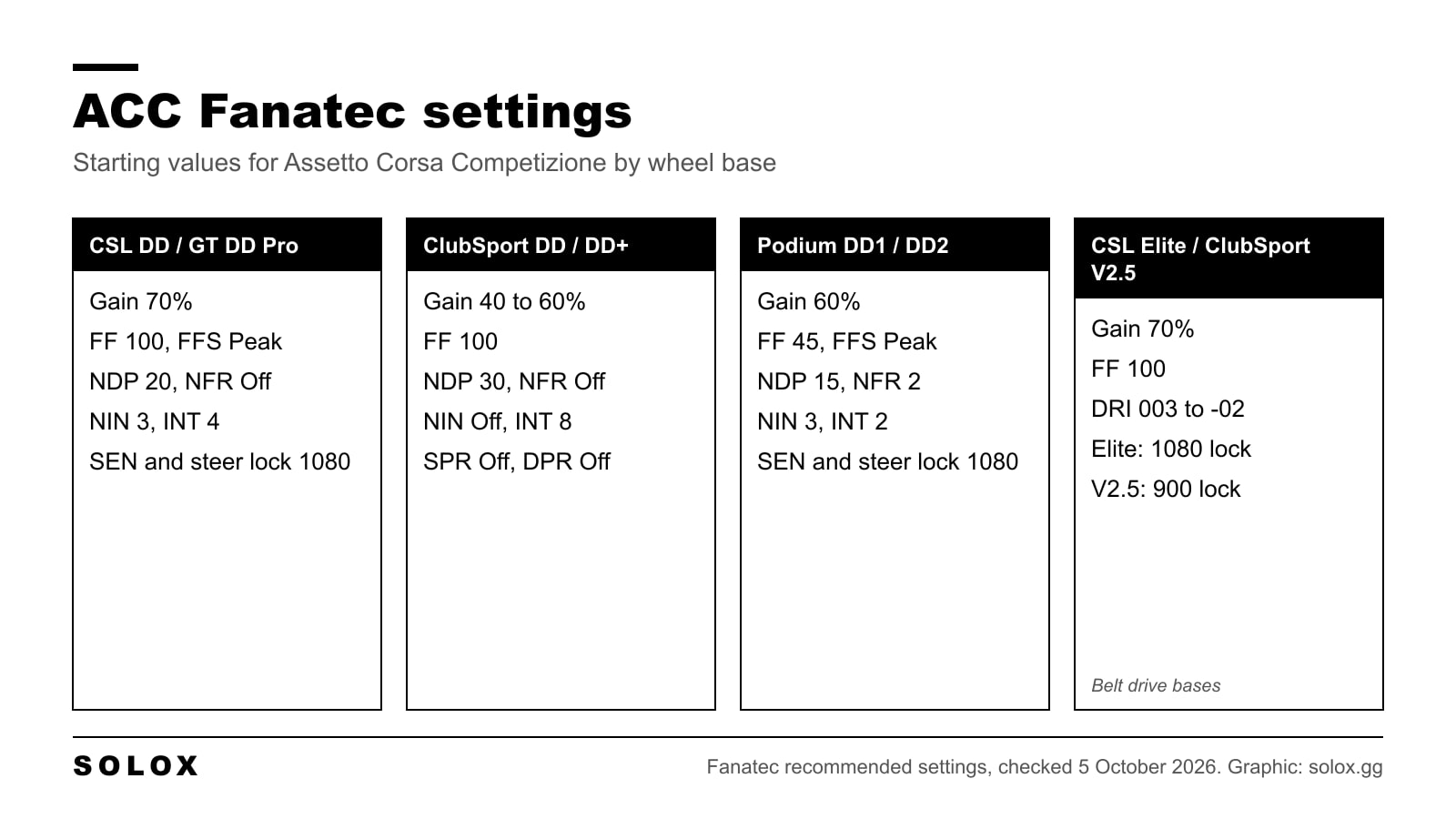
The Fanatec settings I would start from in ACC: tuning menu and in-game force feedback values for the CSL DD, GT DD Pro, ClubSport DD, DD1, DD2 and CSL Elite.
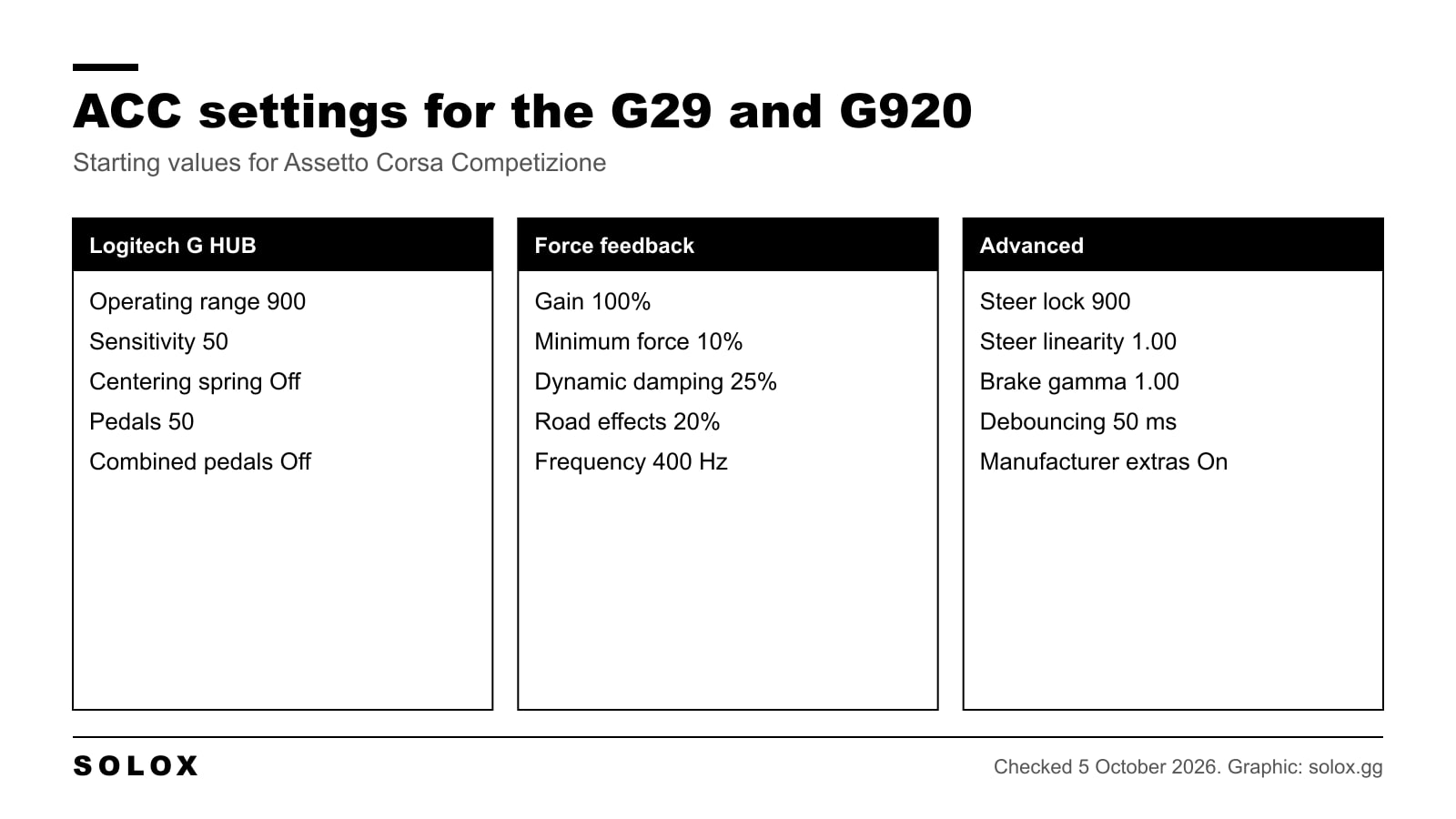
The ACC settings I would start from on a Logitech G29 or G920: G HUB values, gain, minimum force, damping and steer lock, and how to adjust them lap by lap.
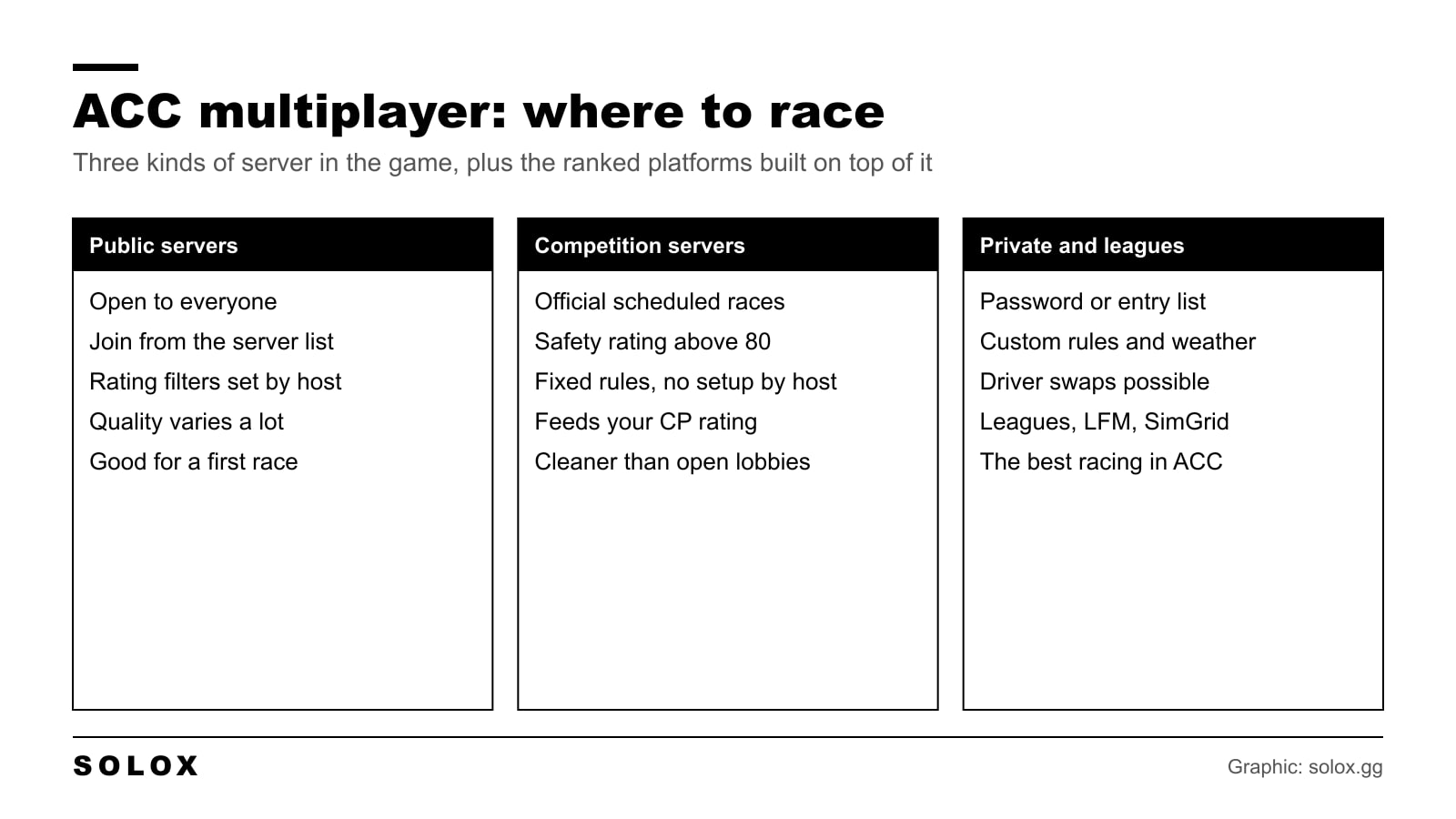
How ACC multiplayer works: public, Competition and private servers, the driver ratings, crossplay, and where I would race for clean online racing.
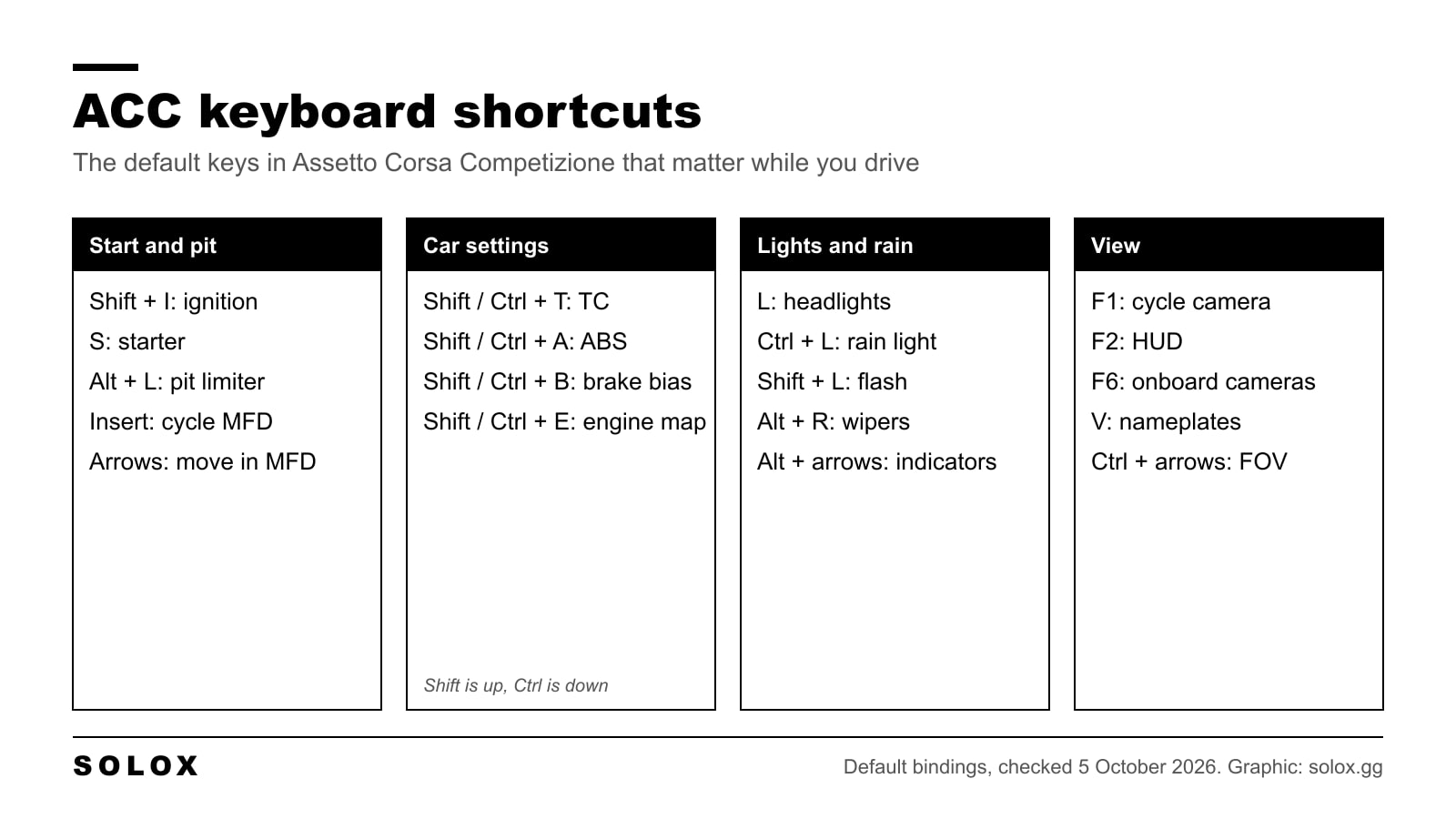
Every default ACC keyboard shortcut in clear tables: ignition, pit limiter, TC, ABS, brake bias, MFD, cameras and VR, plus the keys I would learn first.
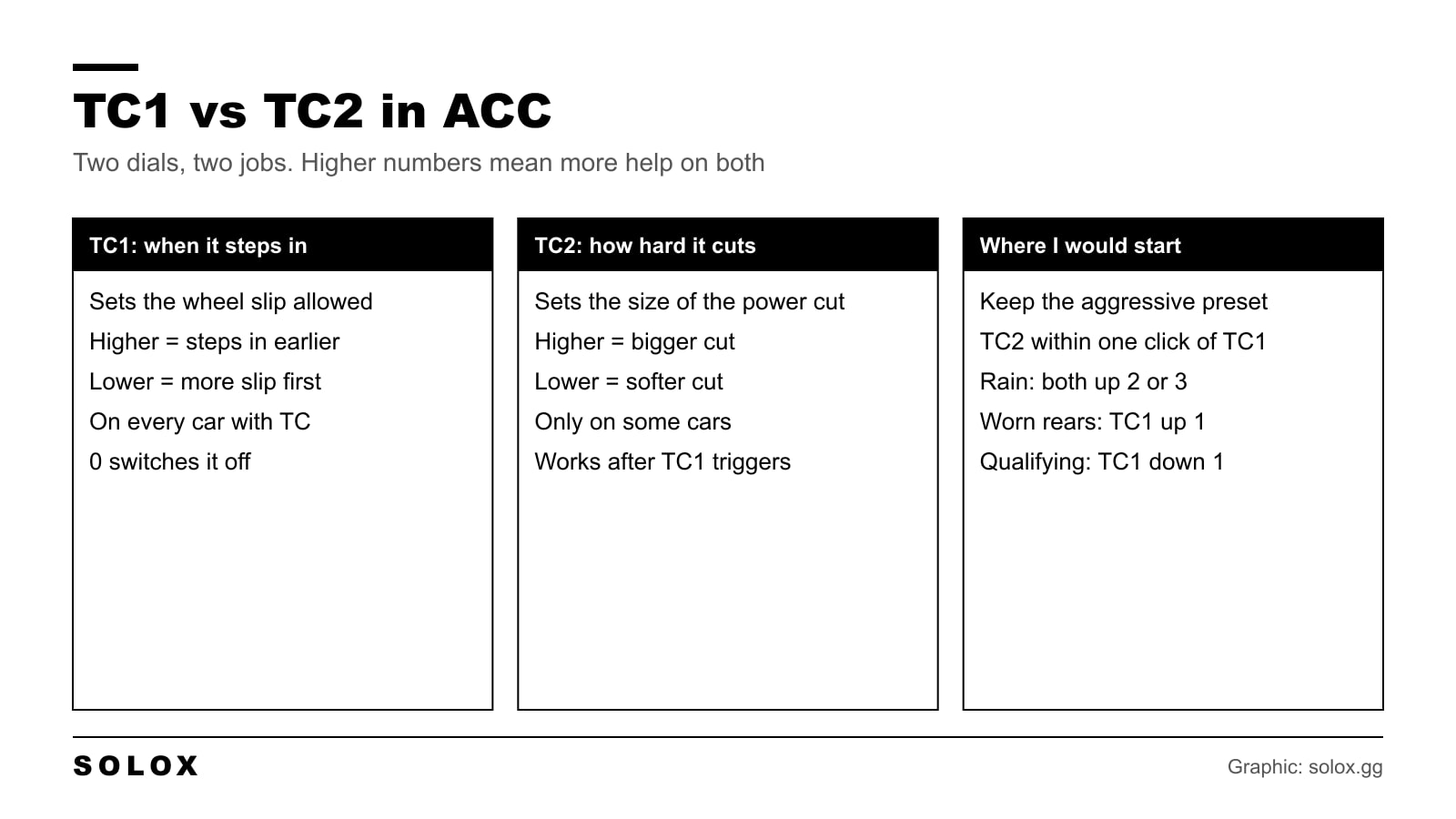
TC1 vs TC2 in ACC explained: TC1 sets when traction control steps in, TC2 sets how hard it cuts power. Starting values for dry, wet and race stints.
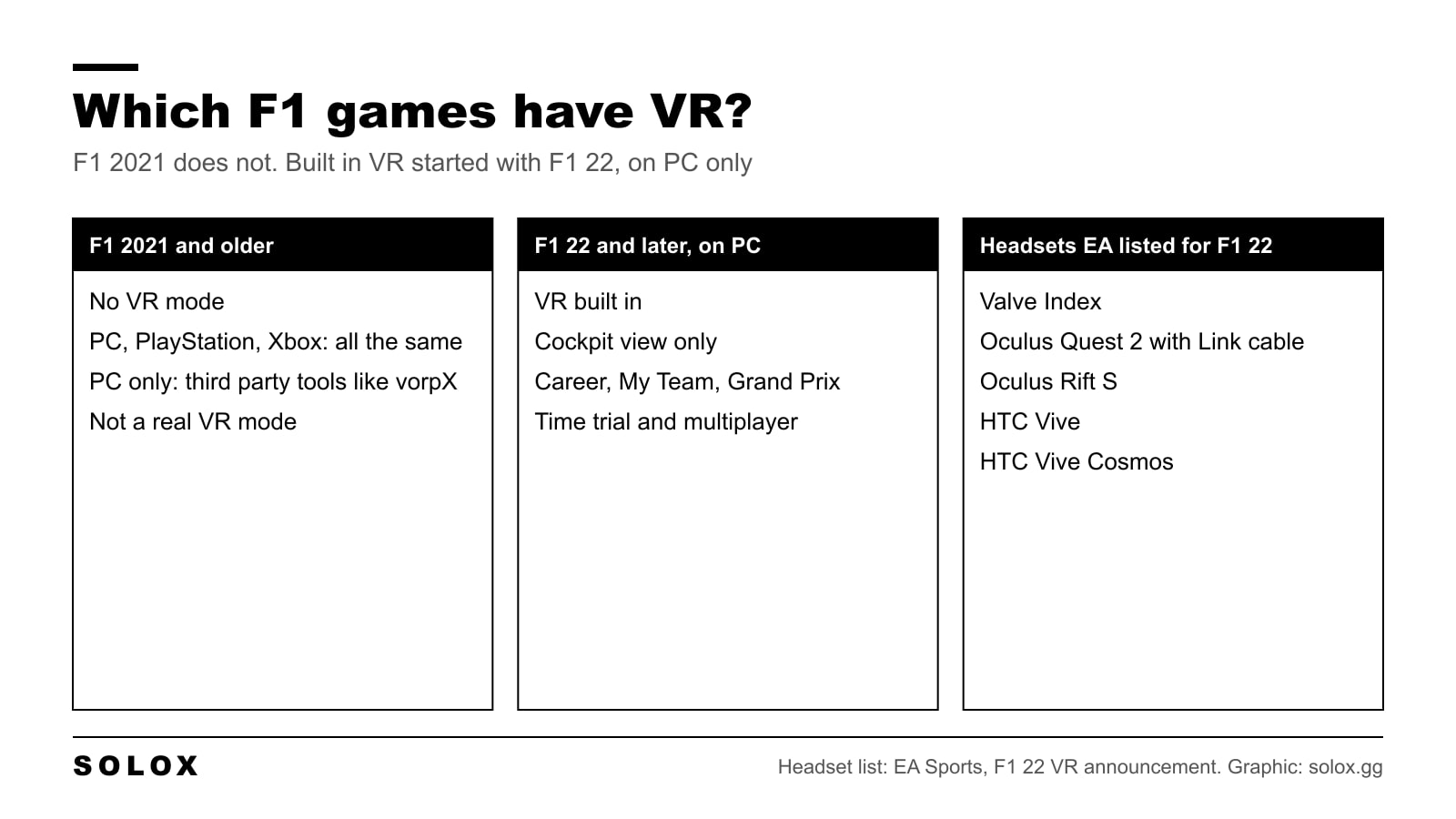
F1 2021 has no VR mode on PC, PlayStation or Xbox. Here is what you can still do with a headset, which F1 games have VR built in and what I would play.
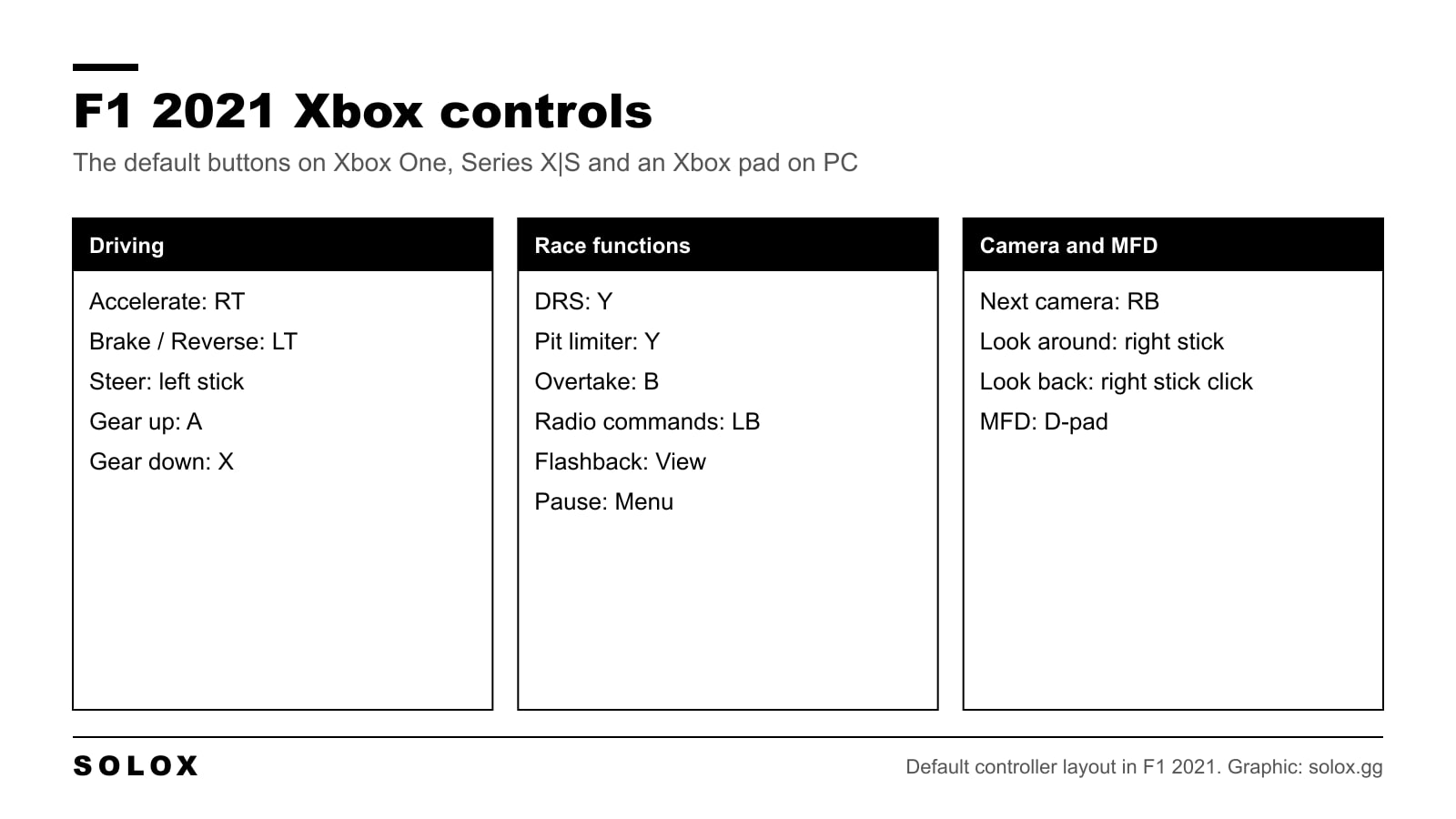
The full F1 2021 Xbox controls list for Xbox One and Series X|S, with every default button, how to remap them and the settings I would change first on a pad.
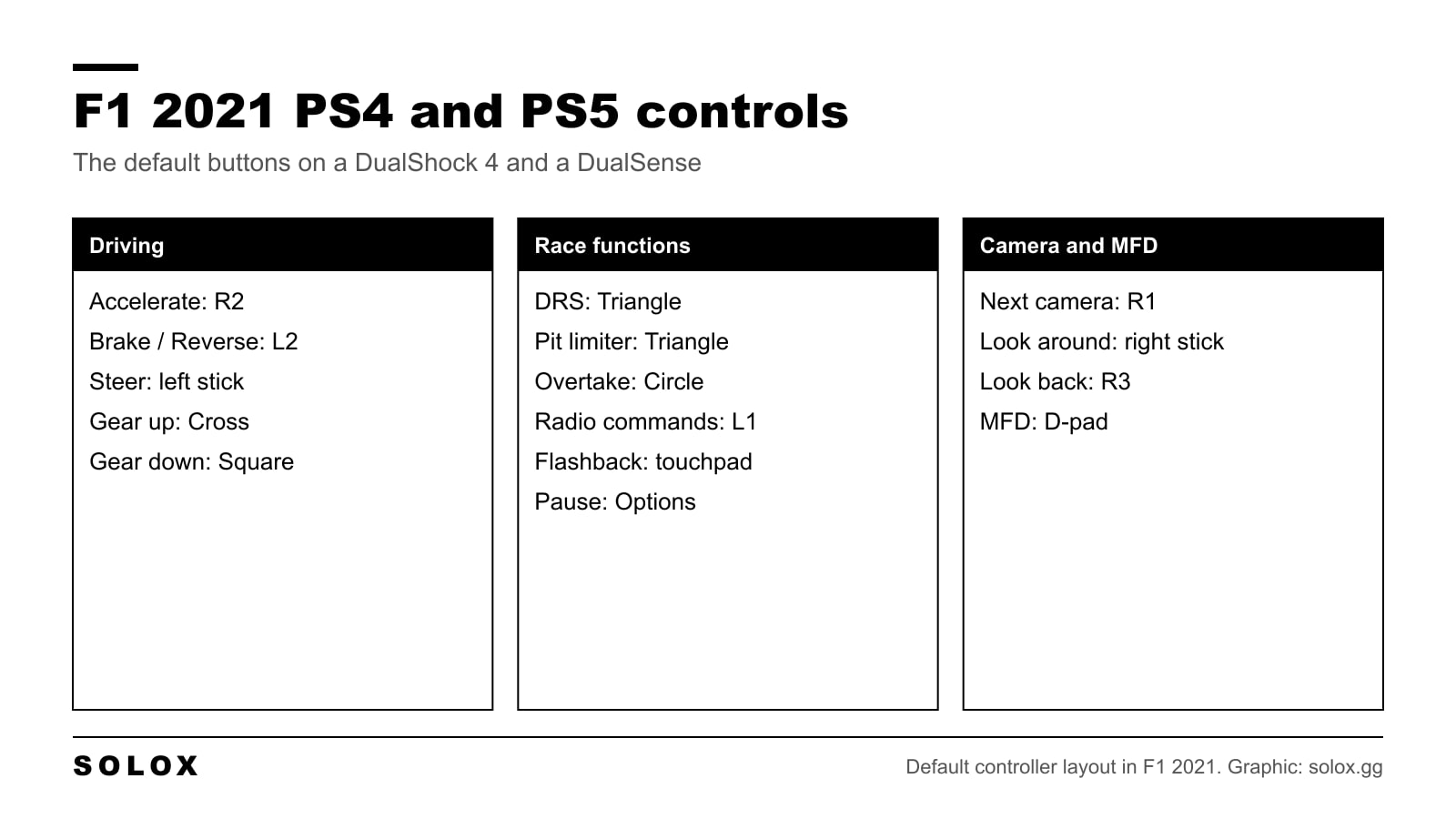
The full F1 2021 controls list for PS4 and PS5, with the default DualShock and DualSense buttons, how to remap them and the settings I would change first.
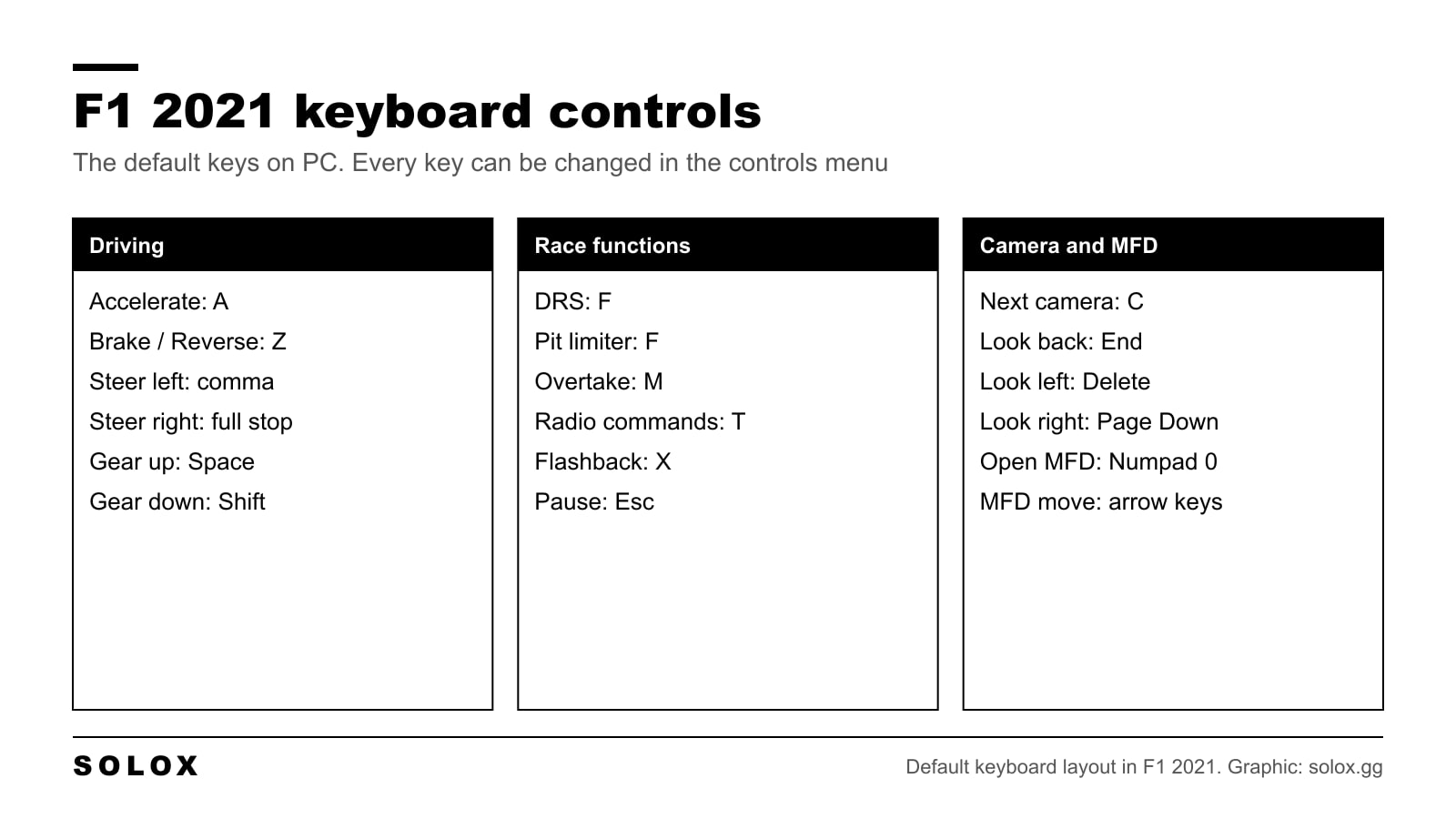
The full list of F1 2021 keyboard controls on PC, how to rebind the keys, which assists to use on a keyboard and how to be as fast as you can without a wheel.
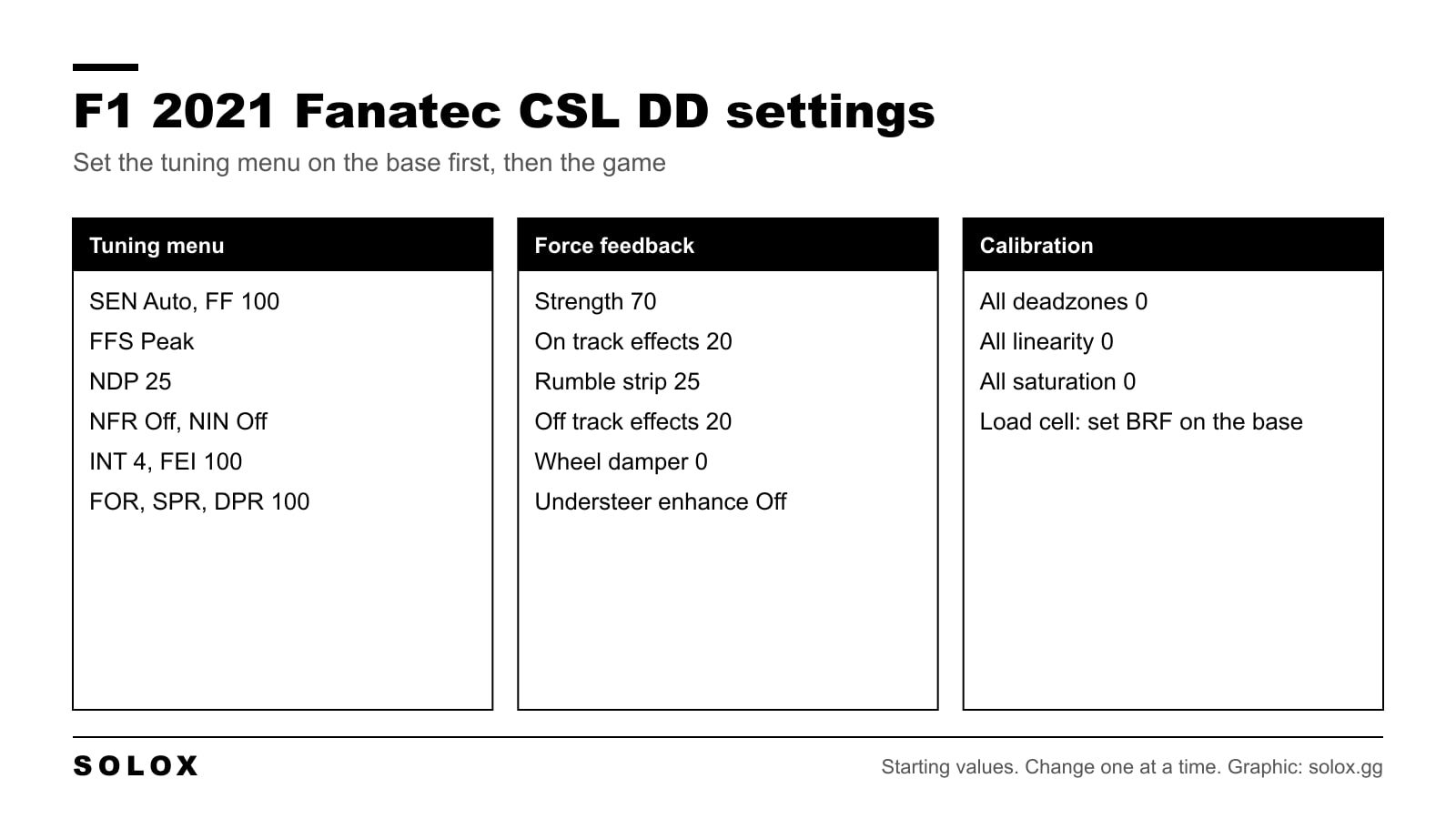
F1 2021 Fanatec CSL DD settings: the full tuning menu, force feedback strength at 70, calibration, Boost Kit notes and what to change if it feels wrong.